
Beskrivning
Asgaros Forum är det perfekta WordPress-tillägget om du vill utöka din webbplats med en lätt och funktionsrik diskussionstavla. Det är lätt att ställa in, supersnabbt och perfekt integrerat i WordPress.
Support, demo och dokumentation
Funktioner
- Enkel innehållshantering
- Profiler och medlemslista
- Aviseringar och flöden
- Kraftfull redigerare
- SEO-vänlig
- Reaktioner
- Uppladdningar
- Sök
- Omröstningar
- Widgetar
- Statistik
- Gästinlägg
- Godkännande, avstängning och rapportering
- Moderatorer, behörigheter och användargrupper
- Anpassningsbart responsivt tema
- Flerspråkighet
- Flera instanser
- Multisite kompatibilitet
- myCRED Integration
Installation
- En ny forumsida skapas automatiskt under installationen
- Lägg till denna sida i din meny så att dina användare kan komma åt ditt forum
- Det är allt!
Skärmdumpar

Forumöversikten 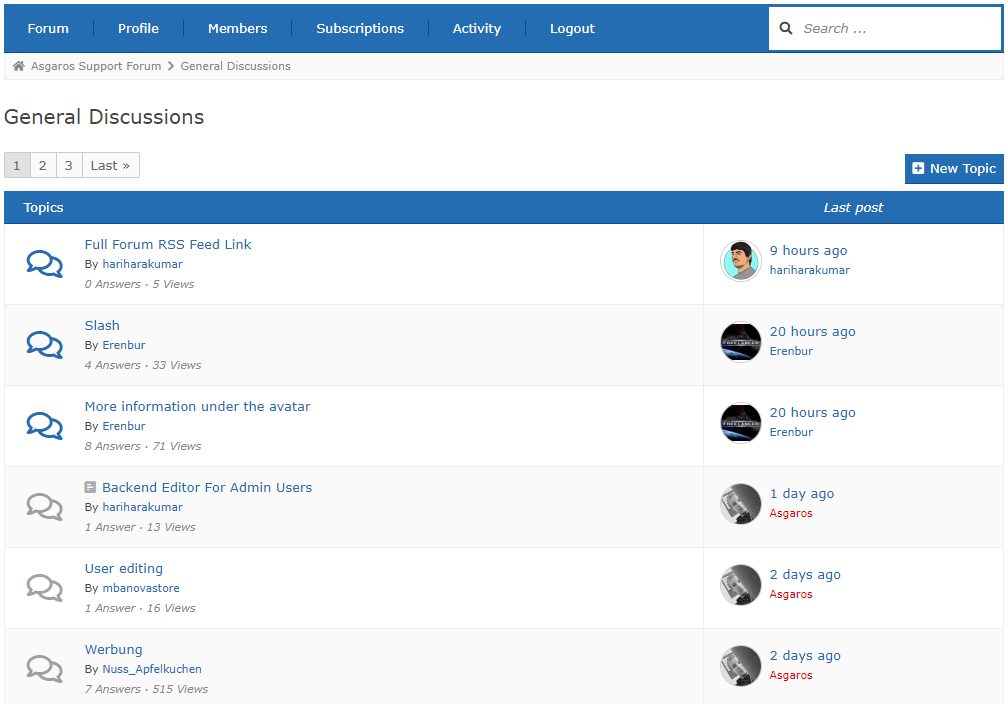
The topic overview 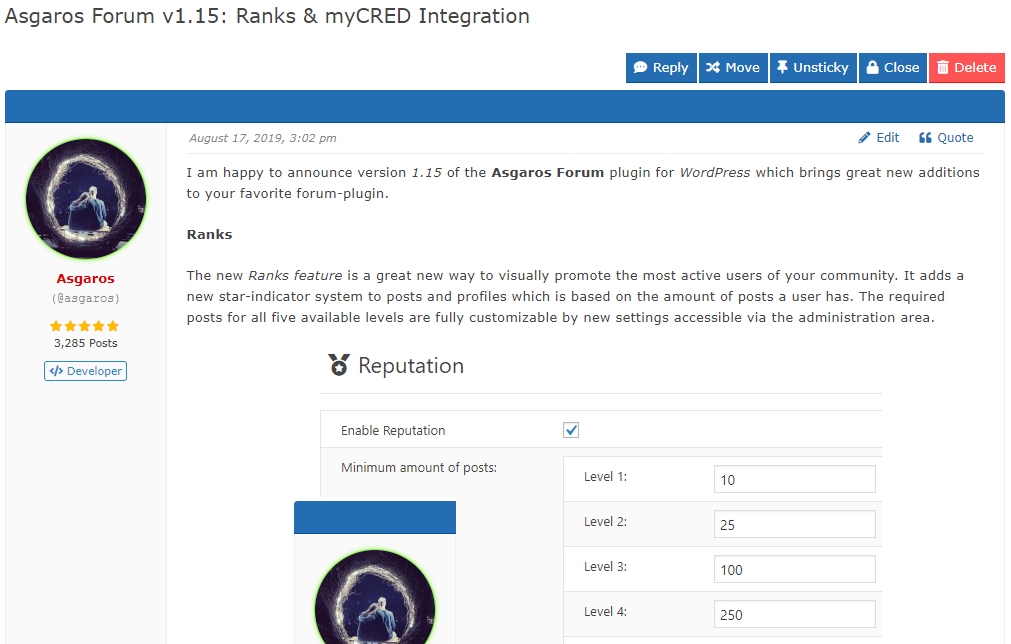
The topic view 
Skapar ett nytt ämne 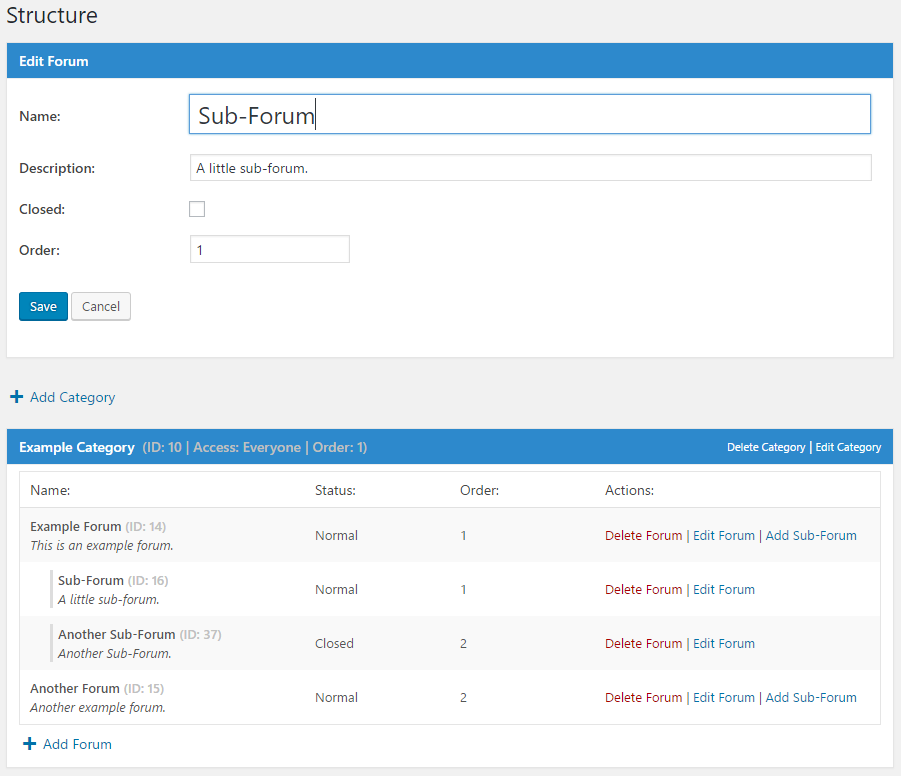
Hantera forum i administrationsområdet 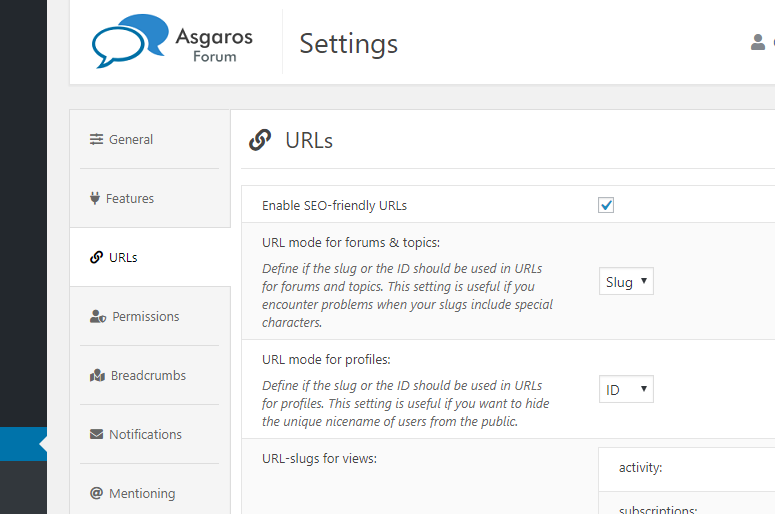
Hantera allmänna alternativ
Installation
- Ladda ner
Asgaros Forum - Aktivera tillägget via sidan
Tilläggi WordPress - En ny forumsida skapas automatiskt under installationen
- Du kan också lägga till ett forum till en sida manuellt genom att lägga till kortkoden
[forum]till den - Lägg till denna sida i din meny så att dina användare kan komma åt ditt forum
- På vänster sida av administrationsområdet hittar du en ny meny som heter
Forumdär du kan ändra inställningarna och skapa nya kategorier och forum - Det är allt!
Vanliga frågor
-
Jag kan inte se innehåll eller modifieringar jag gjorde till forumet
-
Om du använder något tredjepartstillägg för caching (WP Super Cache till exempel) och inaktiverar cachning för forumets sida, bör allt fungera bra igen.
-
Jag kan inte ladda upp mina filer
-
Som standard kan endast filer av följande filtyp laddas upp: jpg, jpeg, gif, png, bmp, pdf. Du kan modifiera de tillåtna filtyperna i forumadministrationen.
-
Var kan jag lägga till moderatorer eller stänga av användare?
-
You can ban users or ad moderators via the user edit screen in the WordPress administration interface.
-
Hur kan jag visa ett specifikt inlägg/ämne/forum/kategori på en sida?
-
Du kan utöka kortkoderna med olika parametrar för att endast visa specifikt innehåll. Till exempel:
[forum post="POSTID"],[forum topic="TOPICID"],[forum forum="FORUMID"],[forum category="CATEGORYID"]eller[forum category="CATEGORYID1,CATEGORYID2"]. -
Hur kan jag lägga till en captcha till redigeraren för gäster?
-
För att lägga till captcha på ditt forum måste du använda en av de tillgängliga captchatilläggen för WordPress från tredje part för att i ditt temas functions.php fil på egen hand lägga till kontrollogik via tillgängliga krokar och filter. Du kan exempelvis använda tillägget Really Simple CAPTCHA och lägga till följande kod i ditt temas functions.php fil: https://gist.github.com/Asgaros/6d4b88b1f5013efb910d9fcd01284698.
-
Jag vill hjälpa till att översätta Asgaros Forum
-
Du kan hjälpa till att översätta Asgaros Forum på denna webbplats:
https://translate.wordpress.org/projects/wp-plugins/asgaros-forum.
Använd endast denna webbplats och skicka inte dina egna .po/.mo-filer eftersom det är svårt att underhålla om jag får flera översättningsfiler för ett språk. -
Godkänn mina översättningar
-
Du kan godkänna översättningar själv om du är en Project Translation Editor (PTE). Kontakta mig på forumet om du är en inhemsk talare och vill bli en PTE.
-
Vilka åtgärds-hook och filter finns tillgängliga?
-
You can find a list of available hooks and filters on this site:
https://asgaros.com/support/topic/list-of-available-hooks-and-filters/.
Recensioner


Bidragsgivare och utvecklare
”Asgaros Forum” är programvara med öppen källkod. Följande personer har bidragit till detta tillägg.
Bidragande personer

”Asgaros Forum” har översatts till 32 språk. Tack till översättarna för deras bidrag.
Översätt ”Asgaros Forum” till ditt språk.
Intresserad av programutveckling?
Läs programkoden, kika på SVN-filförvaret eller prenumerera på utvecklarloggen via RSS.
Ändringslogg
2.9.0
- Fixed: Cross-Site Request Forgery vulnerability when marking topics as read
- Kompatibilitet med WordPress 6.5
2.8.0
- Fixed: PHP Object Injection
- Prestandaförbättringar och kodoptimeringar
- Kompatibilitet med WordPress 6.4
2.7.2
- Fixed: PHP warning and database error in statistics
2.7.1
- Fixed: PHP parse error in forum-compatibility.php
- Fixed: Prevent forum administrators from allowing dangerous file extensions for uploads
- Fixed: Improved file size error handling during file uploads
- Fixed: Ensure that asgarosforum_filter_profile_link filtering is always performed
2.7.0
- Added: Option which allows users to only delete own topics without replies
- Added: Support for forum name in title of notifications
- Fixed: Malformed meta descriptions when using some special characters
- Fixed: Deprecated error message in statistics
- Improved compatibility with WP-Sweep
- Removed: Themes functionality
- Prestandaförbättringar och kodoptimeringar
- The required minimum PHP version is now 5.3
2.6.0
- Fixed: Minor display issues
- Fixed: Wrong stylings when using custom colors
- Kompatibilitet med WordPress 6.3
2.5.1
- Fixed: Wrong stylings when using custom colors
- Fixed: Display issues on mobile navigation
- Fixed: Potential error in title generation
2.5.0
- Revised topic view
- Fixed: Wrong HTML output in forum navigation
- Added: Option to define minimum time between new posts
- Changed: Time limit for editing/deleting topics/posts from minutes to seconds
- Mindre designändringar
- Förbättrat mobildesign
- Prestandaförbättringar och kodoptimeringar
- Kompatibilitet med WordPress 6.2
2.4.1
- Fixed: Multiple warnings in widgets
- Fixed: Wrong stylings when using custom colors
2.4.0
- Fixed: It was not possible to unsubscribe from topics/forums in the subscriptions area
- Fixed: Don’t remove href-attribute if links are allowed in signatures
- Fixed: Remove slashes from some outputs
- Fixed: Show groups in mobile view
- Åtgärdat: Visningsfel med vissa teman
- Changed: Only show moderators, administrators and topic participants in suggestions for mentioning-functionality
- Mindre designändringar
- Prestandaförbättringar och kodoptimeringar
- Uppdaterat: Font Awesome version 6.3.0
2.3.1
- Fixed: Broken automatic embedding
2.3.0
- Fixed: Embedding shortcodes broken under certain conditions
- Fixed: Rare rendering issues for widgets
- Fixed: Add missing escaping for output data
- Fixed: Cross-Site Request Forgery vulnerability when moving topics
- Prestandaförbättringar och kodoptimeringar
2.2.1
- Fixed: Add missing escaping for output data
2.2.0
- Fixed: Multiple Cross-Site Request Forgery vulnerabilities
- Kompatibilitet med WordPress 6.1
2.1.0
- Added: Functionality to delete forum posts and topics when deleting users
- Added: asgarosforum_overwrite_is_feed_enabled filter
- Förbättrad kompatibilitet med Yoast SEO
- Kompatibilitet med WordPress 6.0
2.0.0
- Revised pagination
- Added: Option to hide names of online users in statistics
- Added: Option to define units for maximum file-size of uploads
- Added: Forum name to notifications
- Added: asgarosforum_render_custom_forum_element action
- Added: asgarosforum_overwrite_forum_status filter
- Added: asgarosforum_overwrite_post_counter_cache filter
- Added: asgarosforum_overwrite_topic_counter_cache filter
- Added: asgarosforum_overwrite_lastpost_forum_cache filter
- Added: asgarosforum_overwrite_get_topics_query filter
- Added: asgarosforum_overwrite_get_sticky_topics_query filter
- Added: asgarosforum_render_custom_forum_element_decision filter
- Fixed: SQL injection vulnerability in the reaction-functionality
- Fixed: Usergroup icons could not get saved correctly
- Fixed: Send notifications to forum-subscribers when there is a new blog-post-topic
- Fixed: Send notification to siteowner when there is a new unapproved blog-post-topic
- Fixed: HTML from message-templates got removed after saving them
- Changed: Move settings related to statistics to its own section
- Changed: Improve instructions in notifications-template
- Changed: Improved multiple strings for better clarifications
- Prestandaförbättringar och kodoptimeringar
- Uppdaterat: Font Awesome version 5.15.4
- Kompatibilitet med WordPress 5.9
- Kompatibilitet med PHP 8.1
1.15.20
- Fixed: Broken links when URLs contain special characters
- Fixed: Add missing escaping for output data
1.15.19
- Fixed: Add missing escaping for output data
1.15.18
- Fixed: Add missing sanitizing for input data
- Fixed: Add missing escaping for output data
- Fixed: Warnings related to the currently implemented security-improvements
- Fixed: Forum-icons could not get saved correctly
- Fixed: Correctly save allowed html-tags for signatures in forum-settings
- Removed: Advertising functionality
- Prestandaförbättringar och kodoptimeringar
1.15.17
- Fixed: Add missing sanitizing for input data
- Fixed: Broken output due to wrong escape-functions
1.15.16
- Fixed: Display and calculation-issues related to time and timezones
- Fixed: Ensure safe local redirects within the forum
- Fixed: Add missing sanitizing for input data
- Fixed: Add missing escaping for output data
- Changed: Added some clarifying comments for translators
- Prestandaförbättringar och kodoptimeringar
1.15.15
- Fixed: SQL injection vulnerability in the approval-functionality
- Fixed: Prevent cross-site request forgery when creating, editing or deleting posts and topics
- Fixed: Add missing sanitizing for input data
- Fixed: Use sanitizing instead of escaping functions for input data
- Fixed: Add missing escaping for output data
1.15.14
- Fixed: Escape forum-name properly in backend
1.15.13
- Fixed: Multiple Unauthenticated SQL Injection vulnerabilities in the subscription-logic
1.15.12
- Added: asgarosforum_filter_before_post_submit filter
- Added: asgarosforum_filter_before_edit_post_submit filter
- Added: asgarosforum_filter_before_topic_submit filter
- Fixed: Warning in permalink-logic when a deleted post contains the forum-shortcode
- Åtgärdat: Visningsfel med vissa teman
- Improved compatibility with Sassy Social Share
- Kompatibilitet med WordPress 5.8
1.15.11
- Added: Option to limit the number of awarded points for likes in MyCred integration
- Added: title-attribute to spoiler-shortcode
- Tillagt: filter asgarosforum_filter_username
- Tillagt: filter asgarosforum_filter_error
- Tillagt: filter asgarosforum_filter_forum_status_options
- Fixed: Hide empty paragraphs for topics created via WordPress posts
- Fixed: pre and code-tags were breaking the layout
- Fixed: Answer-options in polls were ordered randomly on some server-configurations
- Åtgärdat: Lade till saknade översättningssträngar
- Uppdaterat: Font Awesome version 5.15.3
- Kompatibilitet med WordPress 5.7
1.15.10
- Added: Option to show usernames in reactions
- Added: Option to hide site-admins in memberslist
- Added: Option to change format for activity-timestamps
- Tillagt: filter asgarosforum_filter_profile_row
- Fixed: Make it possible to delete empty topics
- Fixed: Errors when a topic is empty due to problems during post-creation
- Åtgärdat: Visningsfel med vissa teman
- Changed: Moved post-counter and report-button to the top
- Prestandaförbättringar och kodoptimeringar
1.15.9
- Tillagt: filter asgarosforum_filter_show_header
- Tillagt: filter asgarosforum_filter_upload_folder
- Fixed: Show bulk-actions for user-roles/groups to administrators only
- Fixed: Added missing context for some translation strings
- Prestandaförbättringar och kodoptimeringar
- Improved compatibility with All In One SEO Pack
- Kompatibilitet med WordPress 5.6
1.15.8
- Tillagt: filter asgarosforum_filter_meta_post_type
- Fixed: Broken TinyMCE-editor in the administration-area
- Prestandaförbättringar och kodoptimeringar
1.15.7
- Fixed: PHP warning during initialization of REST-routes
1.15.6
- Added: Option to hide ”last seen” status from profiles and the members list
- Added: Links to login/register notification
- Tillagt: filter asgarosforum_signature
- Tillagt: filter asgarosforum_filter_header_menu
- Åtgärdat: Visningsfel med vissa teman
- Fixed: Minor display issues
- Uppdaterat: Font Awesome version 5.14.0
- Kompatibilitet med WordPress 5.5
1.15.5
- Added: Option to change title-separator
- Added: CSS view-class to body-classes
- Tillagt: filter asgarosforum_title_separator
- Tillagt: filter asgarosforum_filter_profile_header_image
- Fixed: Do not execute a search-query when no categories are accessible
- Fixed: Minor display issues
- Changed: Misleading strings
- Improved compatibility with All In One SEO Pack
- Förbättrad kompatibilitet med Rank Math SEO
- Förbättrad kompatibilitet med Yoast SEO
1.15.4
- Fixed: Fatal error when multibyte-extension is not installed
1.15.3
- Added: Show number of forum-posts for every user in administration area
- Fixed: Prevent banned users from reacting to posts
- Fixed: Allow line-breaks in biographical info of profile
- Fixed: SQL syntax error when opening a non-existent topic
- Fixed: Rare string-cutting issues
- Åtgärdat: Missvisande text
- Åtgärdat: Visningsfel med vissa teman
- Fixed: Display issues on mobile devices
- Förbättrad kompatibilitet med Rank Math SEO
- Prestandaförbättringar och kodoptimeringar
- Kompatibilitet med WordPress 5.4
1.15.2
- Tillagt: Alternativ för att dölja den nyaste medlemmen
- Tillagt: Alternativ för att låta användare öppna sina egna ämnen
- Tillagt: Alternativ för att låta användare stänga sina egna ämnen
- Fixed: Only show meta-box for creating topics when user can publish a page/post
- Fixed: Errors in Google Search Console for breadcrumbs
- Uppdaterat: Font Awesome version 5.11.2
- Mindre designändringar
- Kompatibilitet med WordPress 5.3
1.15.1
- Added: Widget option to filter output by forums
- Added: Meta box to create topics for WordPress pages and posts
- Ändrat: asgarosforum_widget_recent_posts_custom_content är nu ett filter
- Ändrat: asgarosforum_widget_recent_topics_custom_content är nu ett filter
- Uppdaterat: Font Awesome version 5.10.2
- Mindre designändringar
- Prestandaförbättringar och kodoptimeringar
1.15.0
- Tillagt: myCRED Integration
- Added: Reputation system based on amount of posts
- Tillagt: Alternativ att ändra URL för inloggning
- Tillagt: Alternativ att ändra URL för registrering
- Added: asgarosforum_profile_row action
- Added: asgarosforum_after_add_reaction action
- Added: asgarosforum_after_remove_reaction action
- Added: asgarosforum_after_update_reaction action
- Fixed: Missing users in suggestions if their display name contains special characters
- Fixed: Missing users in suggestions if their display name is not equal to their unique name
- Åtgärdat: Förhindrat att användare reagerar på sina egna inlägg
- Åtgärdat: Visningsfel med vissa teman
- Uppdaterat: Font Awesome version 5.10.1
- Prestandaförbättringar och kodoptimeringar
1.14.15
- Fixed: Compatibility issues with certain editor plugins
- Åtgärdat: Visningsfel med vissa teman
- Changed: Combined approval and closed options into a forum status option
- Uppdaterat: Font Awesome version 5.10.0
- Förbättrat kompatibilitet med Enlighter
- Mindre designändringar
- Prestandaförbättringar och kodoptimeringar
1.14.14
- Tillagt: Alternativ för att definiera allmän forumbeskrivning
- Fixed: Dont cut meta-tag description in the middle of a word
- Fixed: Compatibility issues with certain editor plugins
- Prestandaförbättringar och kodoptimeringar
1.14.13
- Åtgärdat: Problem att spara annonser
- Fixed: Fatal PHP error when processing mentionings
- Changed: Default editor-buttons
- Borttaget: Alternativ för minimalistisk redigerare
1.14.12
- Tillagt: Alternativ för att dölja vissa filter från medlemslistan
- Added: Code editor for custom-css and ad-code
- Added: Time to elements in unread-view
- Fixed: Display issues with Font Awesome icons
- Mindre designändringar
- Prestandaförbättringar och kodoptimeringar
- Den lägsta WordPress-versionen som krävs är nu 4.9
1.14.11
- Åtgärdat: Allvarligt PHP-fel i medlemslistan
1.14.10
- Added: Suggestions for mentioning-functionality
- Added: Show uploaded files in notification-mails
- Added: Option to define if poll-results are visible without vote
- Tillagt: asgarosforum_enqueue_css_js action
- Fixed: PHP warnings during mentioning-processing when HTML 5 tags are used in posts
- Åtgärdat: Visningsfel med vissa teman
- Fixed: Correctly embed iframe-media
- Uppdaterat: Font Awesome version 5.9.0
- Mindre designändringar
- Extensive performance improvements in memberslist and online-logic
- Prestandaförbättringar och kodoptimeringar
1.14.9
- Tillagt: Alternativ för att definiera antalet aktiviteter per sida
- Tillagt: asgarosforum_reactions-filter
- Tillagt: asgarosforum_execution_check action
- Fixed: JavaScript ReferenceError when leaving a page which does not contain an instance of the TinyMCE editor
- Åtgärdat: Visningsfel med vissa teman
- Changed: Use AJAX for reactions to prevent reload of page
- Förbättrad kompatibilitet med verktygsuppsättning
- Förbättrad kompatibilitet med permalänkhanterare
- Prestandaförbättringar och kodoptimeringar
1.14.8
- Tillagt: Alternativ för att låta användare ta bort sina egna ämnen
- Tillagt: Alternativ för att ställa in tidsbegränsning för att ta bort ämnen
- Tillagt: Alternativ för att låta användare ta bort sina egna inlägg
- Added: Option to set time limitation for deleting posts
- Tillagt: Alternativ att inaktivera redigering av inlägg
- Tillagt: Alternativ för att ändra plats för underforum
- Added: Warning when an user leaves a page with unsaved changes in the editor
- Fixed: Division by zero warning when viewing the results of a poll without votes
- Åtgärdat: Lade till saknade översättningssträngar
- Åtgärdat: Visningsfel med vissa teman
- Changed: Select ad randomly if multiple ads are defined for a specific location
- Ändrat: Omstrukturering av inställningar
- Uppdaterat: Font Awesome version 5.8.2
- Mindre designändringar
- Prestandaförbättringar och kodoptimeringar
1.14.7
- Fixed: Search-engines could not index the forum if profiles were not accessible for guests
1.14.6
- Tillagt: Alternativ för att ändra indikatorfärgen för lästa och olästa objekt
- Fixed: Wrong stylings when using custom colors
1.14.5
- Added: Options to change URL-slugs for views
- Tillagt: Alternativ för att ställa in ikon för användargrupp
- Added: Generate Open Graph image-tag for topics
- Tillagt: asgarosforum_seo_trailing_slash-filter
- Fixed: Search-engines cannot longer index profiles if they are not accessible for guests
- Fixed: Display issues with Font Awesome icons
- Åtgärdat: Visningsfel med vissa teman
- Mindre designändringar
- Prestandaförbättringar och kodoptimeringar
1.14.4
- Tillagt: Alternativ för att definiera vem som kan använda signaturer
- Fixed: Properly escape content of posts
- Fixed: Strip slashes inside of polls
- Fixed: Escape HTML inside of polls
- Kompatibilitet med WordPress 5.2
1.14.3
- Added: Caption titles to topic-icons
- Fixed: Display issues with Font Awesome icons
- Åtgärdat: Visningsfel med vissa teman
1.14.2
- Fixed: Load Font Awesome v4 compatibility library to fix display-issues with icons
1.14.1
- Fixed: Database error when creating table for poll-answers
1.14.0
- Added: Poll functionality
- Tillagt: Font Awesome-ikoner
- Added: Option to change URL mode (slug, ID) for SEO-friendly URLs
- Added: Option to disable spoiler-functionality
- Added: asgarosforum_after_topic_approve hook
- Fixed: Dont send notifications to users who got mentioned inside of quotes
- Fixed: Broken layout with certain links
- Fixed: Wrong avatar-size in certain configurations
- Åtgärdat: Visningsfel med vissa teman
- Förbättrad kompatibilitet med Rank Math SEO
- Mindre designändringar
- Uppdaterat designen för administrationsområdet
- Prestandaförbättringar och kodoptimeringar
1.13.3
- Tillagt: Alternativ att inaktivera profilbilder
- Added: Show received likes in profiles
- Added: Functionality to reassign forum posts when deleting users
- Designändringar
- Prestandaförbättringar och kodoptimeringar
1.13.2
- Åtgärdat: Namn på administratörer/moderatorer markeras inte när du använder anpassade länkfärger
1.13.1
- Tillagt: Global klistring
- Tillagt: Alternativ för att inaktivera automatisk inbäddning av innehåll i inlägg
- Added: Option to show excerpt in recent topics/posts widget
- Added: asgarosforum_widget_excerpt_length filter
- Fixed: In some cases usergroup could not get removed from user using bulk-actions
- Fixed: Wrong stylings when using custom colors
- Åtgärdat: Visningsfel med vissa teman
- Ändrat: Moderatorer har åtkomst till rapporter
- Ändrat: Rapporthantering har flyttats till front-end
- Changed: Dont show HTML tags in report preview
- Changed: Show enabled register-link even when user registration is temporarily disabled
- Förbättrat RTL-stöd
- Förbättrad kompatibilitet med Yoast SEO
- Mindre designändringar
- Prestandaförbättringar och kodoptimeringar
- Kompatibilitet med WordPress 5.1
1.13.0
- Added: Approval functionality for topics
- Tillagt: Spoiler-funktionalitet
- Tillagt: Alternativ för att definiera aktivitetsdagar som ska visas
- Added: Option to define receivers of administrative notifications
- Fixed: Display issues in the administration-area of Asgaros Forum when notices of WordPress or other plugins are shown
- Fixed: Broken forum if settings could not get loaded from database
- Åtgärdat: Höjden för redigeraren var för liten i vissa konfigurationer
- Åtgärdat: Det är inte längre möjligt att citera inlägg från andra ämnen
- Åtgärdat: Det är inte längre möjligt att citera inlägg från otillgängliga ämnen
- Åtgärdat: Det är inte längre möjligt för gäster att publicera när ämnen är otillgängliga för gäster
- Fixed: Search-engines cannot longer index inaccessible areas
- Fixed: Dont leak content via meta-tags in inaccessible areas
- Fixed: Performance issues in forums which consist of many topics
- Fixed: PHP-error in notifications-processing when a receiver-mail does not belong to a WordPress-user
- Fixed: Wrong stylings when using custom colors
- Åtgärdat: Visningsfel med vissa teman
- Changed: Show all editor-buttons when the minimalistic editor is not used
- Changed: Dont notify users about a new post or topic when they already receive a mail because they got mentioned
- Mindre designändringar
- Prestandaförbättringar och kodoptimeringar
- Den lägsta WordPress-versionen som krävs är nu 4.8
1.12.1
- Fixed: Ad code containing JavaScript could not be edited
- Fixed: Allow activity-feed when using shortcode-parameters for categories
- Fixed: Only show accessible topics in unread-view
- Fixed: Only show accessible topics in unread-view when using shortcode-parameters
- Fixed: Only show accessible topics in post-history when using shortcode-parameters
- Mindre designändringar
- Prestandaförbättringar och kodoptimeringar
1.12.0
- Tillagt: Annonshantering
- Tillagt: Alternativ för att lägga till anpassad css
- Tillagt: Alternativ för att dölja inlägg från utloggade användare
- Added: Mark all read-button to unread-view
- Tillagt: Visar plats för olästa ämnen
- Added: asgarosforum_content_top hook
- Added: asgarosforum_content_header hook
- Added: asgarosforum_after_category hook
- Added: asgarosforum_after_forum hook
- Added: asgarosforum_after_topic hook
- Added: asgarosforum_after_post hook
- Added: asgarosforum_content_bottom hook
- Added: asgarosforum_add_admin_submenu_page hook
- Åtgärdat: Sällsynta javascript-fel med vissa teman
- Removed: asgarosforum_after_first_post hook
- Mindre designändringar
- Mindre designändringar i administrationsområdet
- Prestandaförbättringar och kodoptimeringar
1.11.3
- Fixed: Possible infinite-loop during database-updates
- Åtgärdat: Förhindrar att index skapas om de redan finns
- Fixed: Possible PHP-errors in overview when there are empty forums/subforums
1.11.2
- Added: Option for recent-posts-widget to group posts by topic
- Added: asgarosforum_user_replacements filter
- Fixed: Delayed database-updates after plugin-update
- Fixed: Performance issues in forums which consist of many topics
- Fixed: Rare PHP-error in unread-logic
- Åtgärdat: Det var inte möjligt att använda HTML-attribut i e-postmallar
- Åtgärdat: Visningsfel med vissa teman
- Prestandaförbättringar och kodoptimeringar
1.11.1
- Fixed: Wrong avatar-sizes with certain themes and plugins
1.11.0
- Tillagt: Ny vy för att visa olästa ämnen
- Added: Filter users in memberslist by their role/usergroup
- Added: Mail-templates for notifications
- Added: Show groups of user inside the memberslist
- Added: Bulk-actions to assign roles
- Tillagt: Filtrera användare i back-end efter deras roll
- Tillagt: Alternativ för att ändra länkfärg
- Added: Option to change light text-color
- Added: Option to change second background-color
- Added: asgarosforum_prepare hook
- Added: asgarosforum_usergroup_{ID}_add_user hooks
- Added: asgarosforum_usergroup_{ID}_remove_user hooks
- Added: asgarosforum_breadcrumbs_{current_view} hooks
- Fixed: Only show accessible posts inside post-histories to the current user
- Fixed: Broken forum-role selector in backend-profile
- Fixed: Broken banning-functionality in frontend when using plain URL-structure
- Fixed: Various problems which prevents the application of custom appearance-modifications
- Fixed: Hidden filters for usergroups in backend user-overview when there were many usergroups
- Åtgärdat: Några visningsproblem
- Åtgärdat: Visningsfel med vissa teman
- Changed: Dont group posts in ”Recent Forum Posts”-widget by topic
- Ändrat: Visar ID på användargrupper på back-end
- Changed: Usergroup-tags now link to memberslist showing all users of that group
- Changed: Show username of notification-receiver in mail
- Mindre designändringar
- Mindre designändringar i administrationsområdet
- Improved application of custom appearance-settings
- Förbättrat mobildesign
- Improve first-time installation-process
- Screen-reader accessibility improvements
- Prestandaförbättringar och kodoptimeringar
- Kompalitet med WordPress 5.0
1.10.1
- Added: Forum administrator role
- Added: Show forum role in backend user overview
- Added: Moderators can now ban users
- Added: Its now possible to ban users from their profile
- Fixed: Rare PHP-error in rewrite-logic when post-object is not set
- Fixed: Performance issues in forums which consist of many topics
- Fixed: Broken links in posts pointing to other forum topics
- Fixed: Wrong default values for dates in database
- Changed: Users can no longer be moderators and banned at the same time
- Mindre designändringar
- Prestandaförbättringar och kodoptimeringar
1.10.0
- Tillagt: RSS-flöden för ämnen och forum
- Added: Option to change main forum title
- Added: Unread indicator to activity feed
- Added: Show location of search results
- Added: asgarosforum_wp_head hook
- Added: asgarosforum_bottom_navigation hook
- Added: asgarosforum_filter_editor_buttons filter
- Fixed: Broken cookies when using SEO-friendly URLs
- Fixed: Render allowed HTML-tags in signatures inside the profile
- Åtgärdat: Visningsfel med vissa teman
- Ändrat: Mindre utseendeändringar
- Prestandaförbättringar och kodoptimeringar
1.9.6
- Added: Option to disable counting of topic views
- Tillagt: Alternativ att tillåta HTML-taggar i signaturer
- Tillagt: Alternativ för att definiera tillåtna HTML-taggar för signaturer
- Fixed: Use correct background color in profile when using a custom background color
- Changed: Remove HTML tags from signatures completely when HTML tags are not allowed
1.9.5
- Added: asgarosforum_custom_profile_menu hook
- Fixed: Broken post history view when SEO-friendly URLs are disabled
1.9.4
- Tillagt: Inläggshistorik av användare
- Tillagt: Alternativ för att ändra accentfärg
- Åtgärdat: Visningsfel med vissa teman
- Ändrat: Mindre utseendeändringar
- Changed: Mobile theme improvements
- Prestandaförbättringar och kodoptimeringar
1.9.3
- Åtgärdat: Användare kan inte längre publicera inlägg i stängda ämnen.
- Åtgärdat: Användare kan inte längre skapa ämnen i stängda forum.
- Changed: Show registration date in last seen-status when user was not online yet
1.9.2
- Fixed: Broken seo-friendly URLs in combination with certain server protocol configurations
1.9.1
- Fixed: Broken usernames when URL contains certain special characters
- Fixed: Broken profile URLs when usernames are numeric
- Fixed: Broken URLs when using certain custom permalink structures
- Fixed: Dont show last seen-status in profiles/memberslist when who is online-functionality is disabled
- Ändrat: Tillåter HTML i forumbeskrivningar
- Added: asgarosforum_widget_recent_posts_custom_content hook
- Added: asgarosforum_widget_recent_topics_custom_content hook
1.9.0
- Tillagt: SEO-vänliga URL:er
- Tillagt: Användaralternativ för att inaktivera meddelanden
- Tillagt: Alternativ för att automatiskt lägga till nya användare till specifika användargrupper
- Tillagt: Visa senaste inläggsinformationen på små skärmar
- Åtgärdat: Visningsfel med vissa teman
- Åtgärdat: Visningsproblem på små skärmar
- Ändrad: Gruppaktivitet efter tid
- Ändrat: Mindre utseendeändringar
- Ändrat: Mindre designändringar i administrationsområdet
- Prestandaförbättringar och kodoptimeringar
1.8.4
- Added: Activity feed functionality
- Added: Option to hide specific usergroups from public
- Added: Option to set time limitation for editing posts
- Tillagt: Visar synliga användargrupper av användare i inlägg
- Changed: Always use defined usergroup color when output an usergroup
- Ändrat: Förbättrade beskrivningar i prenumerationsöversikten
- Ändrat: Mindre utseendeändringar
- Prestandaförbättringar och kodoptimeringar
- Förbättrad kompatibilitet med Autoptimize
1.8.3
- Fixed: Serious performance issues in the notifications logic
- Fixed: Broken subscriptions functionality for administrators in categories which are accessible for moderators only
- Åtgärdat: Ej fungerande kryssruta för prenumeration i redigeraren
- Borttaget: asgarosforum_filter_subscribers_query_new_post filter
- Borttaget: asgarosforum_filter_subscribers_query_new_topic filter
- Ändrat: Mindre utseendeändringar
- Changed: Mobile theme improvements
- Ändring: Visa inte kryssrutan för prenumeration i redigeraren när användaren prenumererar på alla ämnen
- Prestandaförbättringar och kodoptimeringar
1.8.2
- Tillagt: Alternativ att prenumerera på alla ämnen och inlägg
- Tillagt: Möjlighet att avsluta prenumerationer i översiktsvyn för prenumerationer
- Tillagt: Alternativ för att dölja kategorinamn i synliga sökvägar
- Changed: Moved user subscription settings to the subscription overview
- Ändrat: Mindre utseendeändringar
- Changed: Mobile theme improvements
- Changed: Moved mobile css rules into style.css file
- Åtgärdat: Visningsproblem på små skärmar
- Prestandaförbättringar och kodoptimeringar
1.8.1
- Added: Time when an user was last seen to profiles and members list
- Added: Name of the person who mentioned an user to notification mail
- Added: asgarosforum_filter_notify_mentioned_user_message filter
- Fixed: Display issues in the administration area on small screens
- Åtgärdat: Visningsfel med vissa teman
1.8.0
- Added: Mentioning functionality
- Tillagt: Funktionalitet för att flytta forum
- Åtgärdat: Reaktioner som inte sparats korrekt i vissa fall
- Åtgärdat: Visningsfel med vissa teman
- Ändrat: Förbättrad mobilnavigering
- Ändrat: Mindre utseendeändringar
- Prestandaförbättringar och kodoptimeringar
1.7.2
- Åtgärdat: Tolkningsfel när vissa äldre versioner av PHP används
1.7.1
- Tillagt: Sökfunktionen kontrollerar nu även ämnesrubriker
- Added: Include currently active guests in the statistics-area
- Fixed: Broken usernames in reports when users dont exist
- Åtgärdat: Visningsfel med vissa teman
- Removed: Read more-button from editor
- Ändrat: Ny profildesign
- Ändrat: Mindre utseendeändringar
- Prestandaförbättringar och kodoptimeringar
1.7.0
- Tillagt: Reaktionsfunktionalitet
- Tillagt: Rapporteringsfunktionalitet
- Tillagt: Sökwidget
- Tillagt: Alternativ för att begränsa filuppladdningar till moderatorer
- Tillagt: Alternativ för att ändra teckensnitt
- Tillagt: Alternativ för att ändra teckenstorlek
- Added: Edit profile-link to profile
- Added: Possibility to toggle truncated quotes with a click
- Added: asgarosforum_prepare_{current_view} hooks
- Added: asgarosforum_filter_get_sticky_topics_order filter
- Fixed: Mark all read not working when using category-parameters in shortcode
- Fixed: Visited topics not marked as read in certain cases
- Fixed: Wrong author names for automatically created topics of scheduled blog posts
- Fixed: Wrong titles when using certain SEO plugins
- Fixed: Broken search when using certain special characters
- Åtgärdat: Vissa strängar kunde inte översättas
- Åtgärdat: Visningsfel med vissa teman
- Changed: Apply additional validation rules before saving options
- Changed: All theme and color options are now available in the appearance area
- Ändrat: Mindre utseendeändringar
- Prestandaförbättringar och kodoptimeringar
1.6.8
- Added: Option to change the border color
- Tillagt: Alternativ för att dölja medlemslistan för gäster
- Tillagt: Alternativ för att definiera antal medlemmar per sida i medlemslistan
- Tillagt: Visa användarroll i medlemslistan
- Added: asgarosforum_filter_widget_avatar_size filter
- Åtgärdat: Tolkningsfel när vissa äldre versioner av PHP används
- Fixed: Wrong stylings when using custom colors
- Fixed: Display issues on mobile devices
- Changed: Design changes for the administration area
- Ändrat: Mindre utseendeändringar
- Prestandaförbättringar och kodoptimeringar
1.6.7
- Tillagt: Medlemslista
- Added: asgarosforum_filter_members_link filter
- Added: asgarosforum_filter_automatic_topic_title filter
- Added: asgarosforum_filter_automatic_topic_content filter
- Fixed: Only create automatic topics for new blog posts instead for all post types
- Prestandaförbättringar och kodoptimeringar
1.6.6
- Fixed: Do additional error checks during database upgrade to prevent some errors during an update
1.6.5
- Tillagt: Kategorier för användargrupper
- Fixed: Administrators didnt get notifications in some cases when using usergroups
- Fixed: Hide topics and forums from subscription list when a user has no access to it
- Åtgärdat: Visningsfel med vissa teman
- Ändrat: Visa antal användare för varje användargrupp i användaröversikten
- Ändrat: Mindre utseendeändringar
- Prestandaförbättringar och kodoptimeringar
1.6.4
- Tillagt: Alternativ att automatiskt skapa ämnen för nya blogginlägg
- Fixed: Broken subscriptions/profile-view when using shortcode with category-parameter
- Changed: Truncate long quotes
- Ändrat: Mindre utseendeändringar
- Changed: Renamed asgarosforum_after_add_thread_submit hook into asgarosforum_after_add_topic_submit
- Prestandaförbättringar och kodoptimeringar
1.6.3
- Added: Pagination in topic-overview
- Tillagt: Kategorinamn till synliga sökvägar
- Tillagt: Användargrupper till profil
- Added: Biographical info to profile
- Tillagt: Signatur till profil
- Added: asgarosforum_filter_forum_menu filter
- Added: asgarosforum_filter_topic_menu filter
- Added: asgarosforum_filter_post_menu filter
- Ändrat: Mindre utseendeändringar
- Prestandaförbättringar och kodoptimeringar
- Kompatibilitet med WordPress 4.9
- Added link to the official support forum to the administration area
1.6.2
- Added: Options to hide login/logout/register buttons
- Added: asgarosforum_custom_header_menu hook
- Fixed: Broken search when using plain permalink structure
- Fixed: Styling issues with highlighted usernames
- Åtgärdat: Visningsfel med vissa teman
- Changed: Prevent indexing of the following views: addtopic, movetopic, addpost, editpost, search
- Changed: Show page number in meta title
- Ändrat: Mindre utseendeändringar
1.6.1
- Fixed: Broken guest-posting functionality
1.6.0
- Tillagt: Profilfunktionalitet
- Fixed: Subscriptions view not working with certain shortcode parameters
- Åtgärdat: Sällsynta PHP-meddelanden
- Ändrat: Länkar för logga in/logga ut/registrera är nu tillgängliga överallt
- Ändrat: Mindre utseendeändringar
- Prestandaförbättringar och kodoptimeringar
1.5.9
- Added: Option to hide author posts counter
- Fixed: Prevent cross-site request forgery in settings
1.5.8
- Åtgärdat: Förhindra användare som inte är administratörer från att ändra inställningar
- Åtgärdat: PHP-fel vid uppdatering av användarprofil
- Changed: Enqueue stylesheets
- Prestandaförbättringar och kodoptimeringar
1.5.7
- Tillagt: Prenumerationsöversikt
- Fixed: Strip slashes when showing the description inside of a forum
- Ändrat: Markera citat i redigeraren
- Ändrat: Mindre utseendeändringar
1.5.6
- Fixed: Broken structure administration
- Prestandaförbättringar och kodoptimeringar
1.5.5
- Tillagt: Alternativ för att visa beskrivning i forumet
- Tillagt: asgarosforum_filter_avatar_size filter
- Åtgärdat: Visa inte senaste inlägg / ämnen i widget när användaren inte kan komma åt några kategorier
- Åtgärdat: Begränsa maximalt antal tecken i några inmatningsfält
- Fixed: Display issues in administration with small screen resolutions
- Fixed: Wrong stylings when using custom colors
- Ändrat: Mindre utseendeändringar
- Prestandaförbättringar och kodoptimeringar
1.5.4
- Tillagt: Registreringslänkar till några felmeddelanden
- Åtgärdat: Stor prestandaminskning när forumet har många inlägg/ämnen
- Fixed: Broken editor with some editor-configurations
- Fixed: Wrong stylings when using custom colors
- Åtgärdat: Visningsfel med vissa teman
- Changed: Increased page-navigation size on mobile devices
- Prestandaförbättringar och kodoptimeringar
1.5.3
- TIllagt: Alternativ att ändra ikon för forum
- Fixed: Missing data when using shortcode parameter for specific post
- Prestandaförbättringar och kodoptimeringar
1.5.2
- Added: Option to set notification sender name
- Added: Option to set notification sender mail
…