

Beskrivning
Blockish connects MCP-compatible AI assistants to the Block Editor so you can design real WordPress layouts with natural language — not just edit posts or run admin tasks.
Connect Cursor, Claude Desktop, Windsurf, or another MCP client, then ask for a section or page. Blockish gives the AI 35+ structured Gutenberg blocks and a Class Manager for reusable CSS, so generated layouts stay clean, responsive, and editable in the native block sidebar.
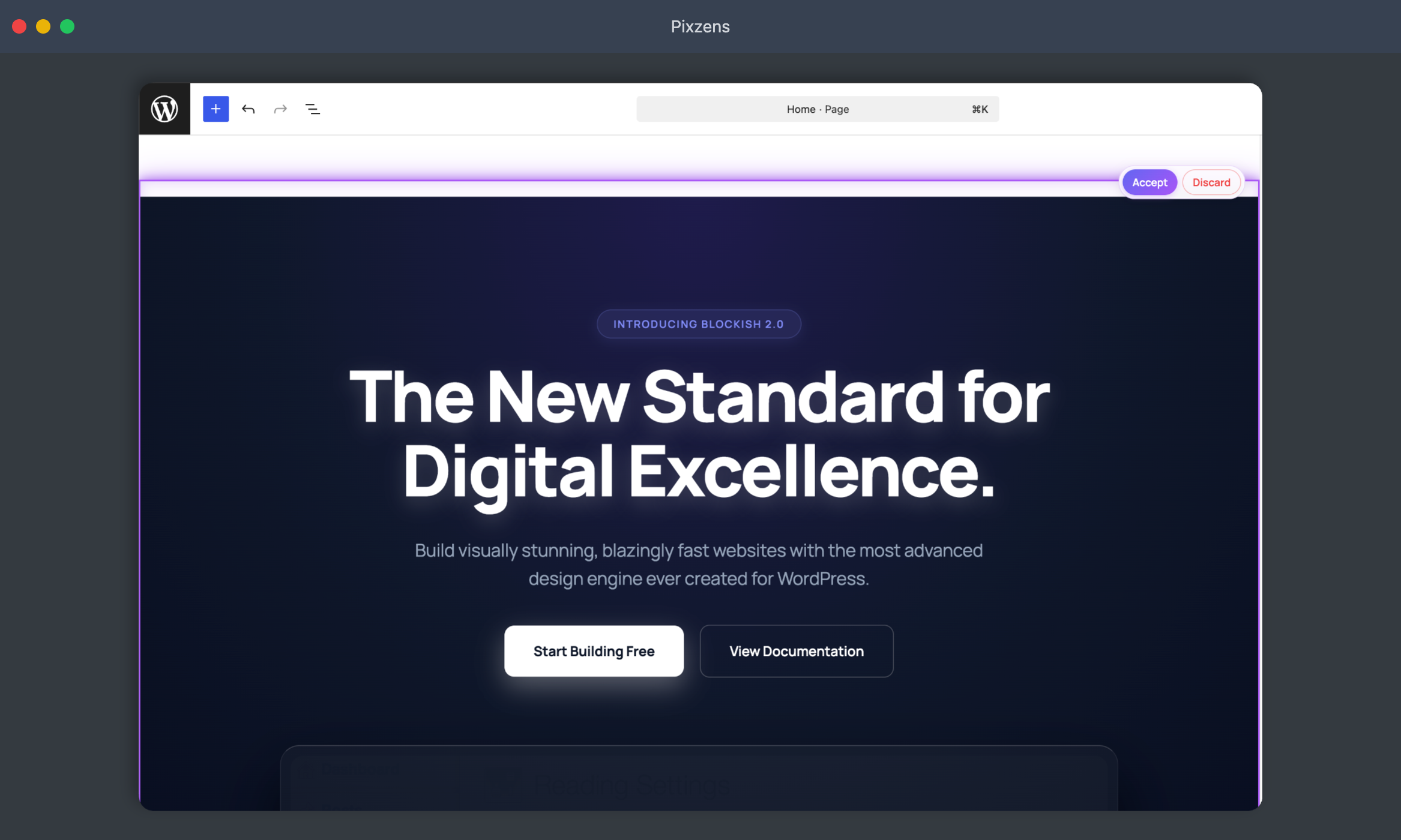
You can still build manually. When AI helps, you review an inline preview and Accept before anything goes live.
AI Site Building Workflow
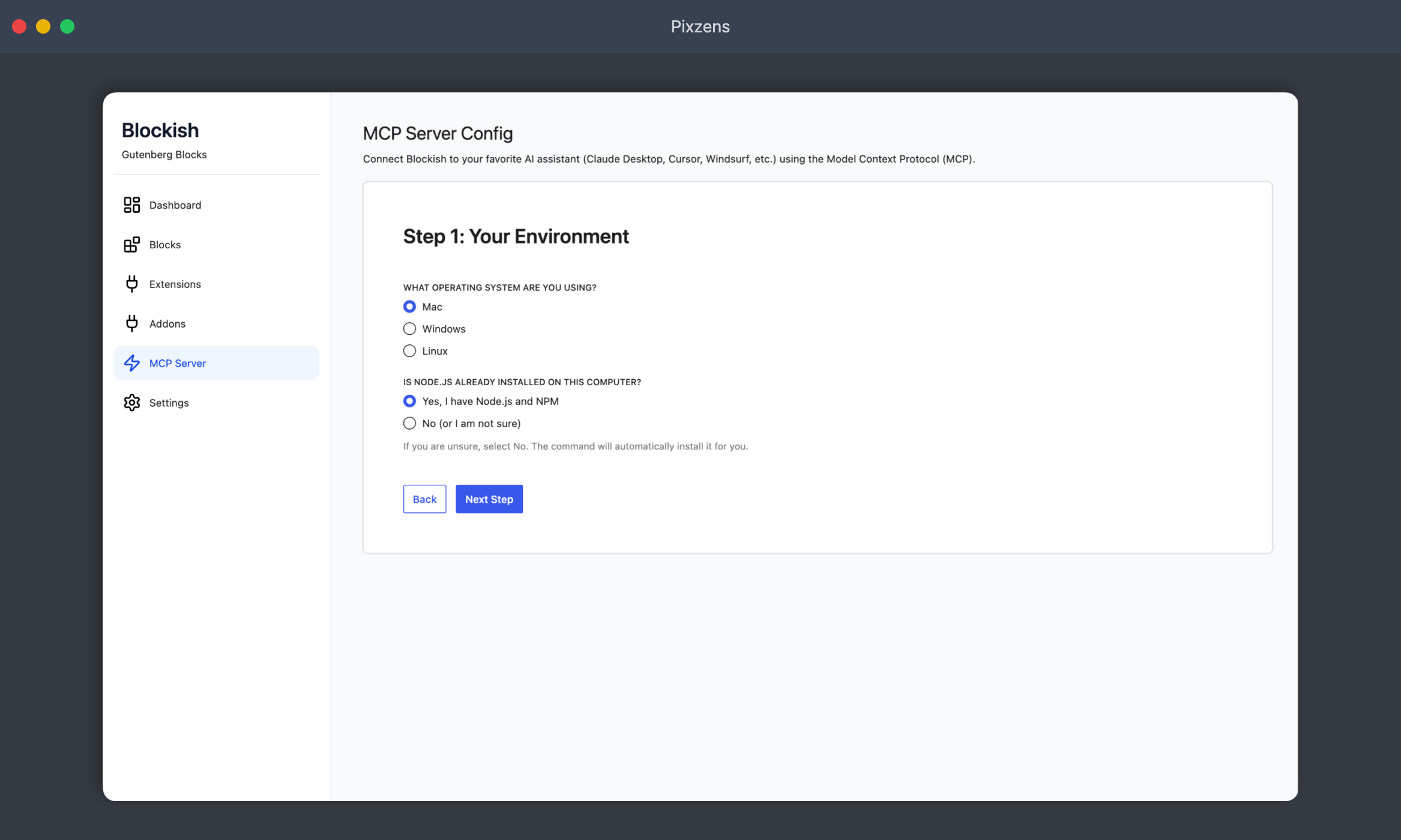
- Connect: Use the 1-click config wizard to connect your site to an MCP-enabled AI client (Cursor, Claude, Windsurf, etc.).
- Prompt: Tell your AI what kind of page or section you need.
- Generate: The AI builds with Blockish blocks directly in the Gutenberg editor.
- Refine: Review the inline preview and Accept, or ask for tweaks to colors, spacing, and typography.
Why Blockish Blocks are Different
Blockish is built so both humans and AI assistants can work in the same Gutenberg canvas:
-
Clean Architecture: Semantic, predictable block structures that AI tools can reason about reliably.
-
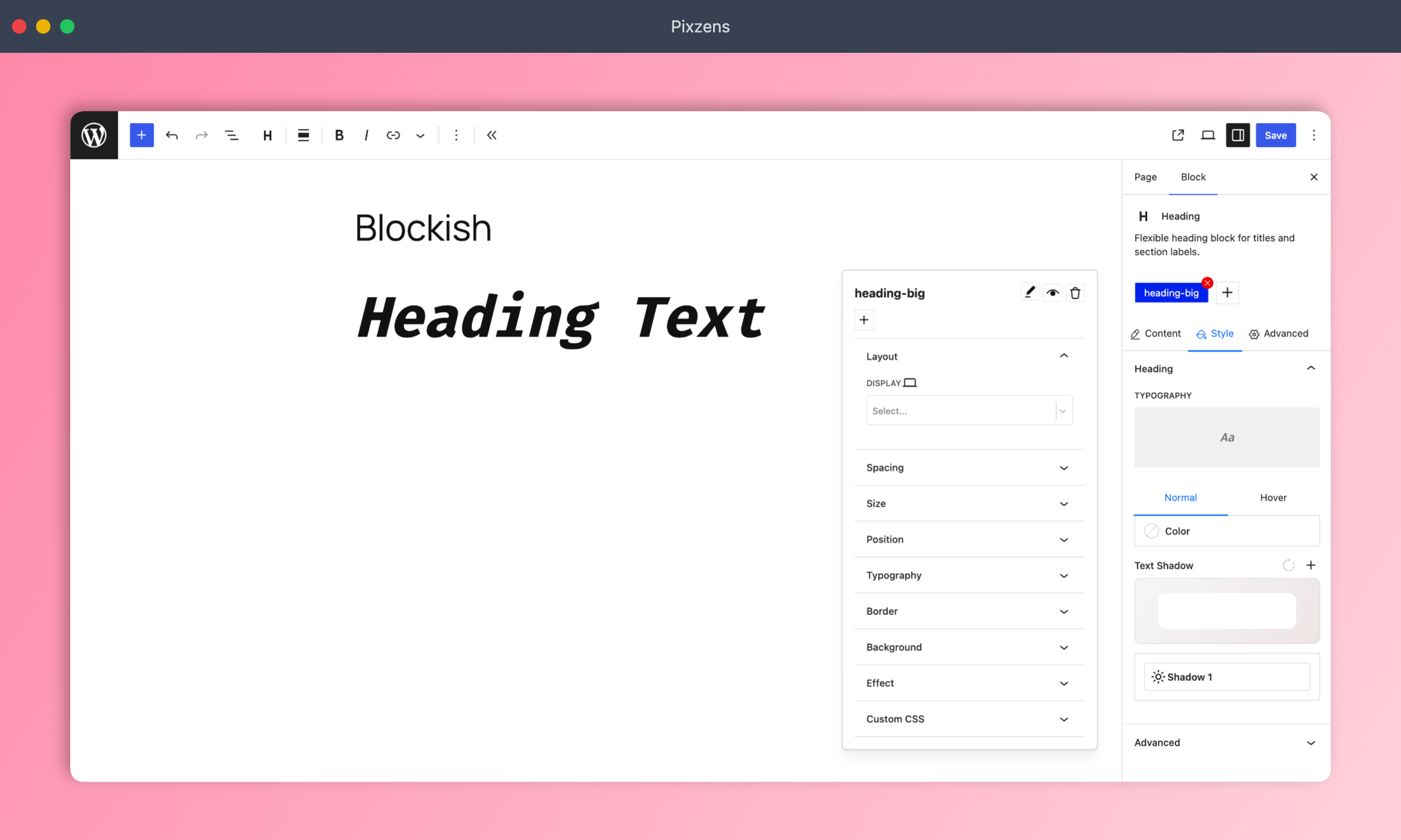
Class Manager System: Create and apply reusable CSS classes instead of one-off inline styles — cleaner markup and a consistent design system.
-
Theme.json Integration: Update global typography and colors through MCP abilities.
-
Human-Friendly: After generation, edit everything with standard Gutenberg sidebars.
Powerful Features
- Template Library: 1-click page and pattern import in the Block Editor.
- Magic Login: Secure 1-click login from your AI agent.
- AI Preview Queue: Review staged layouts with live Class Manager CSS, pending count badges, and 1-click Accept or Discard.
- Interactions: Entrance presets, emit/listen signals, custom JS, plus page-level and global libraries.
- Visibility: Hide blocks per device (desktop / tablet / mobile) without custom CSS.
- Add-ons hub: Discover companion products (Blockish Pro) from the Blockish dashboard.
35+ AI-Optimized Blocks
Built for AI-assisted design — and fully usable for manual site building:
Layout & Custom HTML
-
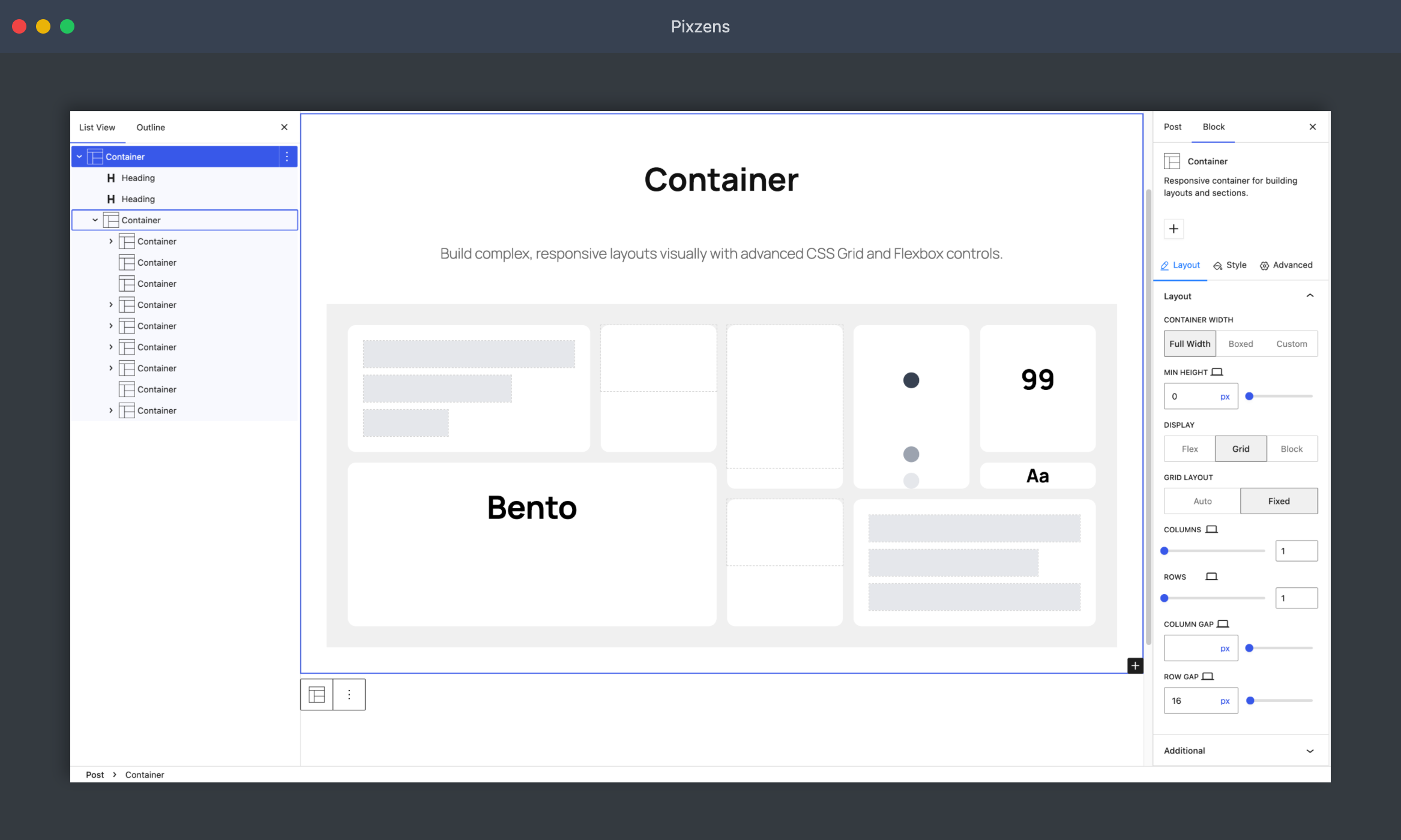
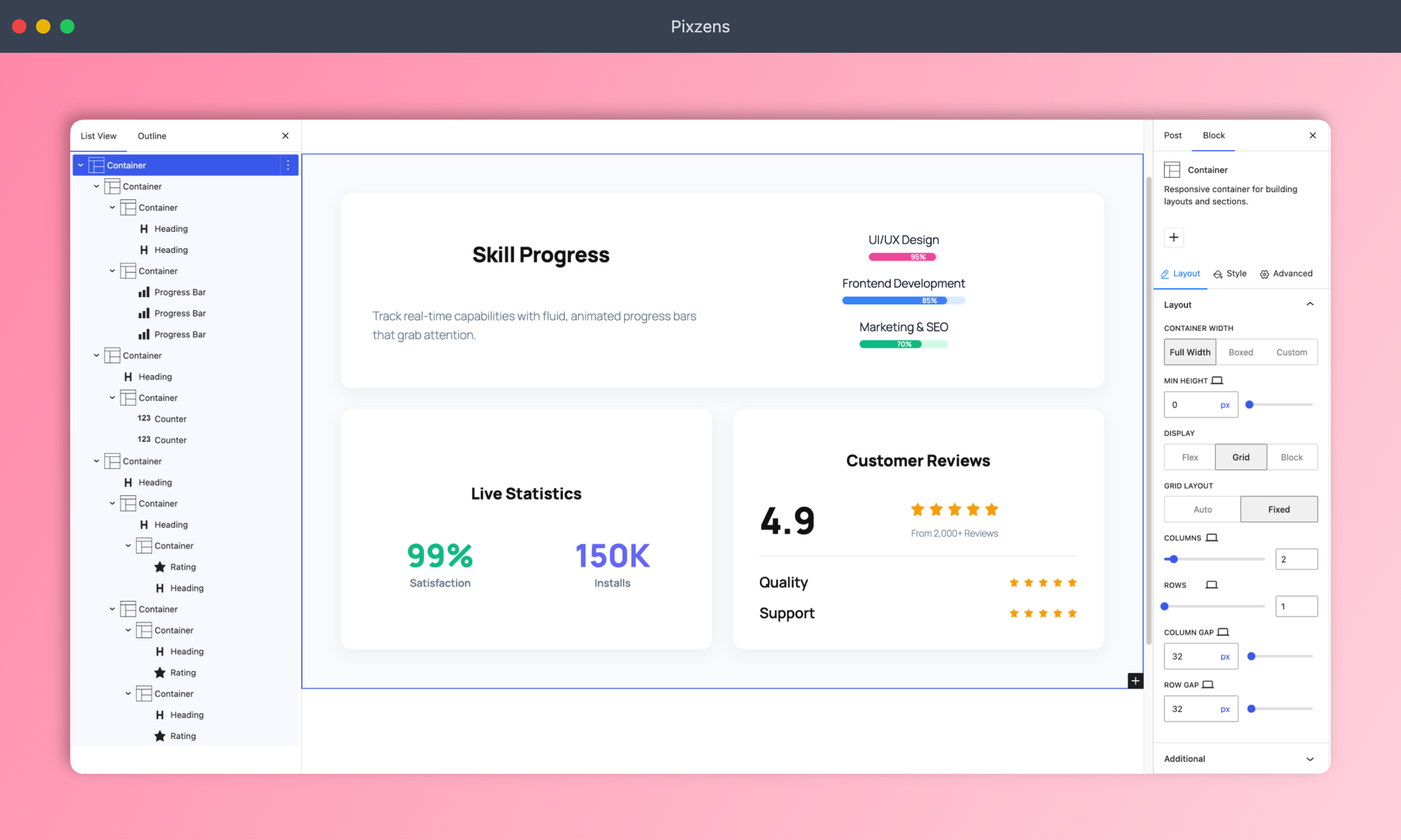
Container — Flexible section wrapper with background, spacing, flexbox/grid, and layout controls.
-
Filter Container — Search and filter inner blocks with real-time term buttons and search input.
-
HTML Wrapper — Dynamic HTML wrapper container with custom tag selection, InnerBlocks, and key-value attributes.
-
HTML Child — Dynamic semantic HTML element with custom tag, optional text content, and key-value attributes.
-
Carousel — InnerBlocks carousel for heroes, testimonials, and logo strips (with Carousel Slide children).
-
Before/After Slider — Interactive image comparison with a draggable handle.
Typography
-
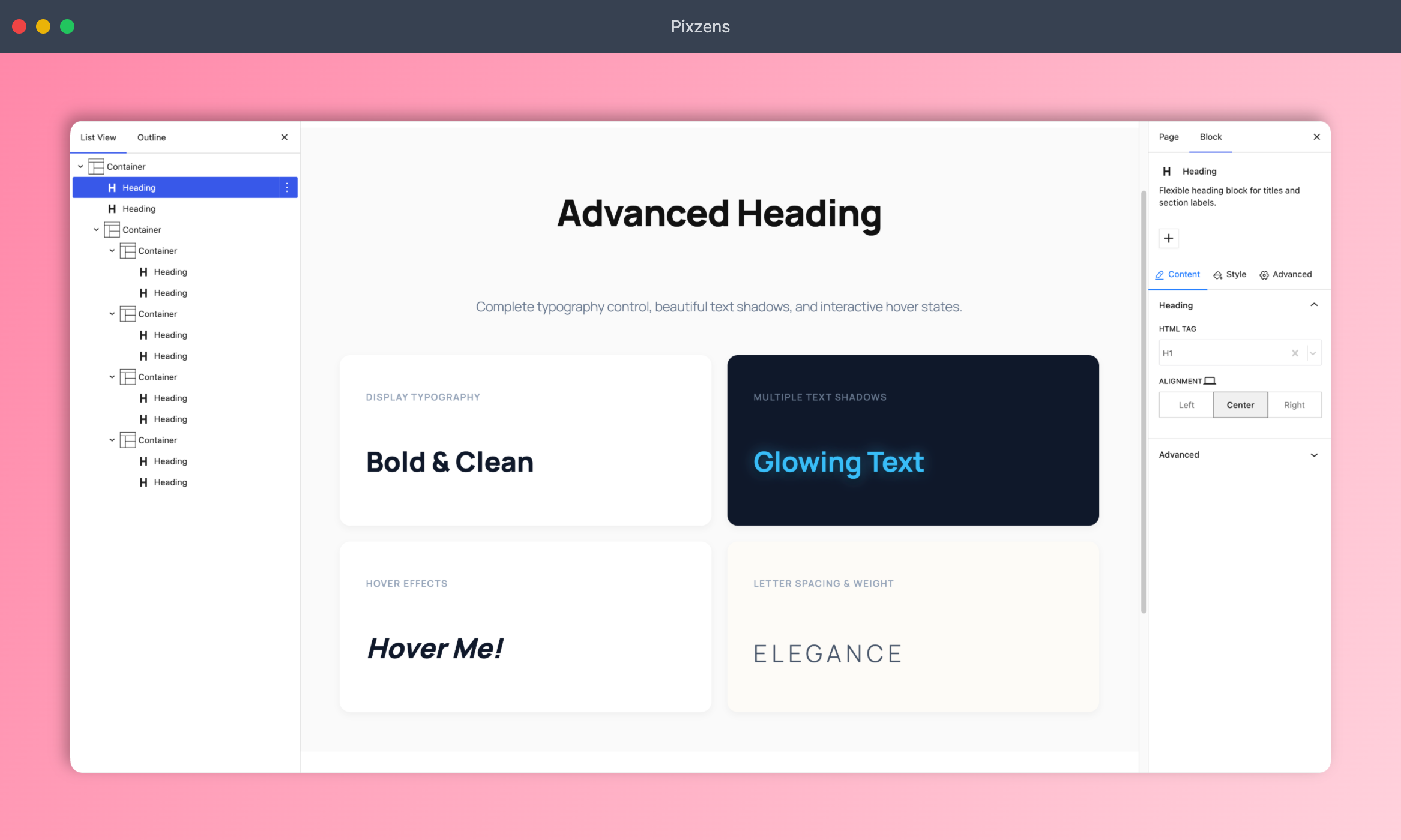
Heading — Customizable headings with typography, colors, and shadow options.
-
Paragraph — Paragraph block with typography, spacing, and styling controls.
Media
-
Image — Image block with overlay, border, mask, alignment, and optional lightbox.
-
Video — Embed and style videos with custom play buttons and wrapper controls.
-
Icon — Scalable SVG icons with color, size, and hover effects.
Theme & Query
-
Site Title / Tagline / Logo — Site identity blocks for headers and footers.
-
Post Title / Excerpt / Content / Featured Image / Post Info — Single-post and loop-ready content blocks.
-
Query Title / Query Total / Archive Description — Archive and search context blocks.
Interactive
-
Accordion — Collapsible content sections for FAQs, features, and more.
-
Tab — Tabbed content panels for organizing information.
-
Navigation — Flexible navigation for headers (nav menu, items, submenu, mega menu, offcanvas).
-
Mega Menu — Full-width, custom-width, and navigation-aligned rich dropdowns with block layouts.
-
Submenu — Nested flyout dropdown menus with responsive alignment and gap controls.
-
Offcanvas — Slide-out panel for menus, filters, and secondary content.
Data & Stats
-
Countdown — Dynamic countdown with boxes, inline, stacked, circular ring, and flip-clock digit layouts.
-
Counter — Animated number counter for statistics and milestones.
-
Progress Bar — Progress bars with labels, colors, and animations.
-
Rating — Star rating display for reviews and testimonials.
Lists & Icons
- Icon List — Icon-based lists instead of plain bullets.
Social & CTA
-
Social Icons — Social links with shapes, colors, and sizes.
-
Button — Call-to-action buttons with hover effects and icons.
Maps
- Google Map — Embed maps with zoom, height, and location settings.
External Services
This plugin connects to external services under the conditions described below. No data is ever sent without a clear user action or explicit opt-in.
1. Freemius (freemius.com)
What it does: Powers optional product opt-in, licensing for companion add-ons (Blockish Pro), software updates, and anonymous usage insights that help improve Blockish. This uses the Freemius WordPress SDK bundled with the plugin.
When it connects: Only if you explicitly opt in (or activate a license) when Freemius prompts you in wp-admin. Skipping or declining opt-in means no Freemius analytics/licensing traffic for that flow. You can change your opt-in / license status later from the Blockish dashboard (Addons) or Freemius account controls.
Data sent: Non-sensitive environment and product data typical of Freemius (for example plugin version, WordPress version, site URL, and similar technical details used for licensing, updates, and insights). No passwords or post content are sent as part of this integration.
Service: Freemius, Inc.
Service URL: https://freemius.com/
Privacy Policy: https://freemius.com/privacy/
Terms of Service: https://freemius.com/terms/
Skärmdumpar
Block
Detta tillägg tillhandahåller 48 block.
- Rating Star rating display for reviews and scores.
- Navigation Navigation wrapper that pairs a desktop Nav Menu with a mobile Offcanvas, switching between them at a breakpoint.
- Site Tagline Displays the site tagline (description) with semantic HTML tag, alignment, typography, and color controls.
- Video Embed a video with custom controls and settings.
- Icon Display a single icon with customizable style.
- Post Content Displays the current post content.
- Image Display an image with optional caption and styling.
- Query Title Displays the archive, search, or post type title for the current query.
- HTML Wrapper Dynamic HTML wrapper container with customizable tag and key-value props.
- Site Title Displays the site title with an optional home link.
- Before/After Slider An interactive slider to compare two images.
- Post Title Displays the current post title with optional permalink.
- Post Excerpt Displays the current post excerpt with an optional read-more link.
- Counter Animated number counter for stats.
- Tab Tabbed content container for tab items.
- Archive Description Displays the description for the current archive (category, tag, taxonomy, or author).
- Post Featured Image Displays the current post featured image with optional permalink.
- Query Total Displays the total number of results for the current query (search, archive, or blog).
- Icon List List of icons with supporting text.
- Google Map Embed a Google Map location on your page.
- Social Icons Social icon list for profile links.
- Progress Bar Progress bar showing completion status.
- Paragraph Flexible paragraph block for text content.
- Carousel InnerBlocks carousel for hero, testimonials, or logo strips. Each slide is a Carousel Slide with limited allowed blocks.
- Button Call-to-action button with style options.
- Site Logo Displays the site logo with an optional home link.
- Container Responsive container for building layouts and sections.
- Accordion Accordion container for collapsible content.
- Post Info Displays post metadata such as author, dates, comments, and terms.
- Countdown Live countdown timer with multiple design layouts.
- Filter Container Search and filter the blocks inside it. Give any inner block filter terms; visitors filter them with a search box and term buttons.
- HTML Child Dynamic HTML element with customizable tag, key-value props, and optional content.
- Heading Flexible heading block for titles and section labels.
- Template Part Placeholder slot for a Theme Builder part. Matching parts (by area + conditions) render here.
- Theme Builder
- Interactions
- Visibility
- Template Library
- Off Canvas Slide-in offcanvas panel with a hamburger trigger. Mirrors a sibling Nav Menu's items as real blocks.
- Icon List Item Item for the Icon List block.
- Nav Menu Submenu Dropdown submenu panel for a Nav Menu Item.
- Nav Menu Item Item for the Nav Menu block.
- Tab Item Item for the Tab block.
- Accordion Item Item for the Accordion block.
- Nav Menu Mega Menu Dropdown mega menu panel for a Nav Menu Item.
- Social Icon Item Item for the Social Icons block.
- Nav Menu Nav menu block for gutenberg.
- Carousel Slide A single slide inside a Carousel. Limited content blocks only — use the slide’s own background/layout (no nested Container).
Installation
- Upload the plugin files to the
/wp-content/plugins/blockishdirectory, or install the plugin through the WordPress plugins screen directly. - Activate the plugin through the ’Plugins’ screen in WordPress.
- Navigate to Blockish -> MCP Server in your dashboard to generate your AI connection command!
Vanliga frågor
-
What is the MCP AI Engine?
-
Blockish includes a native MCP (Model Context Protocol) server. Connect an MCP-compatible AI agent (Claude Desktop, Cursor, Windsurf, and more) to generate and style Gutenberg layouts with natural language.
-
Do I need a separate page builder?
-
No. Blockish extends the native Gutenberg editor with layout blocks and styling controls. With an AI assistant connected over MCP, you can design full sections and pages without a third-party page builder.
-
What is the Class Manager?
-
The Class Manager lets you (and the AI) create, edit, and apply reusable CSS classes in the editor — a consistent design system without messy one-off styles.
-
Is this plugin free?
-
Yes. Core Blockish is free on unlimited personal or client sites. The optional Blockish Pro provides Form Builder, Query Loop, GSAP Animations, and advanced display conditions when you need them.

Bidragsgivare och utvecklare
”Blockish – Gutenberg Blocks, AI Site Builder & Page Builder” är programvara med öppen källkod. Följande personer har bidragit till detta tillägg.
Bidragande personer


Översätt ”Blockish – Gutenberg Blocks, AI Site Builder & Page Builder” till ditt språk.
Intresserad av programutveckling?
Läs programkoden, kika på SVN-filförvaret eller prenumerera på utvecklarloggen via RSS.
Ändringslogg
1.4.2
- Fixed: MCP server name sanitization in dashboard connect wizard to prevent special characters, parentheses, and spaces across AI client configurations
- Improved: Terminal one-liner command generation for MCP setup
1.4.1
- Added: Dedicated License page under Blockish dashboard for companion Pro add-on management and plan activation
- Added: Integrated Freemius Checkout v1 flow with automatic license key detection and activation
- Added: Free trial support for subscription plans directly from dashboard checkout
- Improved: MCP connection CLI commands include site-specific custom server name for easy multi-site management
- Improved: Dynamic MCP server metadata based on active site name and host
- Improved: License activation UI typography, key formatting, input grouping, and recovery modal
- Fixed: Recover email input prefilling with local admin address
1.4.0
- Added: Filter Container block to search and filter inner blocks using real-time keyword search, category filter buttons, and responsive grid layouts
- Improved: Interactions engine with smoother toggle animations and conditional asset loading
- Improved: Site meta description and SEO options in the Blockish dashboard
- Improved: Dashboard UI and modal dropdown select controls
- Fixed: Add-on account synchronization handling in settings
1.3.0
- Added: Nav Menu Mega Menu and Nav Menu Submenu blocks with responsive alignment, custom offsets, width controls (navigation, full, custom), and offcanvas accordion sync
- Added: Mega Menus management tab in Blockish Settings with live template previews, search, and direct edit shortcuts
- Added: Countdown block with multiple layouts (boxes, inline, stacked, circular ring, and flip-digit clock) and dynamic date binding support
- Added: HTML Wrapper and HTML Child dynamic blocks for custom HTML tag structures and key-value attributes
- Added: Core Interactions CSS motion player and visual builder UI supporting scroll, scrub, and toggle triggers
- Added: Real-time AI preview pending count badge in the admin toolbar and GetAiPreviewPending MCP ability
- Improved: AI Preview resolution pipeline with live Class Manager CSS rendering in Settings preview cards
- Improved: MCP developer documentation and schema definitions for navigation and interactions
1.2.9
- Improved: PHPCS/WPCS configuration — focus on security and compatibility checks; skip formatting-only sniffs
- Fixed: PHP 7.4 compatibility in MCP Json Helper (removed union return type)
- Fixed: Prepared SQL, exception escaping, and empty-code hygiene across MCP callbacks and AI Preview
- Fixed: Magic Login redirect encoding (no double urlencode;
add_query_arghandles encoding) - Improved: Media upload cleanup uses
wp_delete_file(); stricter base64 decode for MCP uploads