
Beskrivning
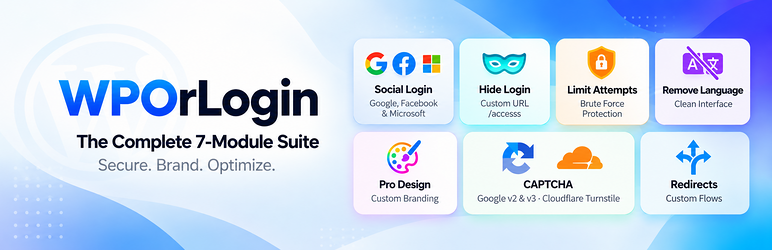
WPOrLogin combines custom login page design, social login and WordPress login security features in one plugin. Enable only the modules you need. Configure settings from the WordPress administration area.
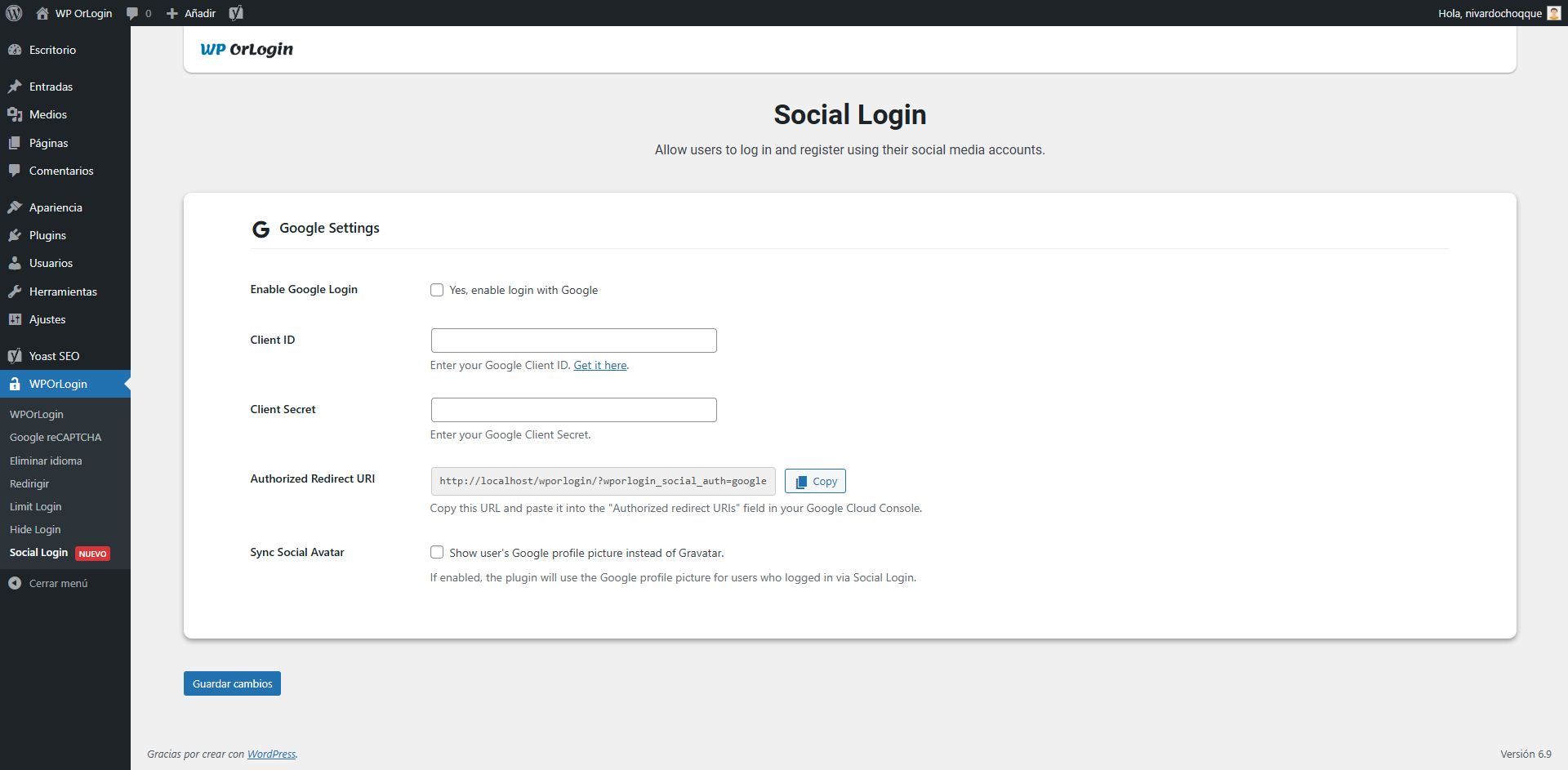
Social Login: Google, Facebook and Microsoft
- Let visitors sign in using their Google, Facebook or Microsoft accounts.
- Enable each provider independently using its own application credentials.
- Allow WordPress account registration through a supported provider when site registration is permitted.
- Use provider account identifiers and email information to recognize existing WordPress users. When account confirmation is required, visitors can confirm using a permitted login method.
- Support existing Google sign-ins when upgrading from previous versions.
- Display a provider profile picture when available and enabled, without requesting social account passwords.
- Optionally hide the standard WordPress registration form while keeping login available to existing users.
Customize the WordPress Login Page
- Choose from eight layouts: Basic, Standard and six Premium designs.
- Customize logos, colors, typography, fields, buttons, form spacing and backgrounds using the WordPress Customizer.
- Choose static background images, rotating slideshows or video backgrounds (YouTube, Vimeo or Media Library MP4).
- Configure overlays and a fallback background image for mobile devices.
- Preview designs across different screen sizes.
CAPTCHA Protection: reCAPTCHA and Turnstile
- Choose Google reCAPTCHA v2 checkbox, Google reCAPTCHA v3 or Cloudflare Turnstile.
- Configure site and secret keys for the selected service.
- Enable protection separately for login, registration and password recovery forms.
- Only the selected CAPTCHA service is used for protected forms.
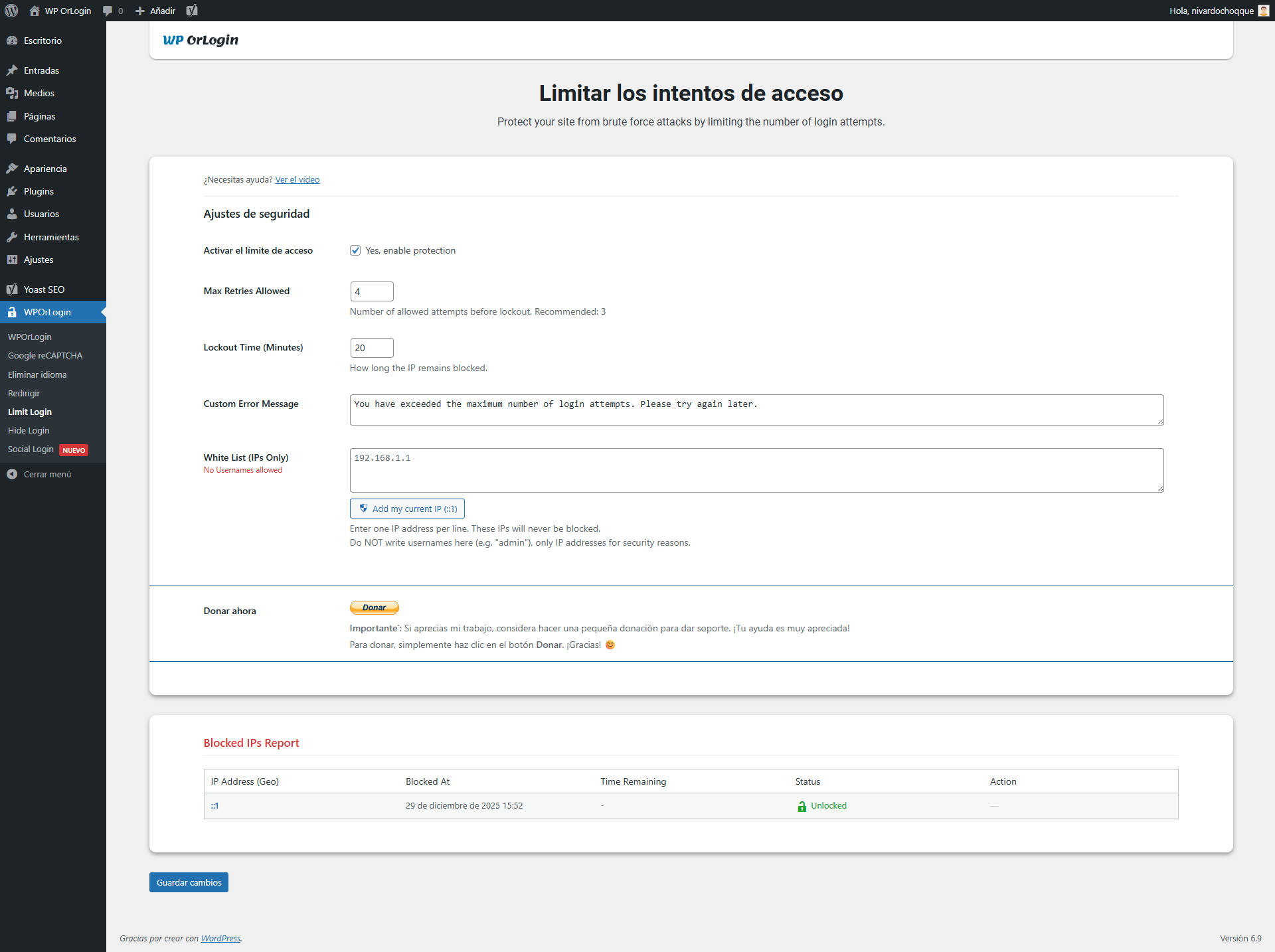
Limit Login Attempts
- Restrict repeated failed password login attempts by IP address.
- Configure attempt limits and temporary lockout duration.
- Review login attempt activity, blocked addresses and related details in the administrator report.
- Manage allowed IP addresses and unblock addresses when appropriate.
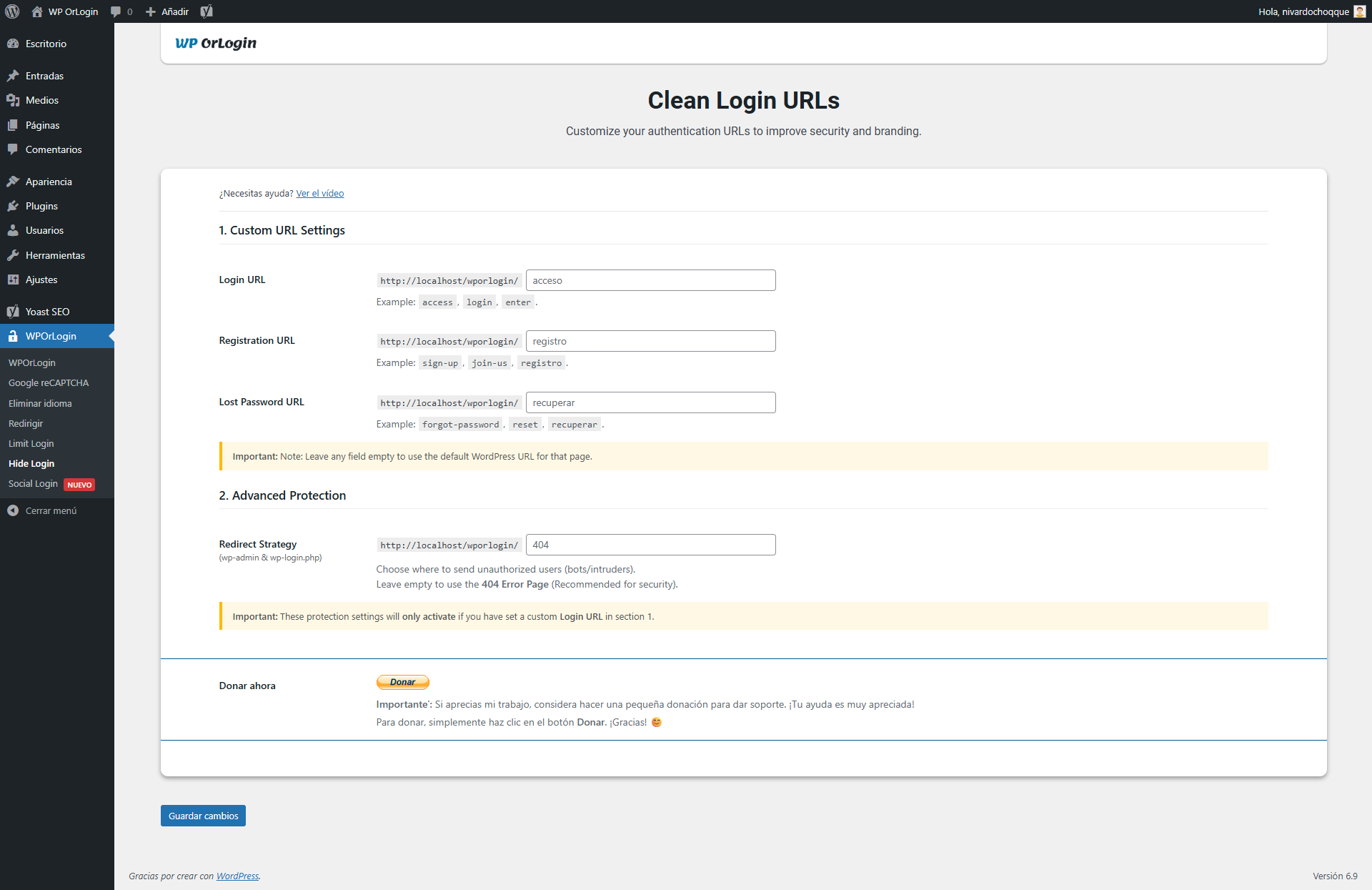
Hide Login URL
- Replace the public WordPress login URL with a custom path, for example
/access. - Choose how requests to the original login URL are handled.
- Preserve password recovery links and the WordPress authentication process.
- If you use a caching plugin, exclude your custom login path from caching.
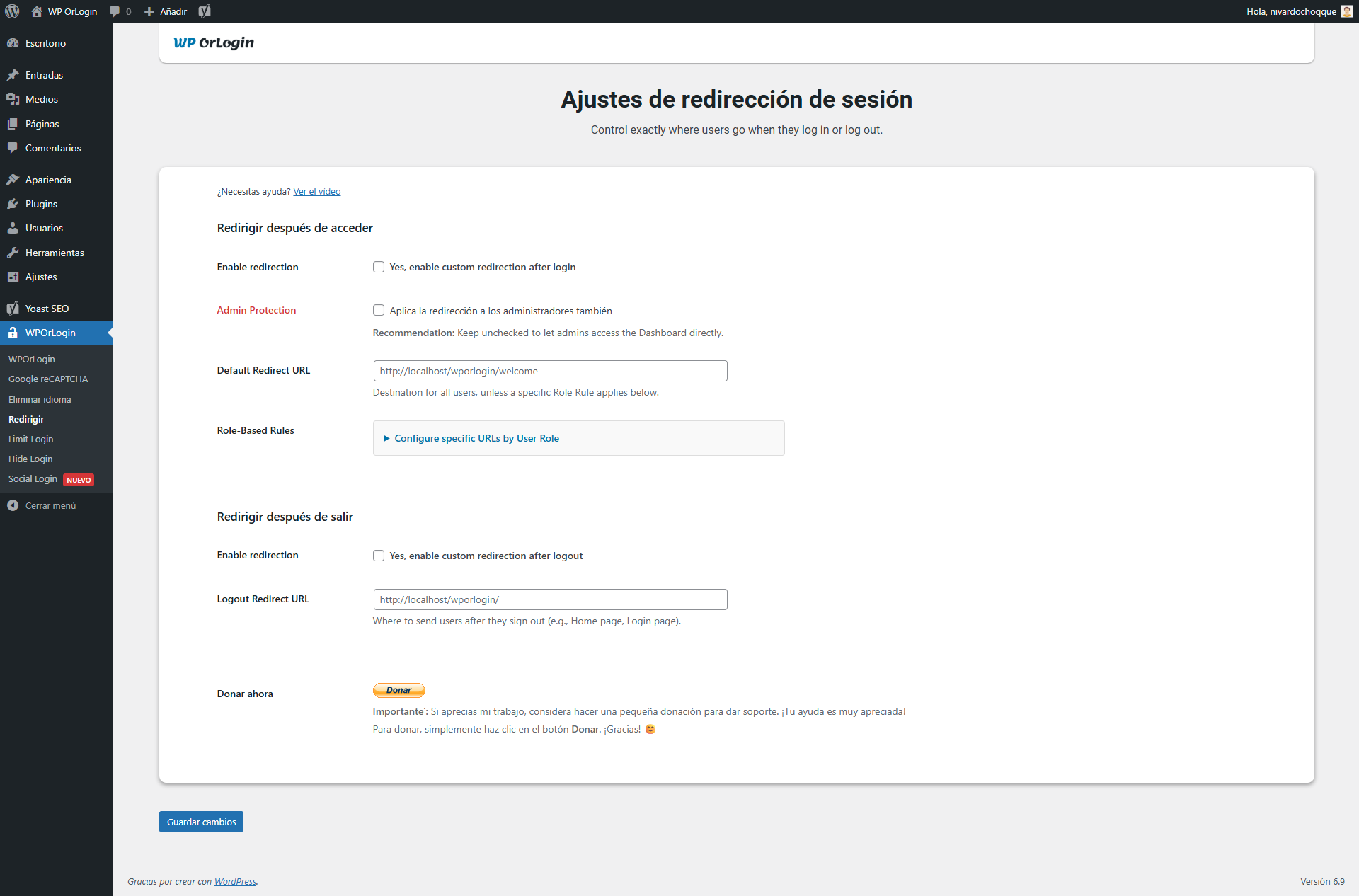
Login and Logout Redirects
- Configure where users go after login and logout.
- Use available role-specific settings to redirect users to appropriate pages.
Remove Login Language Selector
- Optionally hide the WordPress language selector on the login screen.
Getting started: Activate WPOrLogin, open its settings, enable the modules you want, and save their settings. For social login or CAPTCHA, add credentials from the corresponding provider. Test login and password recovery before using a custom login URL on a live site.
External Services and Privacy
WPOrLogin contacts external services only when their related features are used. Website administrators choose which integrations to enable and should disclose them in their privacy information as appropriate.
- Google Login (optional): On sign-in, Google handles OAuth authentication. WPOrLogin requests the permitted identity information needed for login or account linking, such as an identifier, email, name and avatar. Privacy | Terms.
- Facebook Login (optional): Meta handles OAuth authentication and provides permitted identity information for login or linking. Privacy | Terms.
- Microsoft Login (optional): Microsoft handles OAuth authentication and may provide identity information and an avatar with the granted permissions. Privacy | Terms.
- Google reCAPTCHA (optional): Google scripts are loaded on protected forms, and a security token is sent to Google’s verification endpoint. Google may process browser and security information. Privacy | Terms.
- Cloudflare Turnstile (optional): The official Turnstile script is loaded on protected forms, and a challenge token is sent to Cloudflare for verification. Privacy | Terms.
- Video backgrounds (optional): If an administrator configures YouTube or Vimeo, visitors loading that background may contact those services. YouTube privacy | Vimeo privacy.
- IP lookup links (optional): Administrators can choose to open an IP address on WhatIsMyIPAddress. The external site is contacted when that link is clicked.
WPOrLogin stores relevant WordPress account information and provider identifiers locally to support sign-in and account linking. It does not request social account passwords. Site administrators control credentials and enabled features.
Skärmdumpar



Installation
- In WordPress, open Plugins > Add New, search for WPOrLogin, install and activate it.
- Open WPOrLogin in the WordPress dashboard.
- Configure Custom Login, Social Login, CAPTCHA or the other modules you want to use.
- If you enable an external service, follow that provider’s instructions to create application credentials.
- Test login, registration and password recovery before enabling Hide Login on a live website.
Vanliga frågor
-
Can I use Google, Facebook and Microsoft independently?
-
Yes. Configure and enable each provider separately. Visitors can use whichever enabled provider is associated with their WordPress account.
-
WPOrLogin follows its account recognition and linking flow. Existing Google users can continue signing in after upgrading. Some new provider connections may require account confirmation.
-
Can I protect password recovery with CAPTCHA?
-
Yes. Choose reCAPTCHA v2, reCAPTCHA v3 or Cloudflare Turnstile and enable protection for the forms you need.
-
Does Hide Login affect password recovery?
-
The Hide Login module includes handling for password recovery URLs. Always test your custom login path and exclude it from caching.
-
Can existing users still sign in with passwords if I hide registration?
-
Yes. Hiding the standard registration form does not disable password login for existing users.
-
Are videos shown on mobile?
-
The video background feature supports a mobile fallback image, which can avoid large background videos on mobile devices.
Recensioner


Bidragsgivare och utvecklare
”WPOrLogin – Custom Login, Social Login, CAPTCHA & Security” är programvara med öppen källkod. Följande personer har bidragit till detta tillägg.
Bidragande personer
”WPOrLogin – Custom Login, Social Login, CAPTCHA & Security” har översatts till 6 språk. Tack till översättarna för deras bidrag.
Översätt ”WPOrLogin – Custom Login, Social Login, CAPTCHA & Security” till ditt språk.
Intresserad av programutveckling?
Läs programkoden, kika på SVN-filförvaret eller prenumerera på utvecklarloggen via RSS.
Ändringslogg
3.1.0
- Added independent Facebook and Microsoft sign-in alongside Google.
- Added Cloudflare Turnstile alongside Google reCAPTCHA v2 and v3.
- Improved account confirmation, provider linking and compatibility with existing Google users.
- Refined responsive login templates and social buttons.
- Improved input validation, output escaping, PHP access guards and SQL handling.
- Confirmed functionality in WordPress 7.1.3 during local tests; retained existing settings and database structures.
3.0.3
- Fixed password recovery URLs when Hide Login is enabled.
Earlier releases: see changelog.txt included with the plugin.