

Beskrivning
OneClickContent – Image Detail Generator is a free, bring-your-own-key plugin for enhancing existing WordPress images with AI-generated metadata.
Use your own OpenAI or Gemini API key to generate:
– alt text
– image titles
– captions
– descriptions
This plugin is focused on metadata generation for images already in your Media Library. It does not create images.
Key Benefits:
– Improve SEO for image search and content relevance
– Improve accessibility with descriptive alt text
– Save time on repetitive metadata writing
– Use your own provider account and models
– Bulk-generate metadata across your library
– Control which fields get updated
Features
- Bring-your-own-key support for OpenAI and Gemini
- Single-image generation inside the Media Library
- Bulk generation for existing image attachments
- Auto-generate on upload
- Multilingual output based on plugin settings
- Manual editing after generation
- Forward-compatible OpenAI model filtering for GPT-5.5 API model IDs when OpenAI exposes them to API accounts
External Services
This plugin connects directly to the AI provider you configure.
OpenAI
- Endpoint:
https://api.openai.com/v1/chat/completions - Data sent: image data and generation instructions needed to return image metadata
- Purpose: generate title, description, alt text, and caption
- Terms: https://openai.com/policies/terms-of-use/
- Privacy: https://openai.com/policies/privacy-policy/
Gemini
- Endpoint:
https://generativelanguage.googleapis.com/v1beta/models/{model}:generateContent - Data sent: image data and generation instructions needed to return image metadata
- Purpose: generate title, description, alt text, and caption
- Terms: https://ai.google.dev/terms
- Privacy: https://policies.google.com/privacy
Third-party Libraries
- DataTables (with Buttons and HTML5 Export): (v2.2.2, Buttons v3.2.2) used for table display and export functionality.
Sources:
Source Code
Full source code, including unminified JavaScript files, is available at the GitHub Repository.
Skärmdumpar

Settings Screen: Configure provider, API key, model, language, and auto-generate settings. 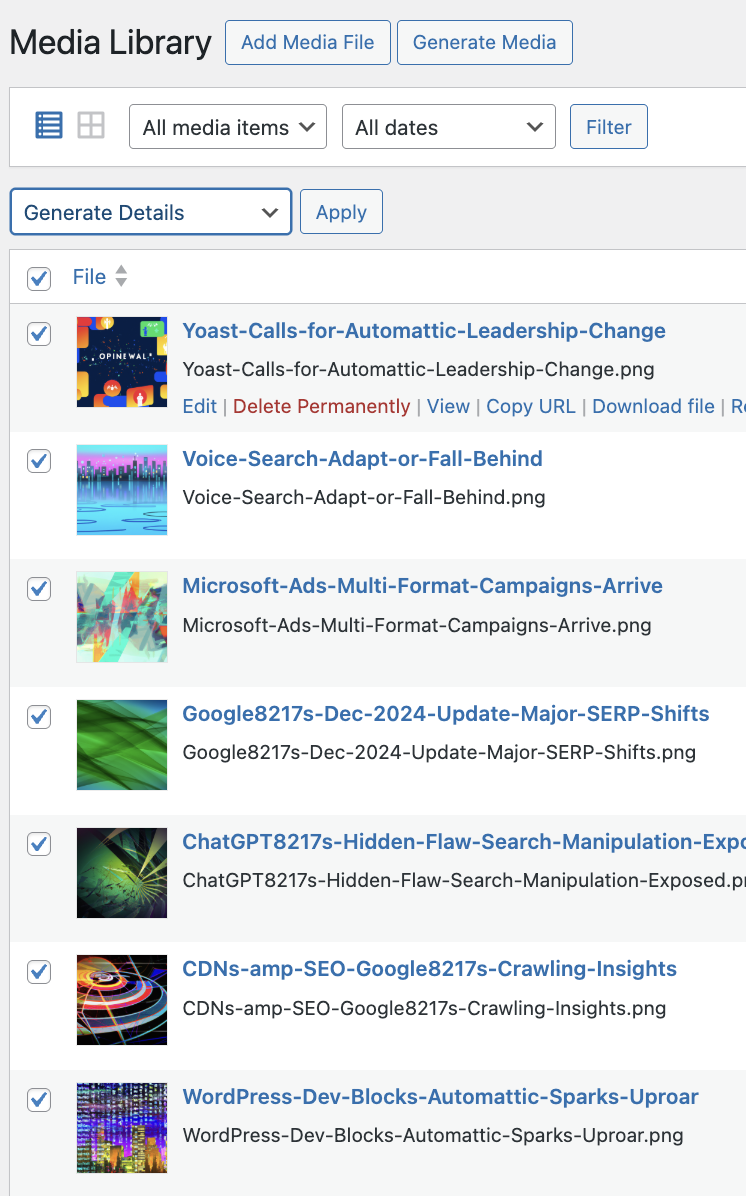
Media Library Integration: Generate metadata directly from the WordPress Media Library. 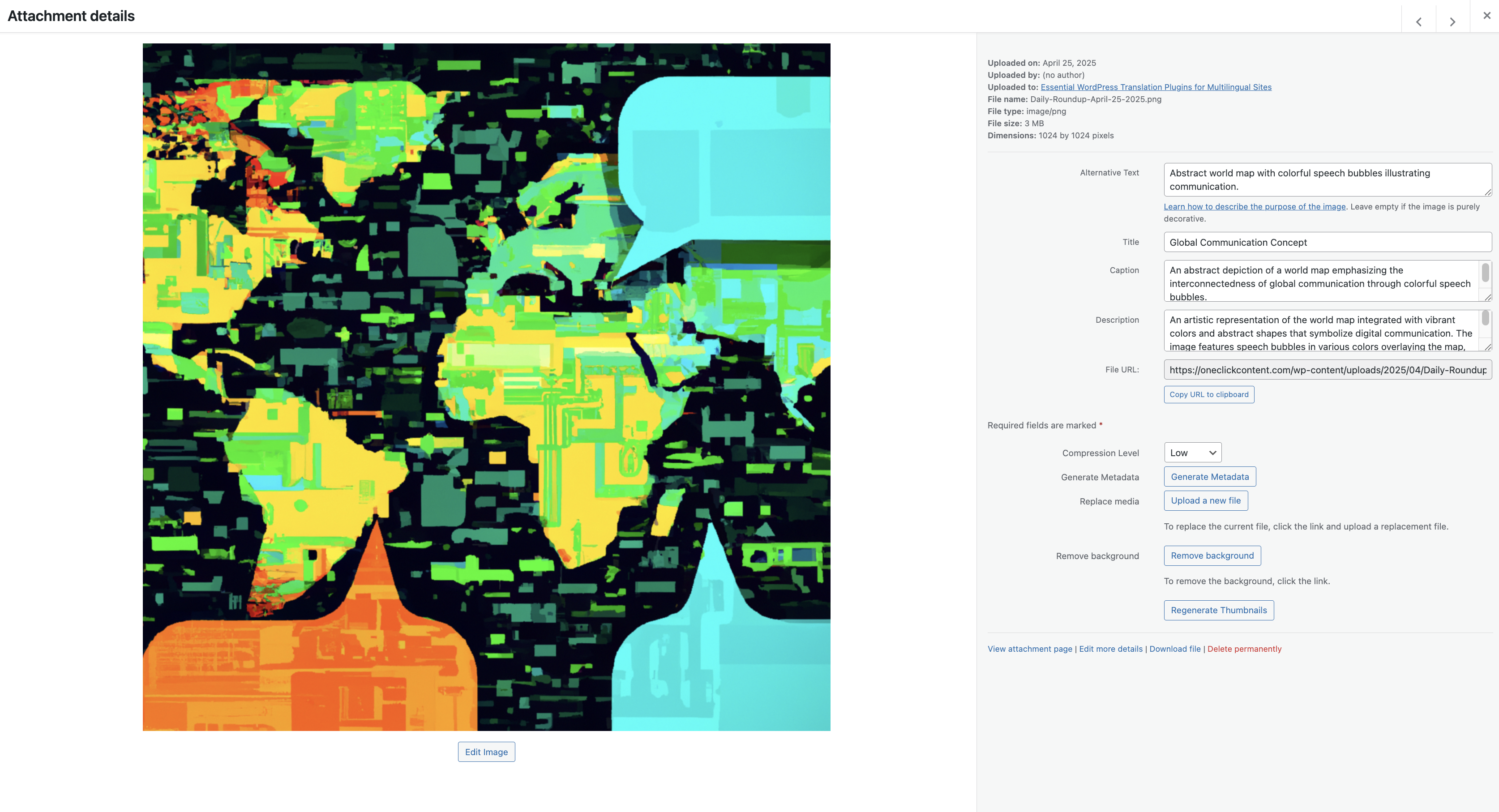
Bulk Edit Mode: Bulk generate metadata across multiple images. 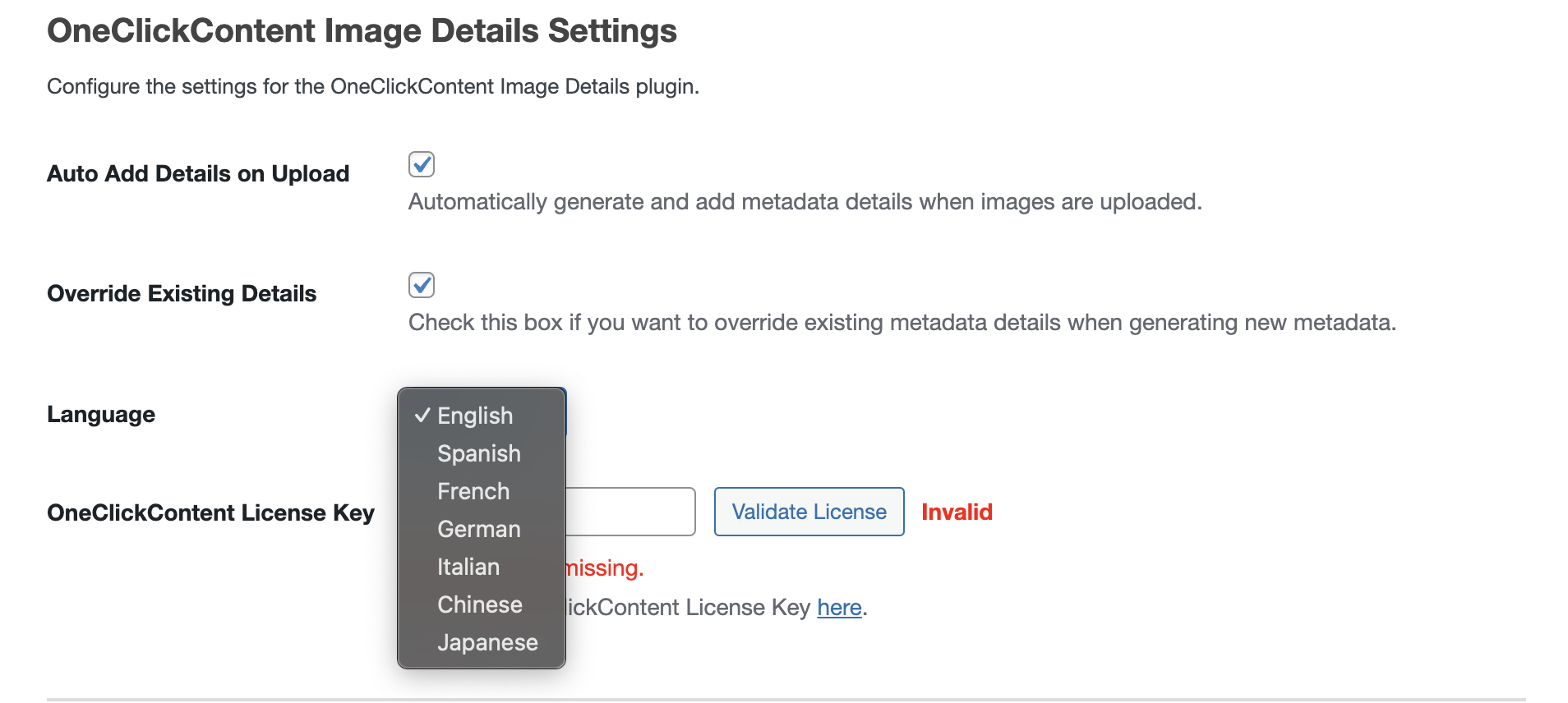
Generated Image Details: Preview and edit AI-generated titles, captions, alt texts, and descriptions. 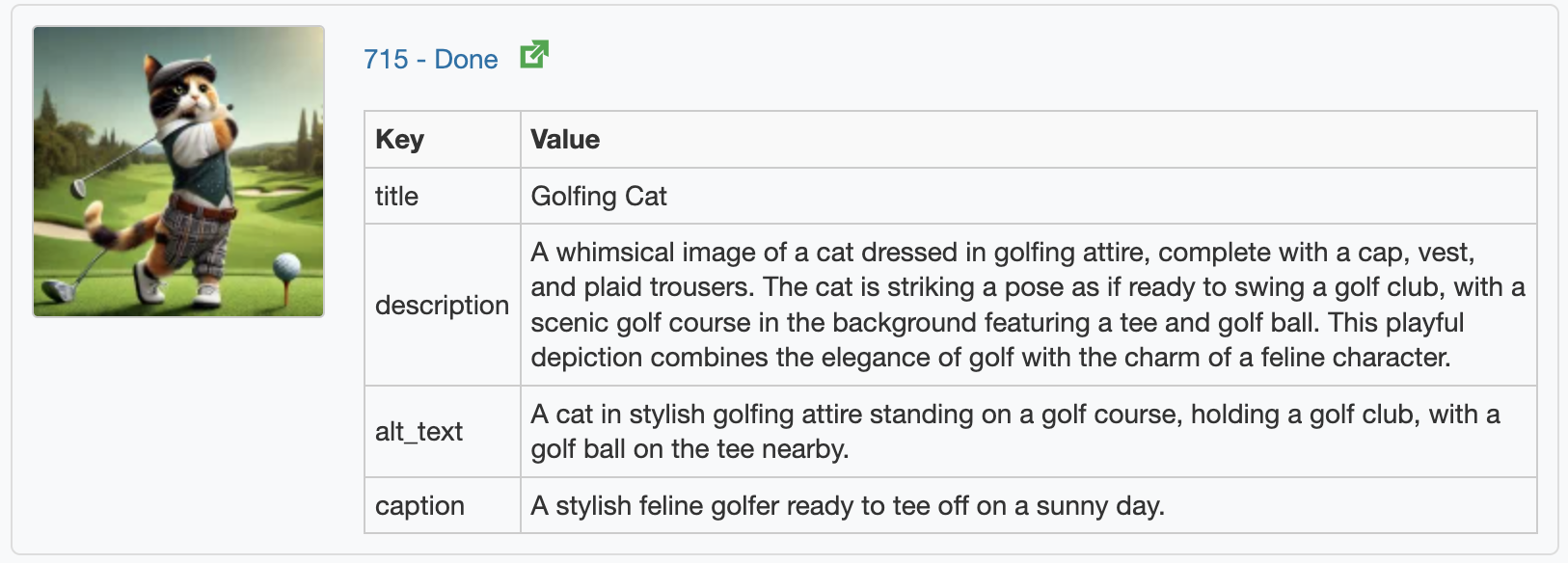
Installation
-
Upload the Plugin:
- Upload the
occidgfolder to the/wp-content/plugins/directory.
- Upload the
-
Activate the Plugin:
- Activate through the Plugins menu in WordPress.
-
Configure Your Settings:
- Go to Image Metadata in your WordPress admin menu.
- Choose OpenAI or Gemini as your provider.
- Enter your API key.
- Choose your preferred model.
- Choose your preferred language.
- Optionally enable automatic generation on upload.
-
Generate Image Details:
- Visit your Media Library.
- Select any image and click Generate Metadata, or use the Bulk Edit tab to process multiple images at once.
Vanliga frågor
-
Does this plugin create images?
-
No. It generates metadata for images that already exist in the Media Library.
-
Do I need my own API key?
-
Yes. This is a bring-your-own-key plugin. Add your OpenAI or Gemini API key in the plugin settings.
-
Which AI providers are supported?
-
OpenAI and Gemini.
-
Does this support GPT-5.5?
-
The OpenAI model dropdown is populated from the models returned for your API key. OCCIDG accepts GPT-5.5-compatible model IDs and will list them when they are available through the OpenAI API.
-
Which fields can it generate?
-
The plugin can generate titles, alt text, captions, and descriptions.
-
Can I choose which fields to generate?
-
Yes. Use the metadata field settings and override controls in the admin screen.
-
Does it work with WooCommerce product images?
-
Yes. It works with image attachments in the WordPress Media Library, including WooCommerce product images stored there.
-
What happens if I enable automatic generation on upload?
-
Newly uploaded images will trigger metadata generation according to your configured settings.
-
What languages are supported?
-
The plugin supports the language options currently provided in the admin settings.
Recensioner
Detta tillägg har inga recensioner.
Bidragsgivare och utvecklare
”OneClickContent – Image Detail Generator” är programvara med öppen källkod. Följande personer har bidragit till detta tillägg.
Bidragande personer
Översätt ”OneClickContent – Image Detail Generator” till ditt språk.
Intresserad av programutveckling?
Läs programkoden, kika på SVN-filförvaret eller prenumerera på utvecklarloggen via RSS.
Ändringslogg
1.2.2
- Limited WordPress.org readme tags to five canonical tags to satisfy plugin directory import rules.
1.2.1
- Added explicit GPT-5.5-compatible OpenAI model ID coverage for the API model dropdown.
- Improved metadata field selector layout on the settings screen.
- Fixed the GitHub Actions deploy packaging step for the WordPress.org release workflow.
1.2.0
- Re-released the plugin as a free, bring-your-own-key AI image metadata solution.
- Centered the user experience on OpenAI and Gemini provider settings.
- Removed public-facing migration and handoff notes from the plugin readme.
- Cleaned up release packaging so the distributable zip stays focused on runtime files.
1.1.15
- Update to media library API calls
1.1.13
- Plugin description, FAQs, and marketing language improved.
- Minor settings screen layout enhancements.
- Preparation for upcoming new language expansions.
1.1.11
- Vendor DataTables assets restored.
- Asset loading issues corrected.
1.1.10
- Security enhancements, WPCS compliance updates.
- Improved nonce verification and asset handling.
1.1.8
- Improved settings management and bulk edit handling.
- Better transient management for update checking.
1.1.7
- Fixed nonce issue in get_thumbnail AJAX call.
1.1.6
- Redirects to settings screen on first activation.
1.1.5
- Update system fixes and performance improvements.
1.1.1
- Multilingual generation support added.
- Data transparency improvements.
1.1.0
- Auto-generation of metadata on image upload.
1.0.0
- Initial plugin release.