

Beskrivning
Zware Simple Translate adds a language switcher to your site, using the
same free widget that Google Translate offers for websites. Unlike other
similar plugins, the switcher’s style, on-screen position, colors, and
behavior are fully customizable without needing a paid version.
Features:
- Three switcher styles: dropdown menu, flag list, or floating button.
- Configurable position (any of the 4 screen corners), or ”shortcode only” mode to place it manually anywhere with
[zware_translate]. - Customizable colors, font size, and border radius.
- More than 35 languages available to choose from.
- Optional SEO mode (separate tab): generates dedicated URLs per language (e.g.
/en/your-post/) with the content already translated in the HTML, so search engines can index them. Includeshreflangtags, a per-languagecanonicaltag, and a dedicated cache so only the first visit to each translated URL needs to be translated — the rest are served straight from cache, without affecting the performance of the original site. - Admin interface available in Spanish and English, written directly into the plugin (does not depend on external community translations that could break).
- No accounts, no API keys, no usage limits.
Important: this plugin uses Google Translate’s free engine, both for
the switcher and for the SEO mode. Translation quality is the same as
what Google offers for free, and does not include paid neural translation
(Google Cloud’s paid API). The SEO mode uses a free, unofficial Google
endpoint; it’s free and requires no configuration, but since it isn’t an
official API there’s no absolute long-term availability guarantee.
See ”External services” below for full details on what is sent to Google and when.
External services
This plugin relies on two free services provided by Google to perform translations. No account or API key is required for either of them, and no data is sent to any service other than Google’s own.
1. Google Translate website widget (language switcher)
This is the widget that powers the visible language switcher (dropdown, flags, or floating button). When the plugin loads on a public page, it loads Google’s official website-translator script from translate.google.com (https://translate.google.com/translate_a/element.js). This script runs entirely in the visitor’s own browser.
- What it’s used for: translating the page’s visible content into the language the visitor picks from the switcher.
- What is sent and when: as soon as the script loads, the visitor’s browser communicates directly with Google’s translation service to render the page in the selected language. This happens only while the widget is active on the page; the plugin’s own server is not involved in this exchange.
- Google Terms of Service: https://policies.google.com/terms
- Google Privacy Policy: https://policies.google.com/privacy
2. Google Translate text endpoint (optional SEO mode)
This is only used if the site owner enables the optional ”SEO” tab and selects at least one language there. When enabled, the plugin’s own server sends the site’s text content (page title, meta description, and visible page text) to Google’s free translation endpoint (https://translate.googleapis.com/translate_a/single) to obtain a machine-translated version, which is then cached and served as a dedicated, indexable URL (e.g. /en/your-post/).
- What it’s used for: generating indexable, search-engine-visible translated versions of posts and pages.
- What is sent and when: the text content of a given page (not visitor personal data) is sent from the site’s own server to Google’s endpoint the first time that translated URL is requested, and again whenever the source content changes. Regular (non-SEO) pages never trigger this request.
- Google Terms of Service: https://policies.google.com/terms
- Google Privacy Policy: https://policies.google.com/privacy
No visitor personal data (name, email, IP, etc.) is deliberately collected or sent to Google by this plugin beyond what each visitor’s own browser normally sends when loading any third-party script (standard HTTP request data), and beyond the page content itself in the case of the SEO mode described above.
Skärmdumpar
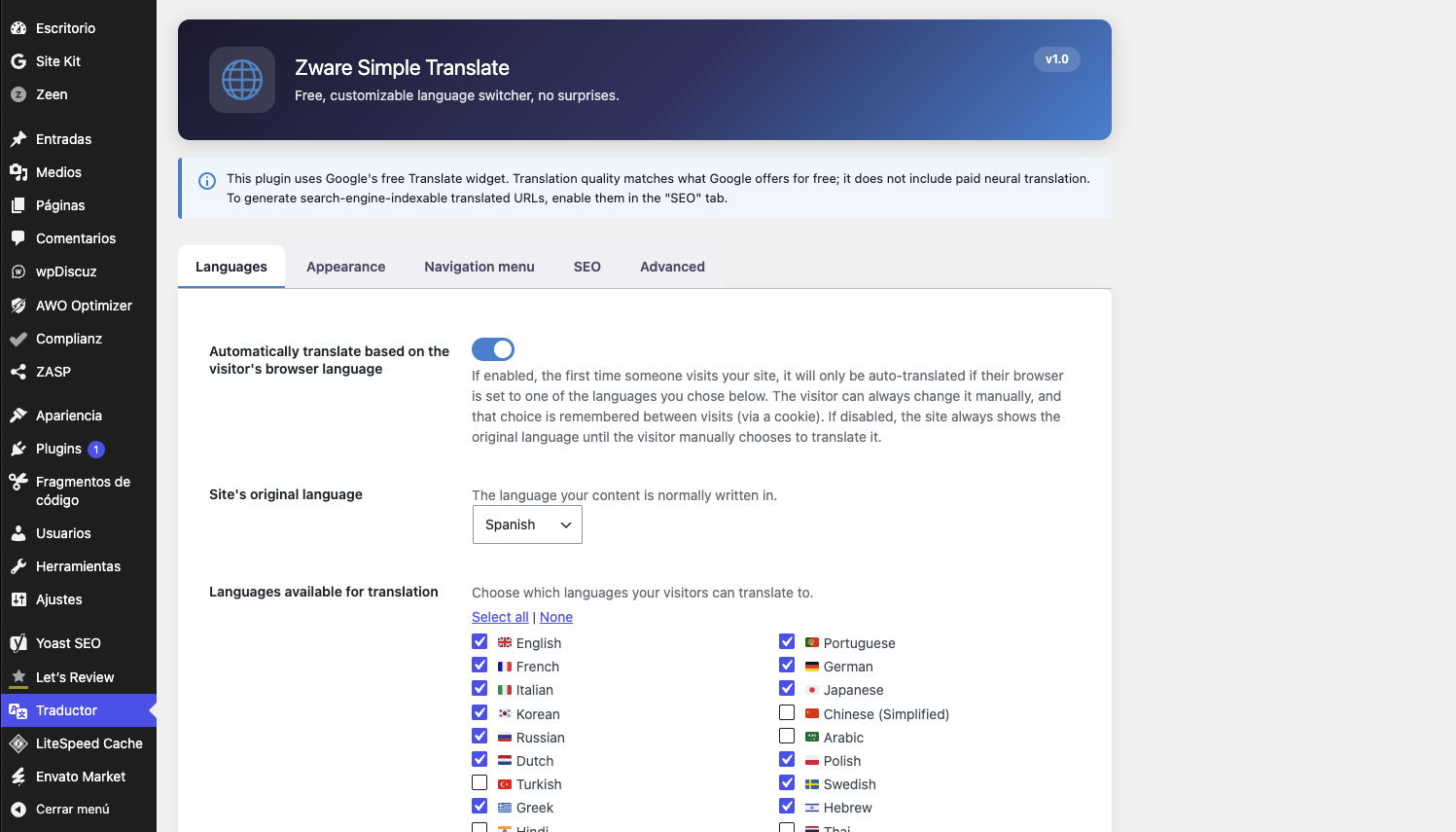
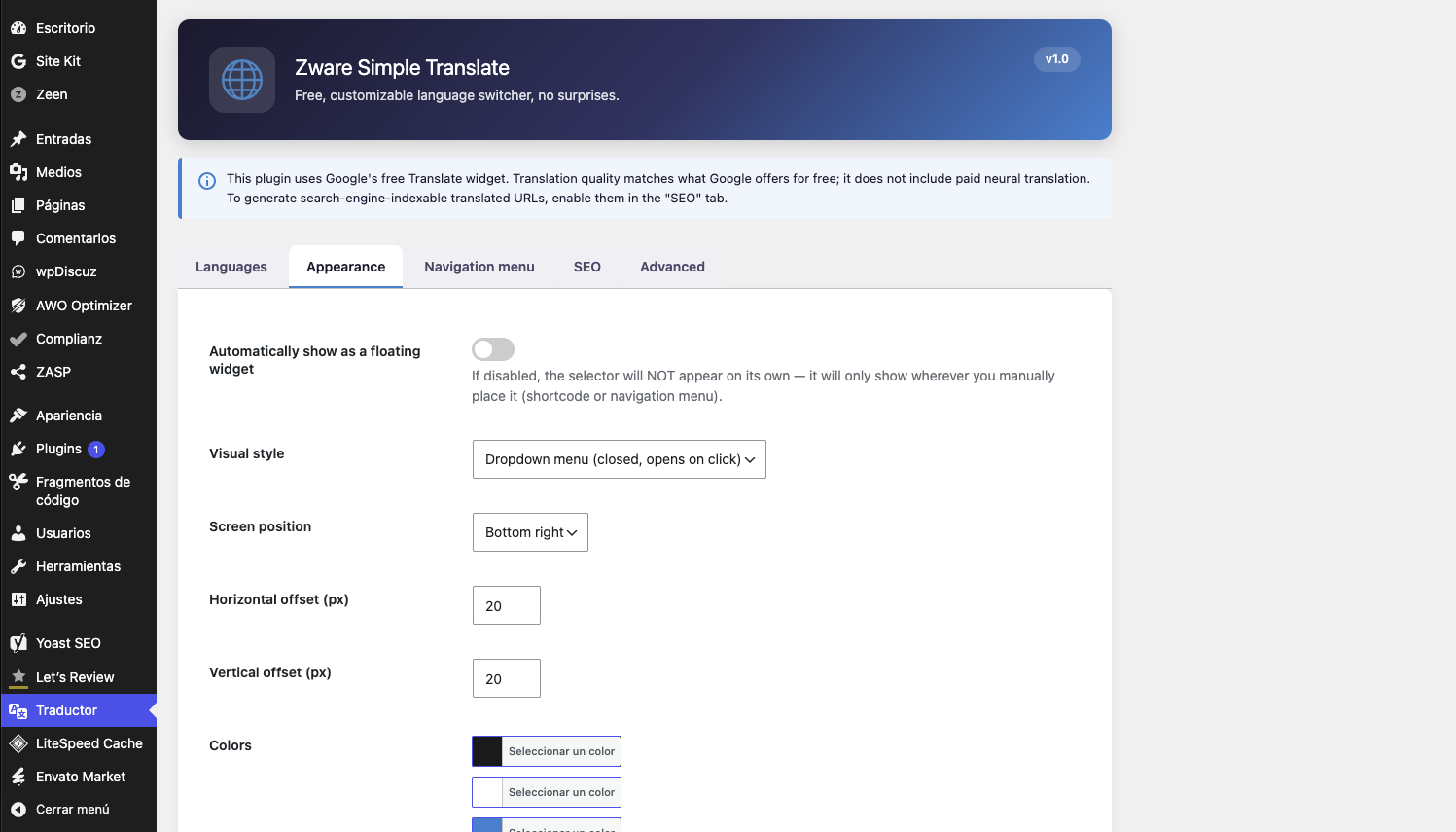
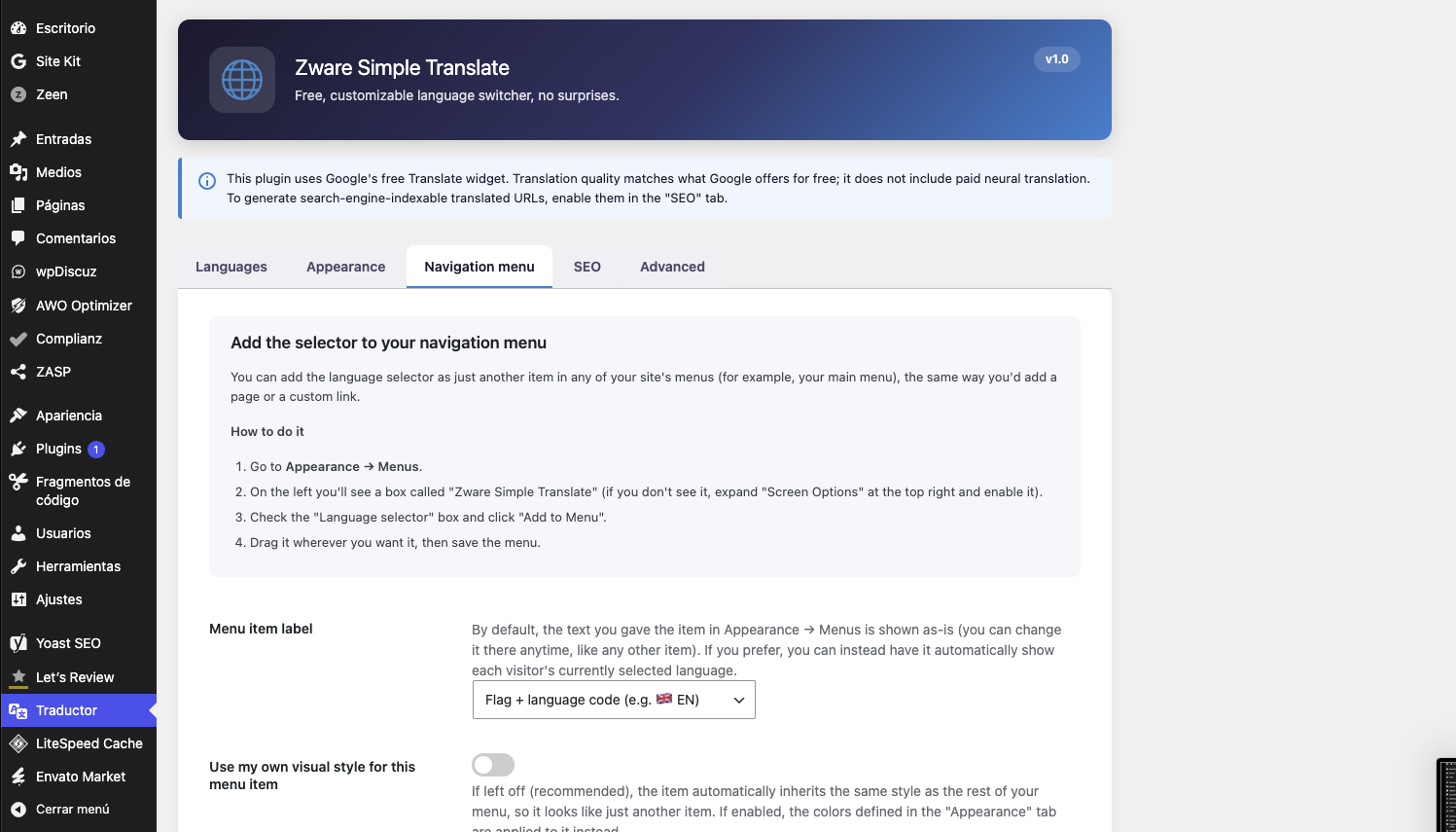
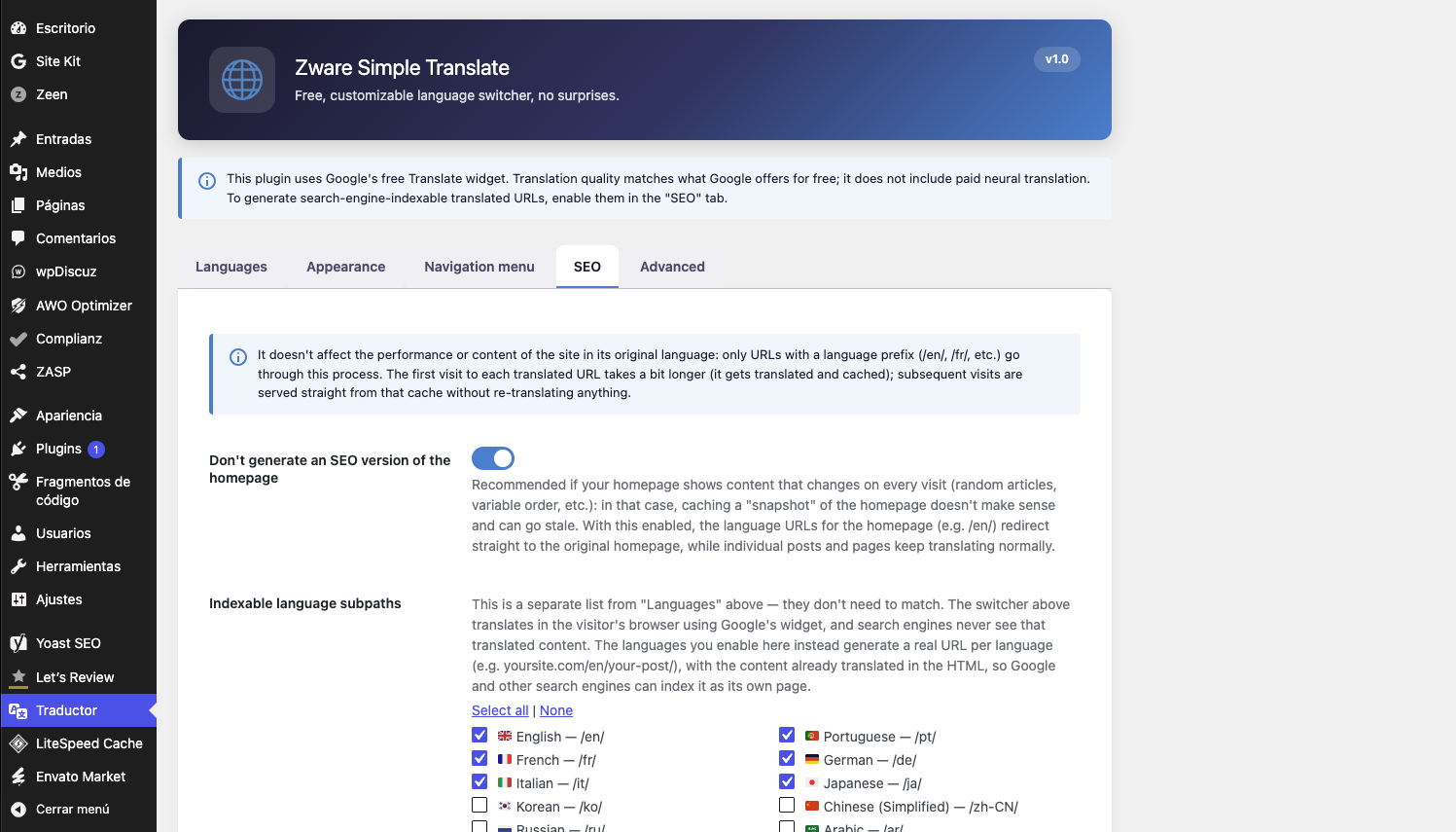
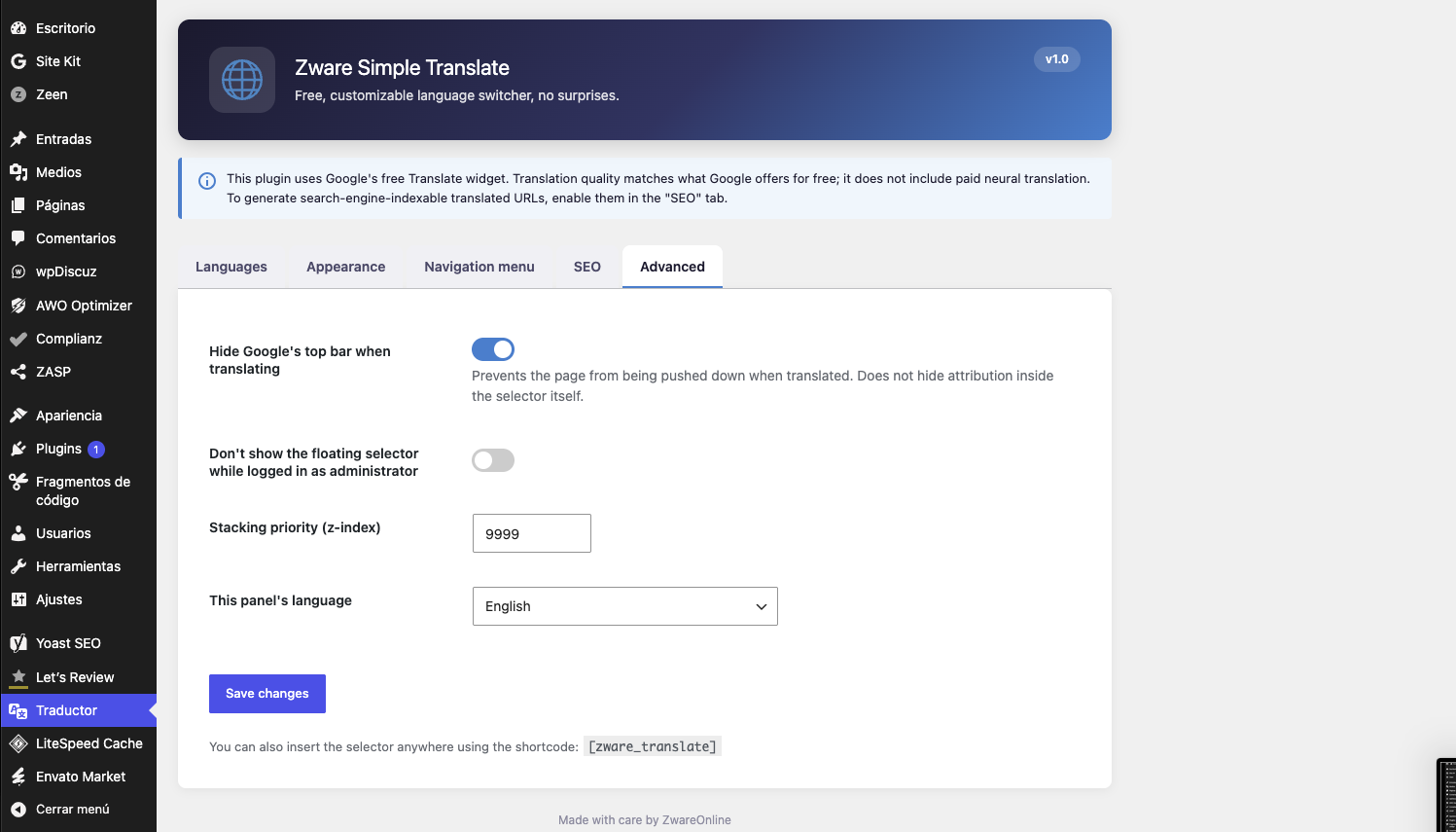
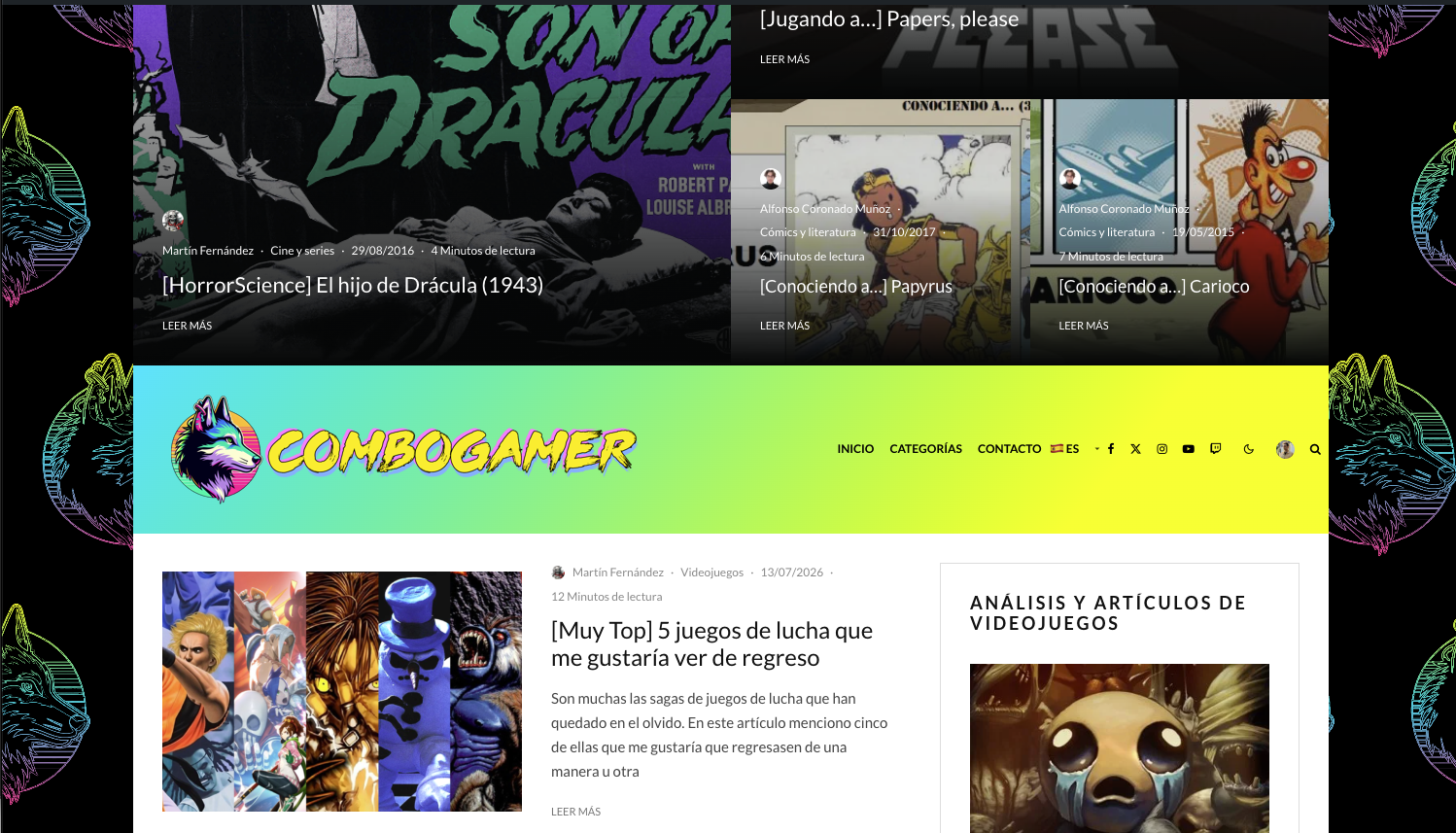
Installation
- Upload the
zware-simple-translatefolder to/wp-content/plugins/. - Activate the plugin from the WordPress ”Plugins” menu.
- Go to ”Settings Translator” to configure it.
Vanliga frågor
-
Does it cost anything?
-
No. It uses Google Translate’s free widget, with no usage limits.
-
Why doesn’t the admin interface use WordPress’s own translation system?
-
On purpose: so that a broken community translation can never cause a fatal error in your admin panel.
-
Does the SEO mode affect my site’s speed?
-
No. It only comes into play on URLs with a language prefix (
/en/,/fr/, etc.). The site in its original language doesn’t go through any extra processing. The first visit to each translated URL gets translated and cached; subsequent visits are served directly from that cache. -
Does this plugin track visitors?
-
No. The plugin itself does not collect, store, or track any personal visitor data. See ”External services” above for what is sent to Google when the switcher or the optional SEO mode is used.
Recensioner
Detta tillägg har inga recensioner.
Bidragsgivare och utvecklare
”Zware Simple Translate” är programvara med öppen källkod. Följande personer har bidragit till detta tillägg.
Bidragande personer
Översätt ”Zware Simple Translate” till ditt språk.
Intresserad av programutveckling?
Läs programkoden, kika på SVN-filförvaret eller prenumerera på utvecklarloggen via RSS.
Ändringslogg
1.0
- Initial release.
- Language switcher with three styles (dropdown menu, flags, floating button), customizable position and colors, 35+ languages, navigation menu item,
[zware_translate]shortcode, and optional automatic translation based on the visitor’s browser language. - New: optional SEO mode (”SEO” tab), with a language list independent from the main switcher. Generates dedicated per-language URLs with the content translated in the HTML, per-language
hreflangandcanonicaltags, and a dedicated cache so the site’s performance in its original language is unaffected.