
Beskrivning
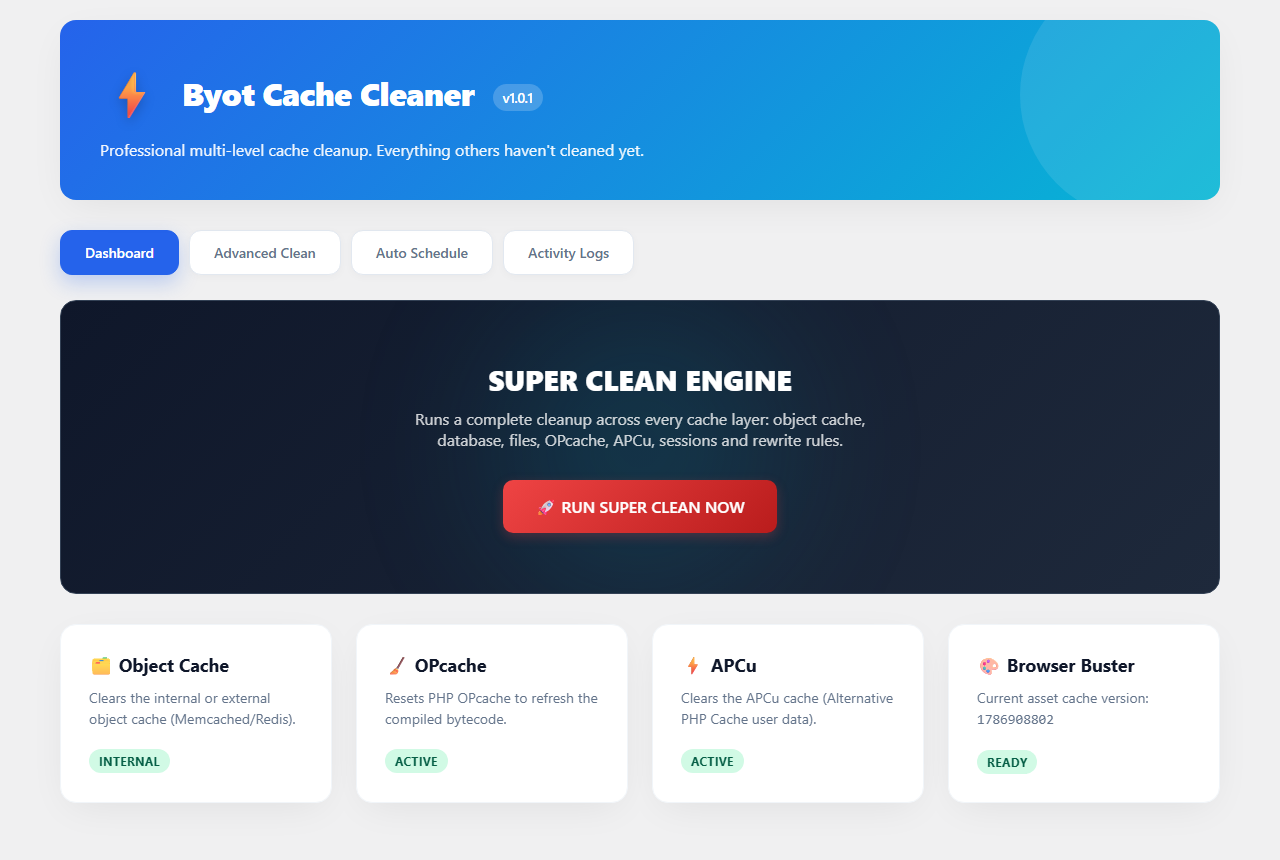
Byot Cache Cleaner clears every cache layer a WordPress site typically accumulates, from a single modern dashboard, instead of hunting through several different tools.
What it cleans:
- Object cache (internal WordPress cache or external stores such as Memcached/Redis)
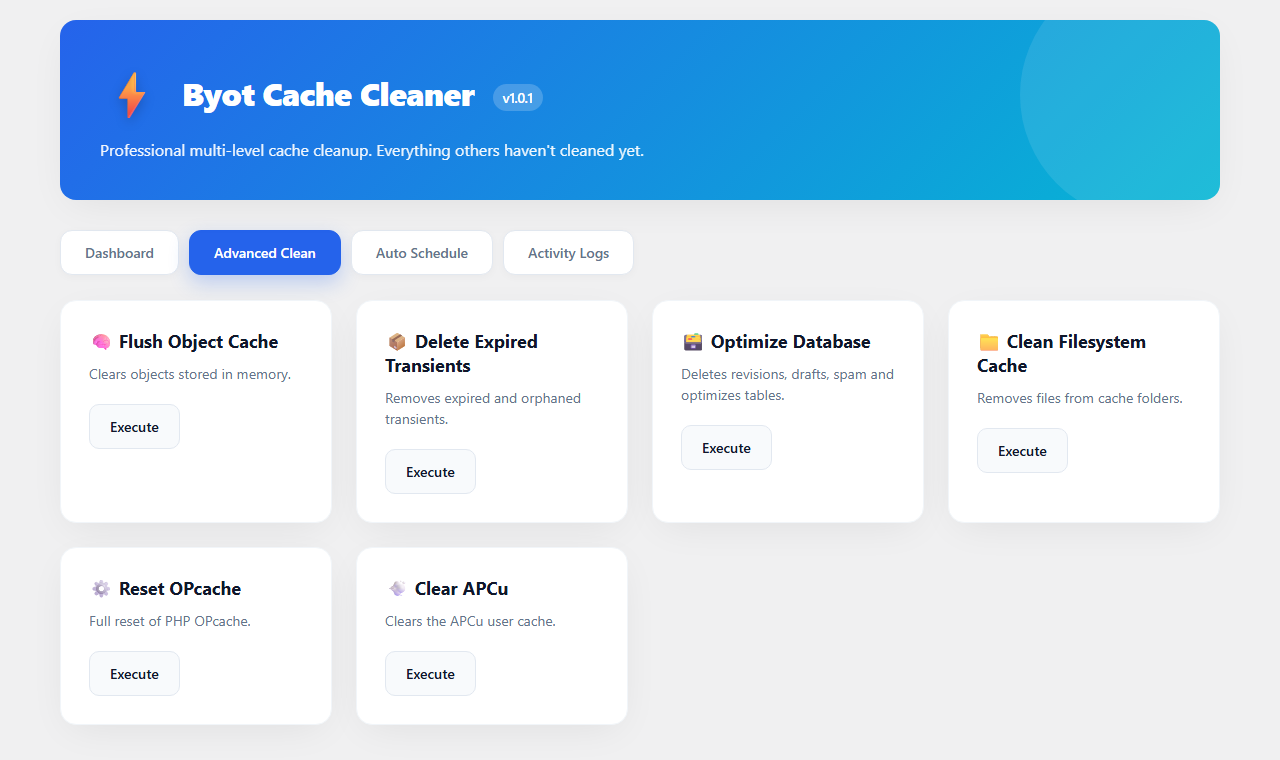
- Expired and orphaned transients
- Database bloat: post revisions, auto-drafts, trashed posts, spam/trashed comments, orphaned post and comment meta, plus table optimization
- Filesystem cache directories left behind by other caching tools
- OPcache (when the extension is available on the server)
- APCu user cache (when the extension is available on the server)
- Stale PHP session files
- Rewrite rules (permalink structure)
- Asset/browser cache version, for cache-busting
Included tools:
- One-click ”Super Clean” that runs every layer at once
- Advanced tab to trigger any single cleanup layer on its own
- Optional daily auto-clean, scheduled through WP-Cron
- Activity log with a history of every cleanup run
- Admin bar shortcut to clean cache from anywhere in wp-admin
- Dashboard widget with a quick cache status overview
Notes on the database cleanup
The database cleanup step permanently removes trashed posts and spam/trashed comments as part of its standard run. Review your trash before using it if you might need to recover something — this step is irreversible by design, same as emptying WordPress’s own trash.
Notes on OPcache / APCu
Those two actions only have an effect if the corresponding PHP extension is installed and enabled by your host. If it isn’t, the dashboard reports the layer as ”Inactive” and the action safely does nothing.
Skärmdumpar
Installation
- In your WordPress admin, go to Plugins Add New.
- Search for ”Byot Cache Cleaner”.
- Click Install Now, then Activate.
- Open ”Byot Cache” from the admin menu to get started.
Manual installation:
- Upload the plugin folder to
/wp-content/plugins/. - Activate the plugin through the ”Plugins” menu in WordPress.
- Open ”Byot Cache” from the admin menu.
Vanliga frågor
-
Is the database cleanup safe?
-
It permanently deletes trashed posts and spam/trashed comments as part of the standard cleanup. Review your trash first if you need to recover anything.
-
Why do OPcache/APCu show ”Inactive” on my dashboard?
-
Those controls only take effect if the corresponding PHP extension is installed and enabled on your server. If your host doesn’t provide them, the badge reports ”Inactive” and the action safely does nothing.
-
Does it work with Redis or Memcached?
-
Yes. The object cache action flushes whatever object cache backend WordPress is currently using, whether that’s an external store like Redis/Memcached or the default internal cache.
-
Does this plugin phone home or send data anywhere?
-
No. All actions run locally against your own site’s cache, database, and filesystem. Nothing is sent to any external service.
Recensioner
Detta tillägg har inga recensioner.
Bidragsgivare och utvecklare
”Byot Cache Cleaner” är programvara med öppen källkod. Följande personer har bidragit till detta tillägg.
Bidragande personer
Översätt ”Byot Cache Cleaner” till ditt språk.
Intresserad av programutveckling?
Läs programkoden, kika på SVN-filförvaret eller prenumerera på utvecklarloggen via RSS.
Ändringslogg
1.0.1
- Renamed the plugin.
- Fixed the uploads-directory path to resolve through wp_upload_dir() instead of a hardcoded path.
1.0.0
- Initial release.