

Beskrivning
Evenemangshanterare är en fullfjädrad evenemangskalender och ett bokningssystem för WordPress som hanterar allt från bokningar, reservationer och tidsbokningar till schemaläggning, evenemangsregistrering och biljettförsäljning – perfekt för allt från enkla träffar till storskalig evenemangsplanering. Schemalägg enstaka datum, återkommande serier eller tidsintervall, ta emot bokningar online och sälj biljetter – allt via ett enda tillägg som utvecklats med fokus på flexibilitet, tillförlitlighet och kraftfulla funktioner.
Huvudfunktioner
- NYTT Integrera enkelt med din AI-favorit via MCP och lås upp kraften i AI-drivna evenemang!
- NYTT API REST-integration
- NYTT Verktyg för EU-efterlevnad gällande ”ångerrätt” (EU:s ”Ångerknapp”)
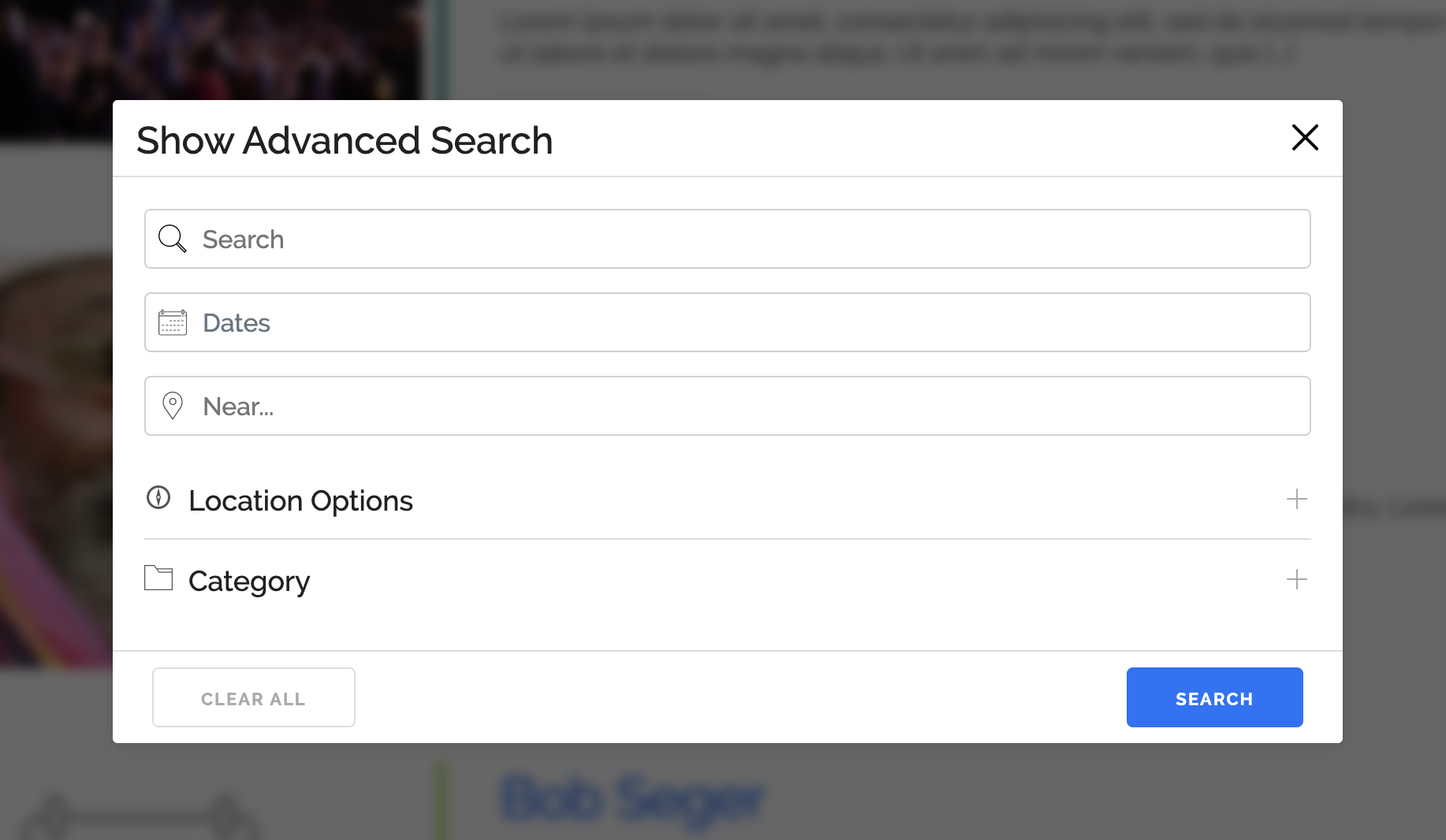
- Vackra kalendrar, söksidor, listor, rutnät och bokningsformulär för att förbättra dina webbplatsevenemang.
- Tillgänglighets- och bokningskalender: tillgänglighet i realtid per evenemang, biljett och tidsintervall – visas i bokningsformulär och exponeras via REST-API:et.
- Enkla formulär för evenemangsregistrering och bokning (enskild dag med start-/sluttider), med anpassade formulärfält i Pro
- Registrering för återkommande och långvariga (flerdagars) evenemang
- Skapa komplexa återkomstmönster med undantagsdatum eller datum för uppehåll.
- NYTT Flera tidsintervall per dag för evenemang med avancerade skapelsealternativ, vilket gör att vilket evenemang som helst kan fungera som ett enkelt bokningsverktyg.
- Överlappande tidsintervaller
- Buffert mellan tidsluckor
- Tidsbokning med marginaler mellan tider och kapacitet per tidslucka
- Scheman för lektioner och pass: ett schema uppbyggt av tidsintervall, återkommande evenemang samt kalender- eller listvyer.
- Bokningar och deltagarhantering: godkännanden och avslag, deltagarlistor, CSV-export och bekräftelsemejl
- Ett komplett bokningssystem för evenemang och tidsbokning, med internetbokning för medlemmar eller gäster samt betalning via PayPal, Stripe, Square med flera (Pro)
- Sälj biljetter via internet med flera biljettyper, prissättning och begränsningar för tillgänglighet per biljettyp (betalningar via Pro)
- Biljetthantering med PDF-biljetter via e-post, in- och utcheckning samt QR-skanning i mobilen (Pro)
- Gratis OSA eller betald registrering för alla typer av evenemang, med deltagarbegränsningar, godkännanden och väntelistor (Pro)
- Kapacitetsgränser per evenemang, biljett och tidsintervall, med hantering av slutsålda biljetter och väntelistor (Pro)
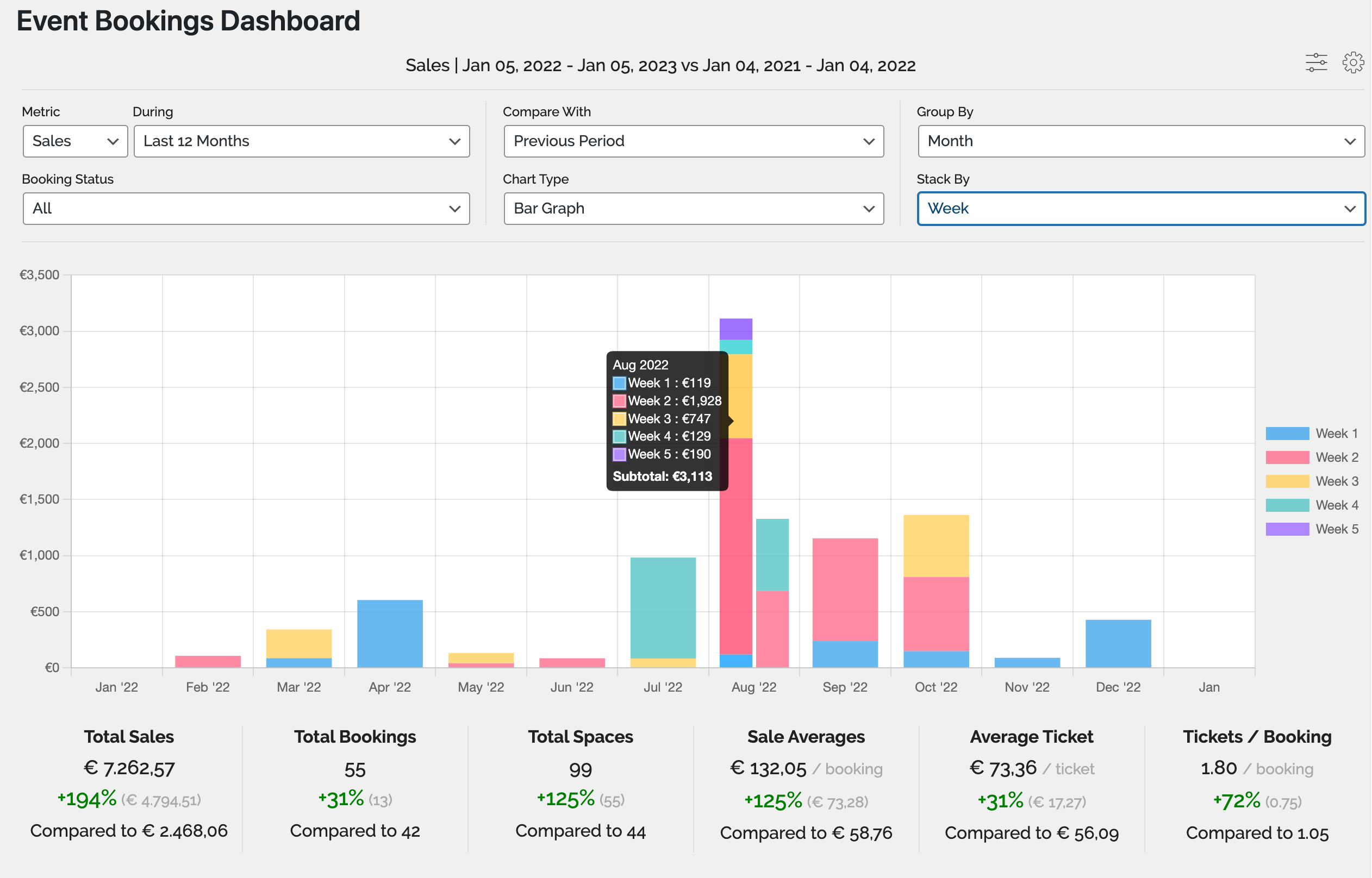
- Fullt utrustad graf och statistik inklusive stapel/linje/cirkel med jämförelse och stapling
- Stöd för evenemang på flera platser
- Delning av evenemang mellan nätverk – visa dina evenemang och bokningsformulär på andra undersajter eller huvudwebbplatsen.
- Nätverksomfattande global bokningshantering
- KompisPress & KompisChef Support
- Skapa modulära (oberoende) evenemangsunderwebbplatser eller sammankopplade evenemang
- Flera anpassade evenemangstyper (Arketyper), såsom workshops, seminarier, evenemang, webbinarier, möten osv.
- Anpassa dina etiketter, slugs och CPT-namn
- Aktivera eller inaktivera specifika funktioner för specifika evenemangstyper.
- Flera platstyper
- Fysiska platser
- Internet- och virtuellevenemang (webbadresser)
- Zoom-webbinarier/mötesintegration
- KompisPress & KompisChef Support
- Skicka in evenemang
- Gruppevenemang
- Personliga evenemang
- Aktivitetsström
- mer på väg
- Bidrag till gäst-/medlemsevenemang
- Tilldela evenemangsplatser och lokaler samt visa evenemang utifrån plats.
- Evenemangskategorier
- Skapa enkelt anpassade evenemangsattribut (t.ex. klädkod)
- Google Maps (se våra rekommendationer för API-användning)
- Avancerade behörigheter – begränsa användarhantering av evenemang och platser.
- Widgetar för evenemang, platser och kalendrar
- Finjustera kontrollen över hur varje aspekt av dina evenemang visas på din webbplats, ändra enkelt mallar från inställningssidorna och mallfilerna
- iCal-feed (enstaka och/eller samtliga event)
- Knappar för att lägga till i Google Kalender, Outlook, Office 365, Apple Kalender och iCal
- RSS-flöden
- Kompatibel med SEO-plugins
- Stöd för tidszoner – skapa evenemang i olika tidszoner
- Massor av malltaggar och kortkoder för användning i dina inlägg och sidor
- Stöd för Gutenberg-blockredigeraren, med inbyggda block för evenemangskalender, evenemangslista och platslista som kan användas i inlägg, på sidor samt i webbplatsredigeraren och widgetredigeraren.
- Aktivt underhållen och supporterad
- Massor av dokumentation och handledningar
- NYTT Gutenberg-stöd
- Och mycket mer!
Användningsområden
Evenemangshanterare bygger på en enda modell: ett evenemang med datum eller tidsintervall, en kapacitet och valfria biljetter. Detta täcker mycket mer än bara evenemang, och alla dessa användningsområden förekommer redan idag:
- Konferenser och festivaler: flerdagarsevenemang med flera biljettyper, programpunkter, formulär för deltagare och incheckning via QR-kod (Pro)
- Seminarier, workshops och webbinarier med internetanmälan och biljettförsäljning
- Konserter och spelningar: sälj konsertbiljetter med olika biljettyper, PDF-biljetter och QR-incheckning (Pro), endast onumrerade platser
- Teaterbiljetter och museibiljetter: återkommande föreställningar, tidsbestämt inträde till gallerier och utställningar, flera biljettyper och PDF-biljetter, allmänt inträde utan sittplatskartor
- Evenemangskalendrar för en förening/grupp där medlemmar och gäster själva skickar in evenemang för godkännande, med stöd för BuddyPress och BuddyBoss.
- Kyrkliga evenemang, arrangemang i ideell regi och välgörenhetsinsamlingar: återkommande gudstjänster, galor och volontärdagar – med antingen kostnadsfri anmälan eller betalda biljetter på flera olika platser.
- Evenemang i skola och högre utbildning: terminer och läsårsscheman, bokningsbara tider för föräldramöten samt avgiftsbelagda utflykter med begränsat antal platser.
- Sportevenemang för klubbar: matcher, turneringar och tävlingsanmälningar med registrering, kapacitetsgränser och betalning.
- Träningspass, gymbokningar, yoga, pilates och dansklasser: veckoscheman med begränsat antal platser per pass.
- Kurser, utbildningstillfällen, lektioner och coachning: schemalagda eller återkommande tillfällen med begränsat antal deltagare och betalning
- Bokning av konsultationer för rådgivare, konsulter och yrkesutövare via en gemensam bokningskalender, med anpassat formulär och valfri betalning.
- Tidsbokning och internetbokning för enskilda utövare, privatlärare och studior
- Bokning av guidade promenader, stadsvandringar och tidsbestämda besök: schemalagda turer med begränsat antal platser och pris per plats.
- Rymningsspel och aktivitetsanläggningar: tidsbestämda pass med tidsbuffertar mellan dem och ett maxantal för gruppstorlek
- Bokningar för fasta sittningar, avsmakningsmenyer och middagsklubbar: varje sittning utgörs av ett tidsintervall med ett maxantal gäster, där bokningen sker utifrån antal personer snarare än per bord.
- Internetbokning för sittningar, pass och klasser – var och en med egen tid, kapacitet och valfri betalning.
- Låt besökare boka via internet utan att skapa ett konto – för alla typer av evenemang, biljetter eller tidsbokningar – och betala på plats (Pro).
AI-integration
AI är här, och vi hänger på! Upptäck vad som är möjligt med våra nya och ständigt utvecklade möjligheter till AI-integrering:
Dataskydd och GDPR-efterlevnad
Vi tillhandahåller verktygen för att hjälpa dig att följa GDPR, inklusive:
- export/radering av data via WordPress sekretessverktyg, inklusive boknings-, evenemangs- och platsdata
- kryssrutor för samtycke på våra boknings-, evenemangs- och platsformulär i det visuella gränssnittet
- inställningar för att kontrollera vad som kan exporteras/raderas samt var/när samtyckesförfrågningar ska göras
- textexempel för din webbplats integritetspolicy som beskriver vad Events Manager gör med personuppgifter
Premiumfunktioner
Vi har ett premium Pro-tillägg för Events Manager som inte bara demonstrerar Events Managers flexibilitet, utan också lägger till några viktiga funktioner, inklusive men inte begränsat till:
- WooCommerce-integrering (säljs separat)
- PayPal, Stripe, Authorize.net, Square, Xero och betalningar utanför systemet
- Anpassade bokningsformulär
- Anpassade formulär för enskilda deltagare
- Uppladdningsfält för bokningar, deltagare och användare
- Utskrivbara fakturor och biljetter
- Skicka PDF-biljetter/fakturor automatiskt via e-post
- Incheckning via QR-kod och biljettskanner: skanna biljetter med mobilen och checka in eller ut deltagare.
- iOS-app för arrangörer: hantera bokningar och checka in deltagare när man är på språng (Android-app kommer snart)
- Väntelista för slutsålda evenemang och biljetter
- Automatisering – ultimat flexibilitet inom automatisering!
- Utlösare:
- X gånger före/efter att evenemangen börjar
- När en bokningsstatus ändras
- När en bokning gjordes för x gånger sedan
- Åtgärder
- Skicka Webhook (Zapier, MS Automation och många andra tjänster)
- Skicka e-post
- Skicka WhatsApp-, SMS- och Telegramaviseringar
- Automatiserade påminnelser om evenemang, bokningar och möten via e-post, eller via SMS, WhatsApp och Telegram med tillägget Anslutning.
- SMS-påminnelser, påminnelser via WhatsApp och Telegram, aviseringar och interaktiva flöden via tillägget Evenemangshanterareanslutningen
- Kupong- och rabattkoder
- Anpassad bokningse-postadress per evenemang och gateway
- Snabbare support via privata Pro-forum
För mer information eller för att bli proffs, besök vår plugin-webbplats.
Ytterligare pluginintegrationer
Även om det finns många tredjepartsintegrationer med vårt eget plugin, här är några som vi har integrerat själva!
- Ingår i Events Manager (automatisk integration)
- Ytterligare tillägg
Skärmdumpar
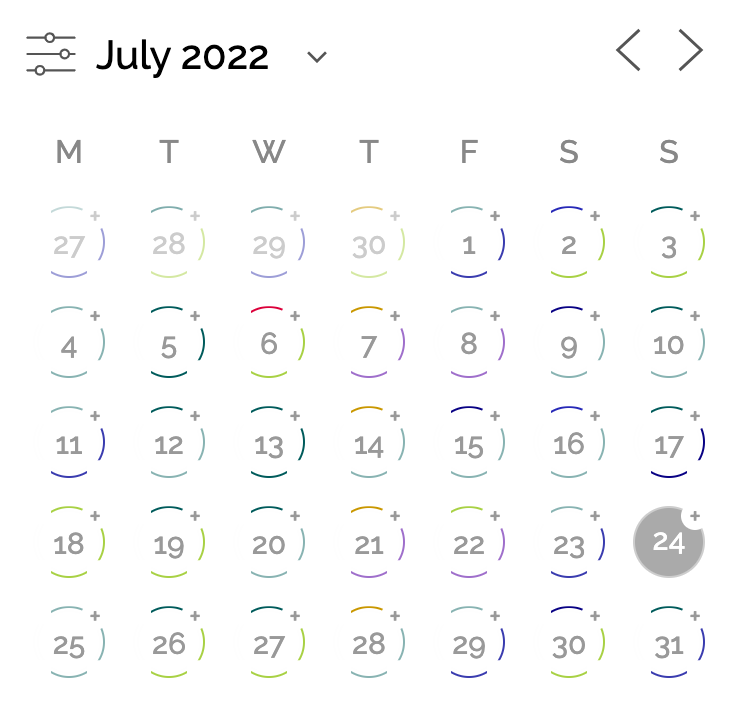
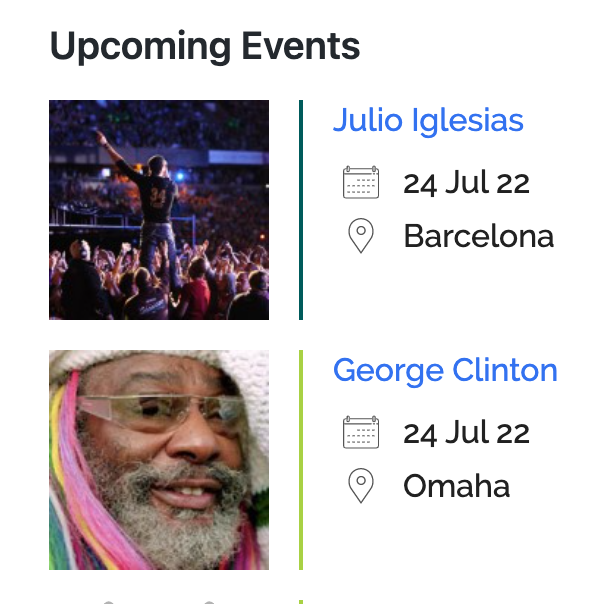
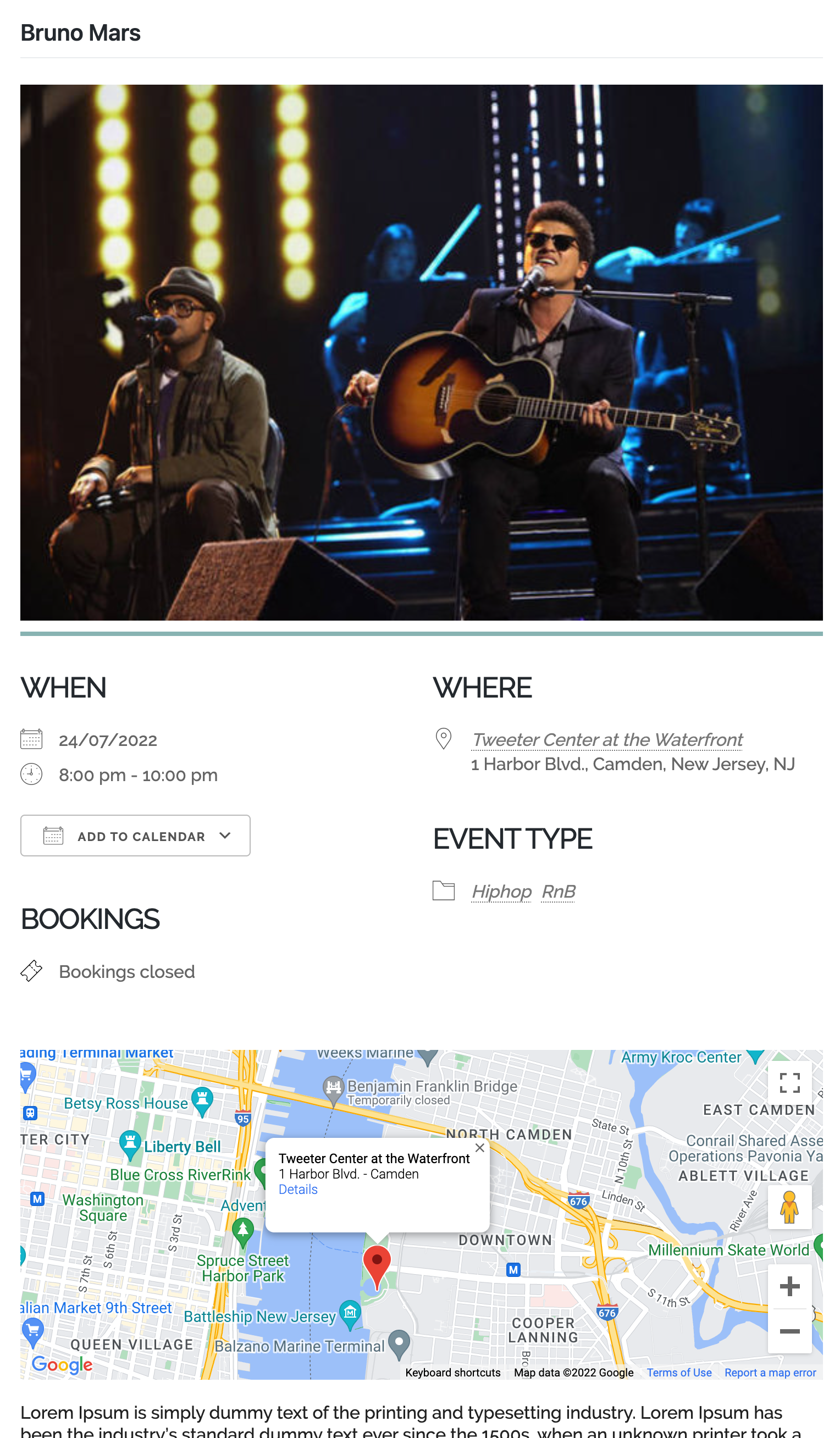
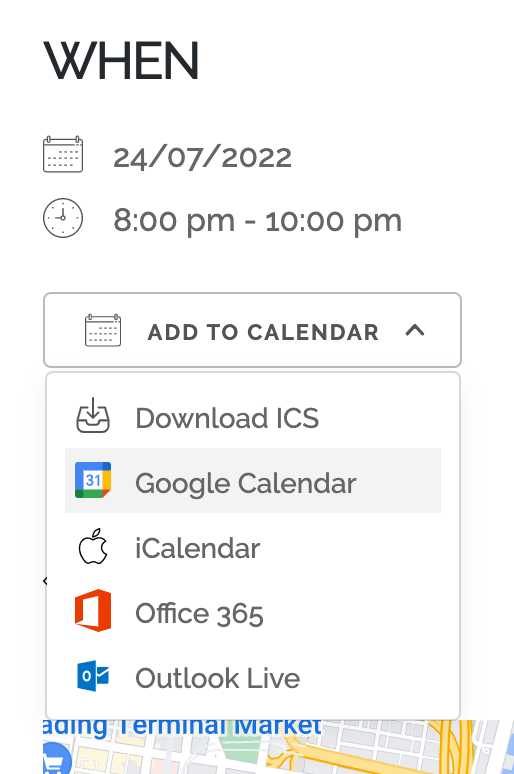
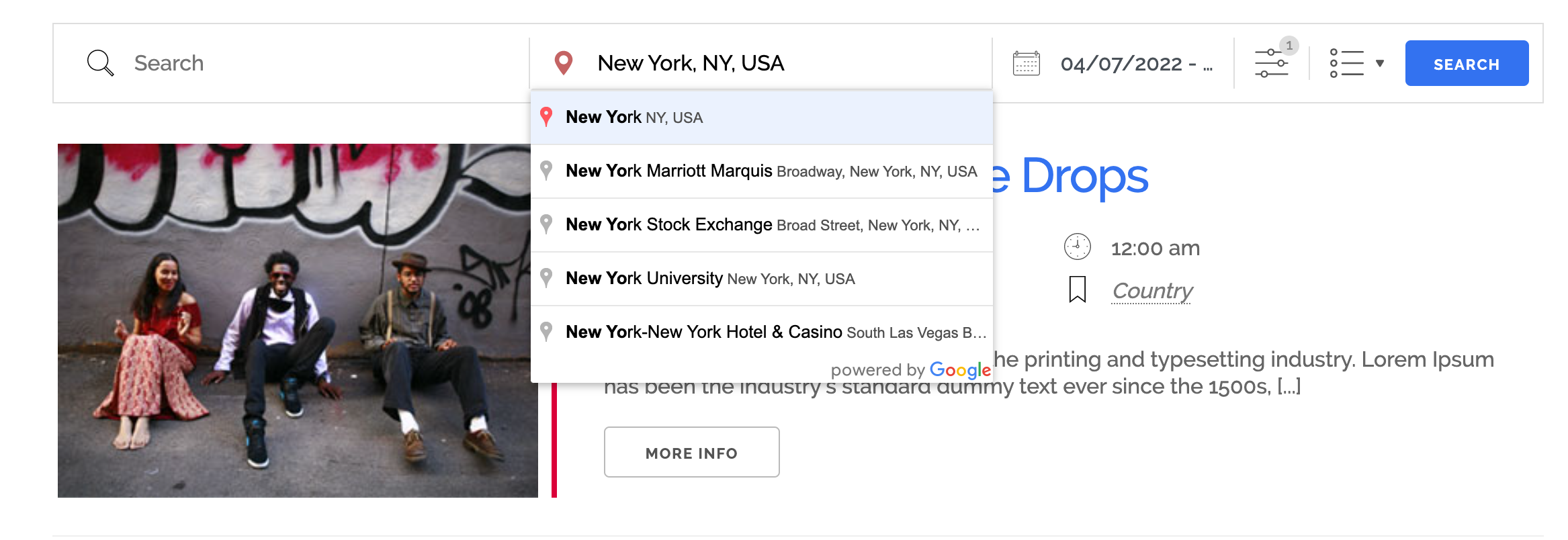
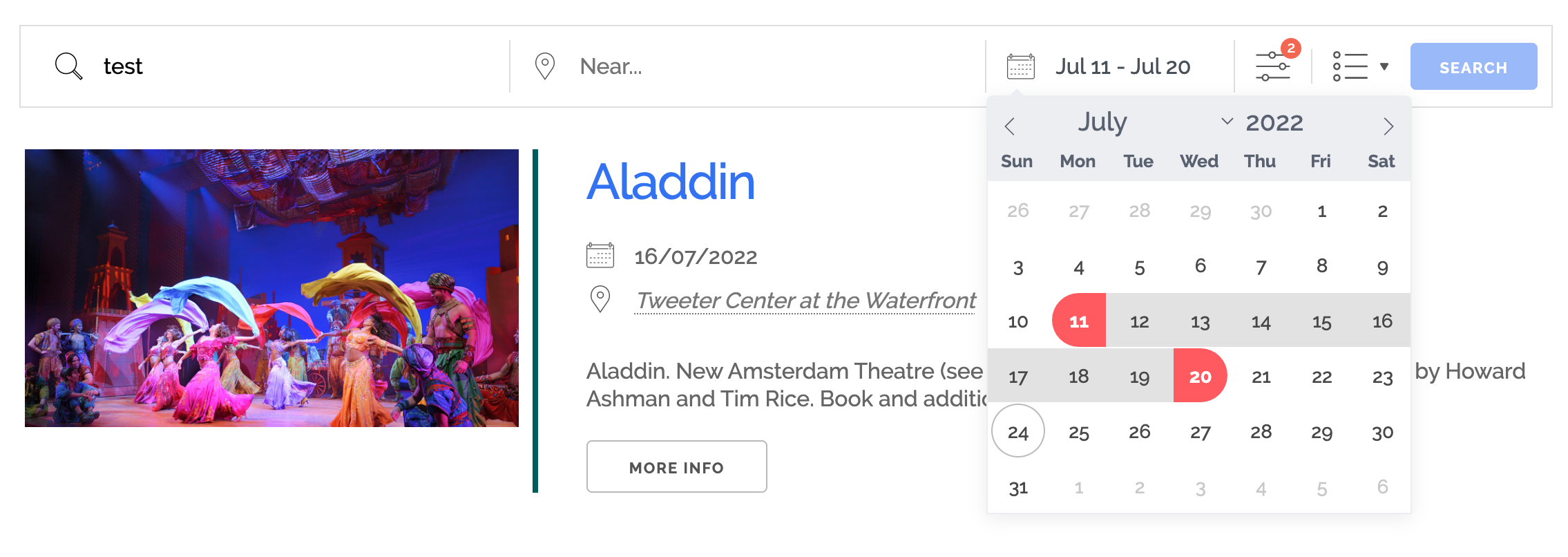
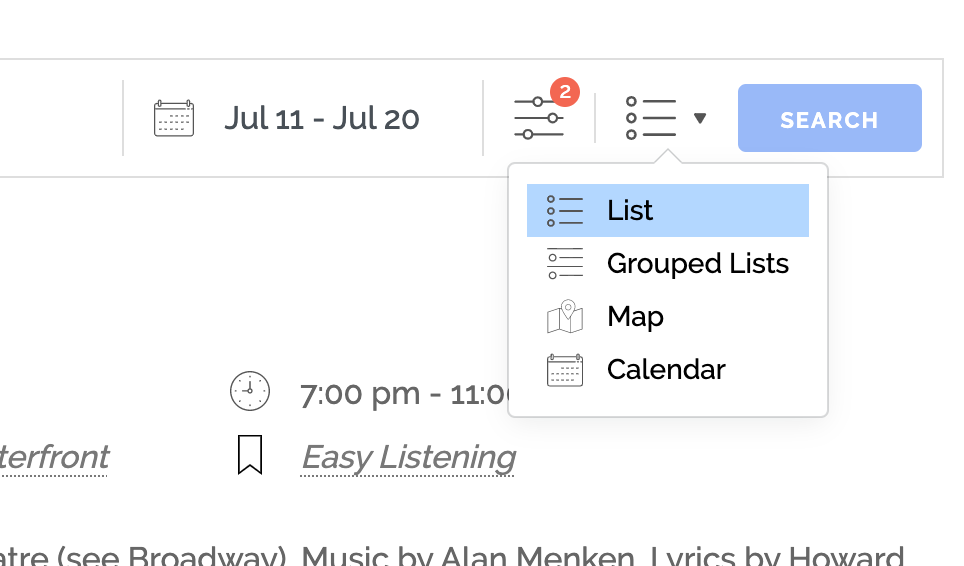
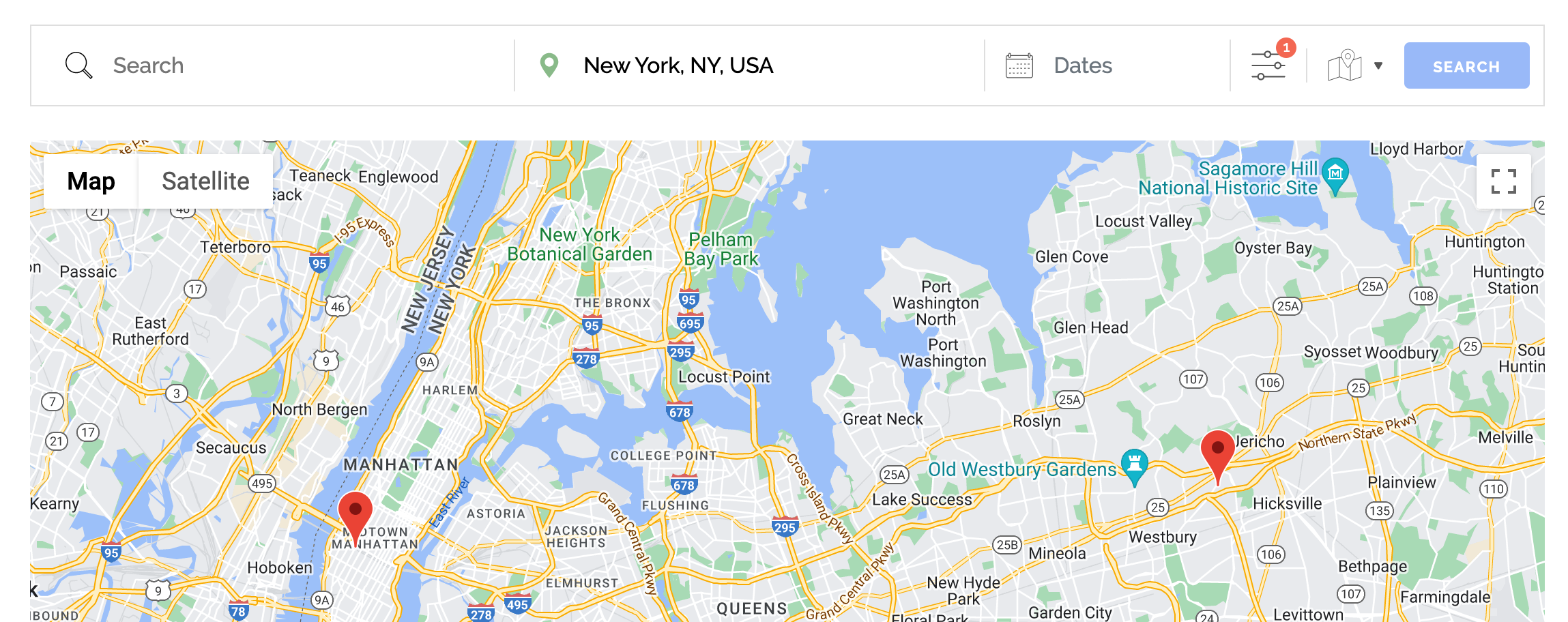
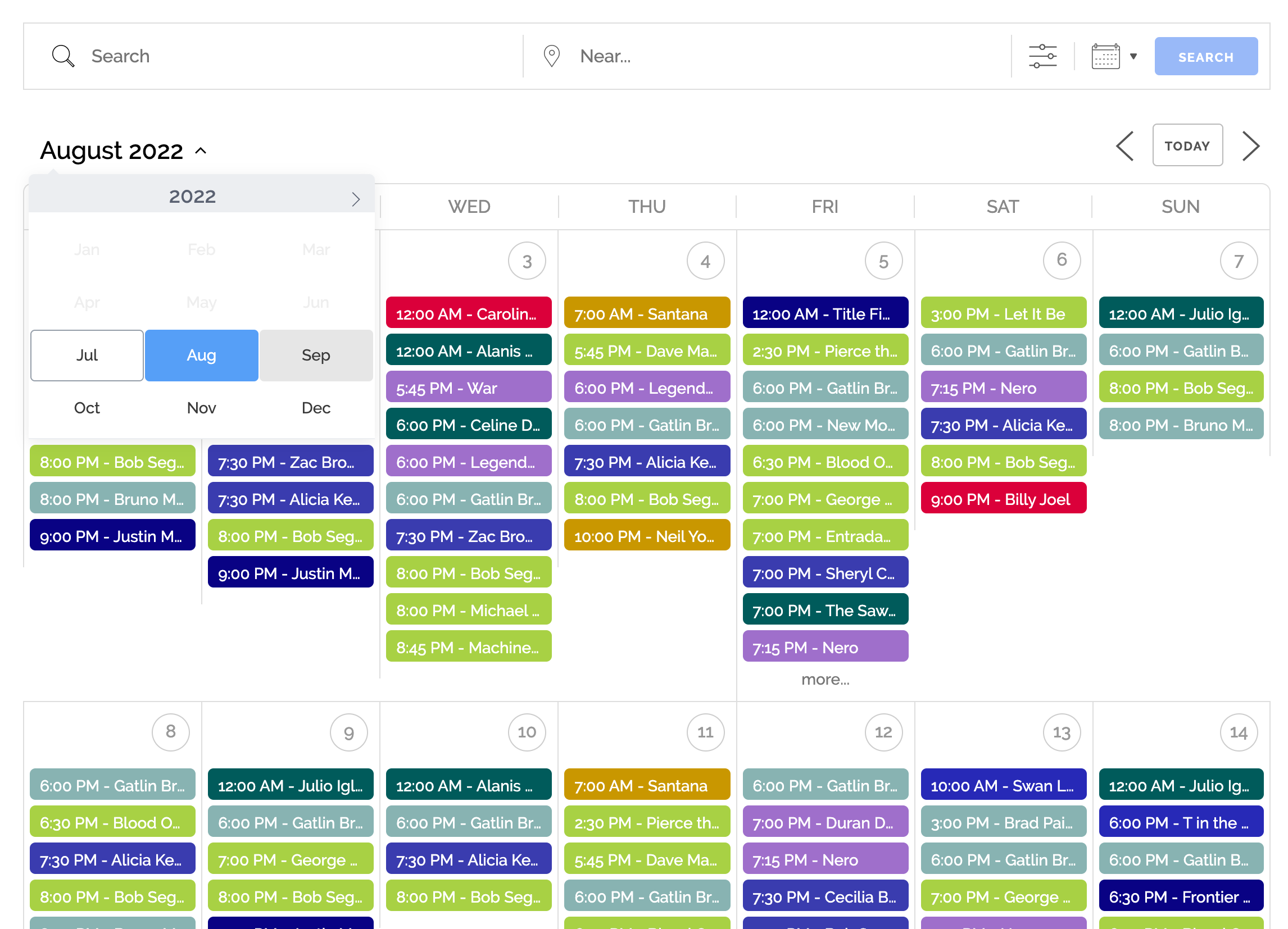
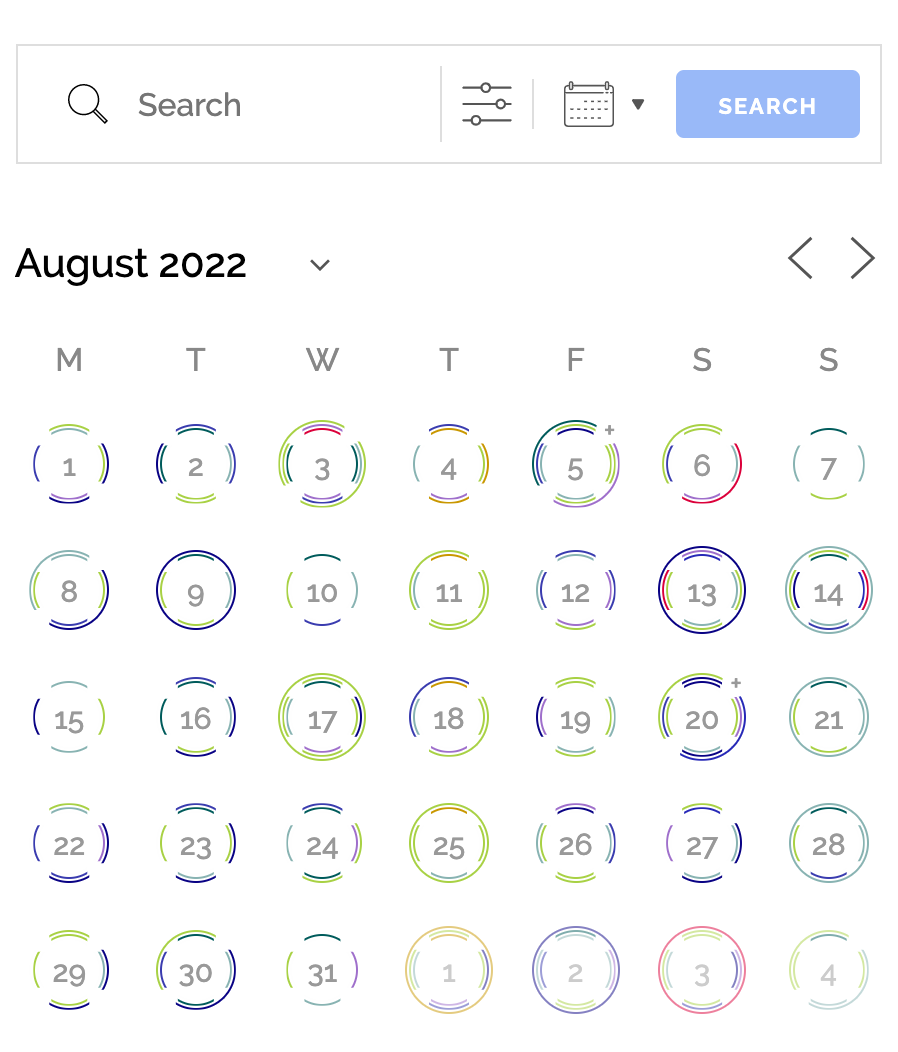
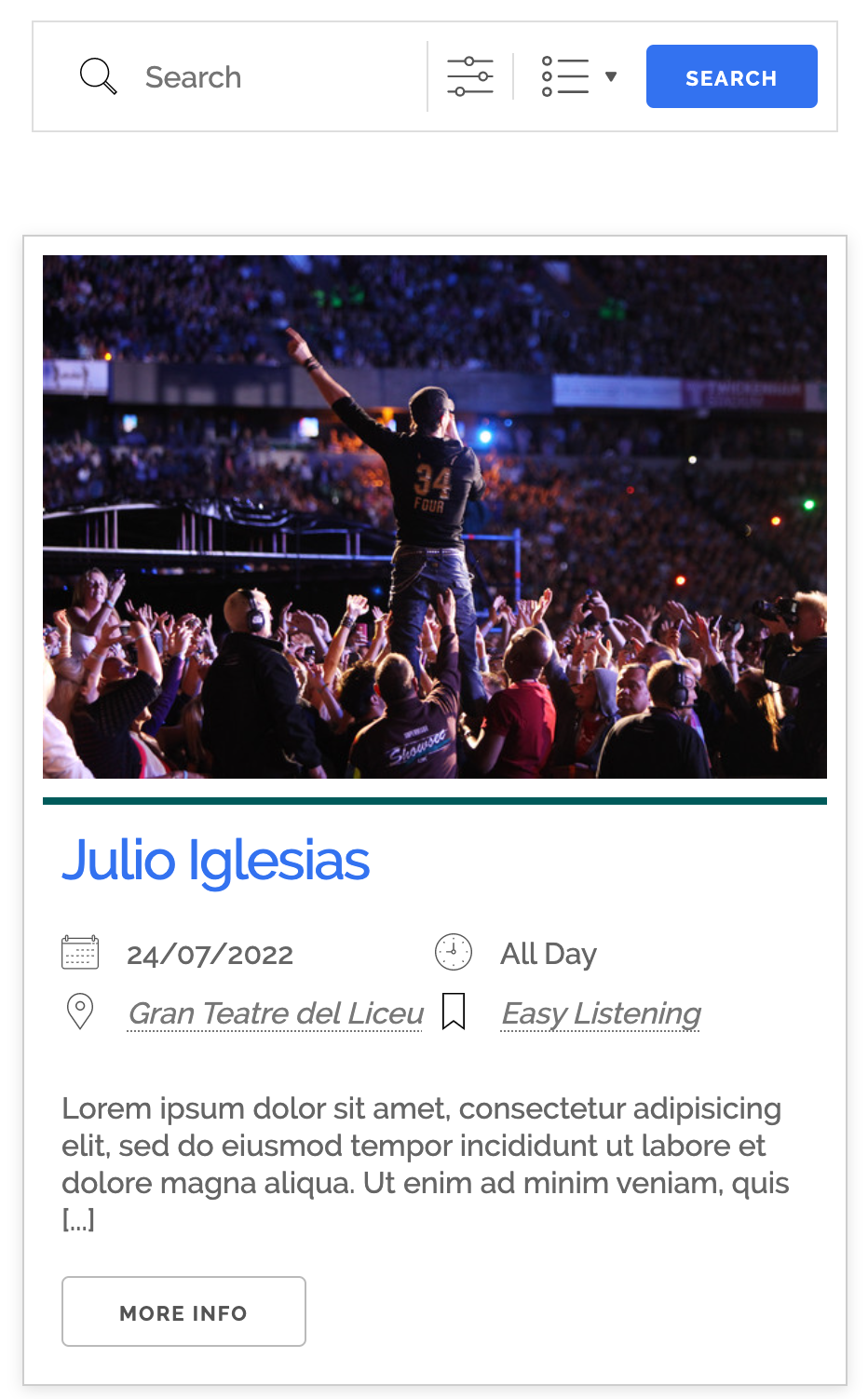
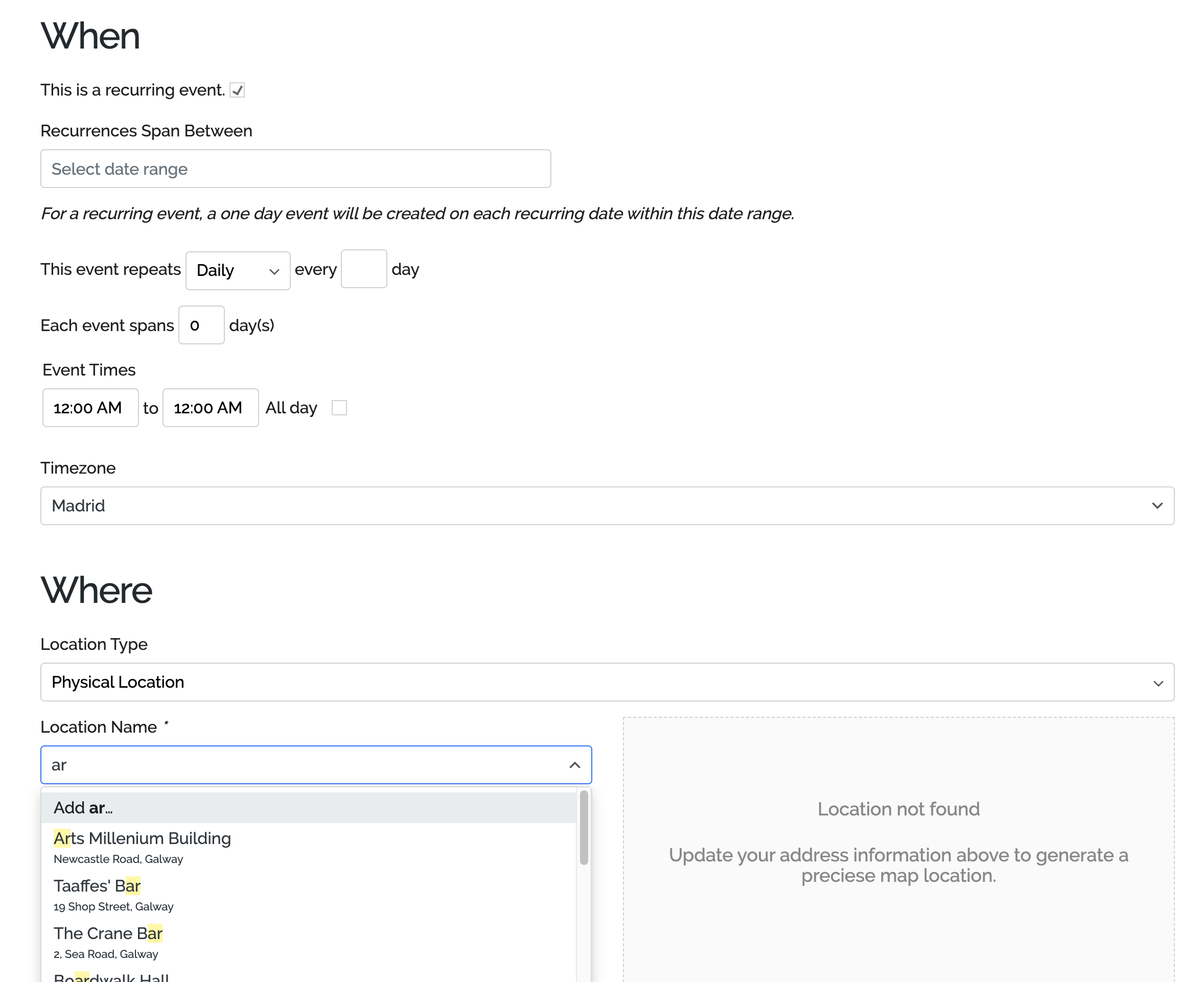
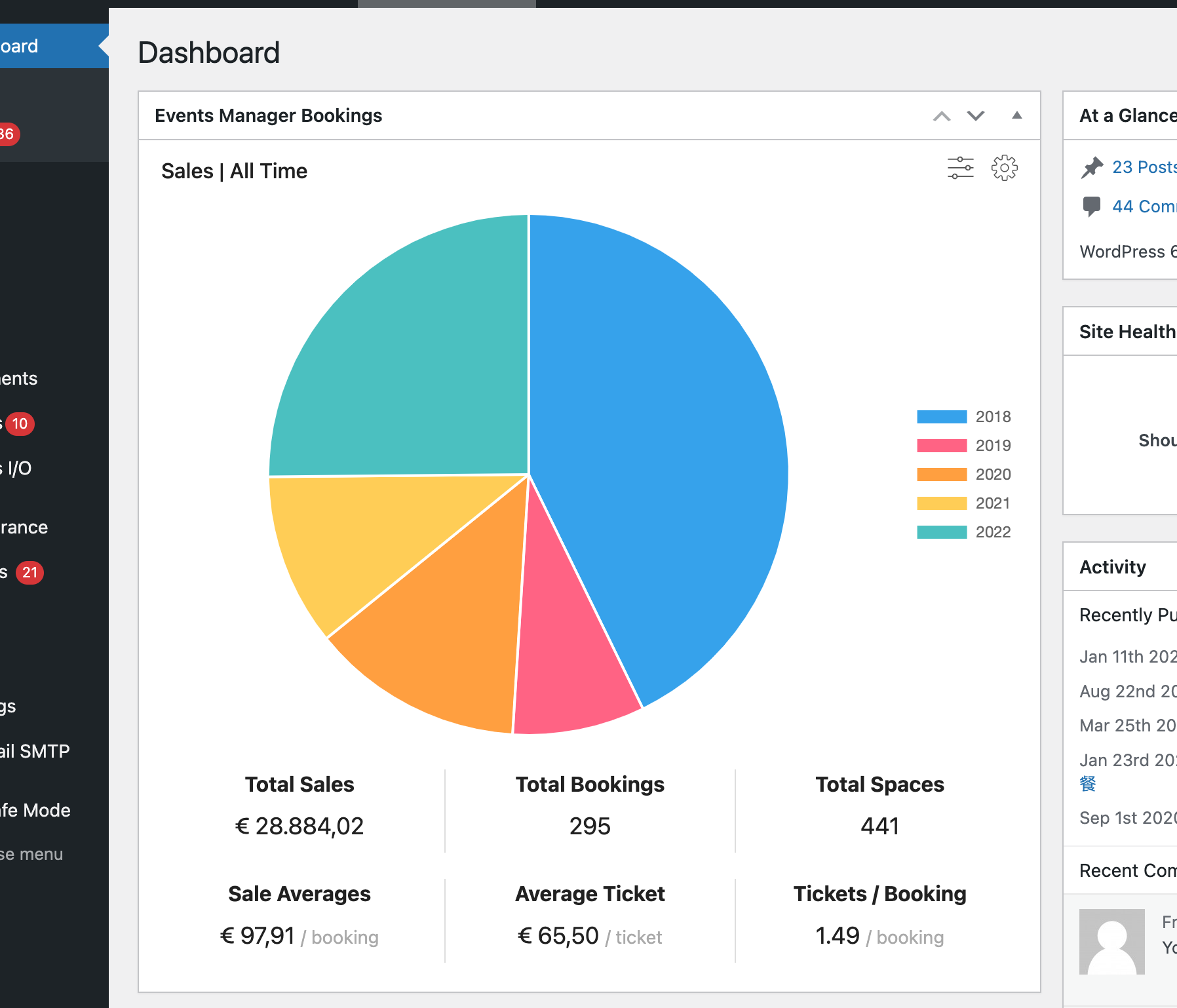
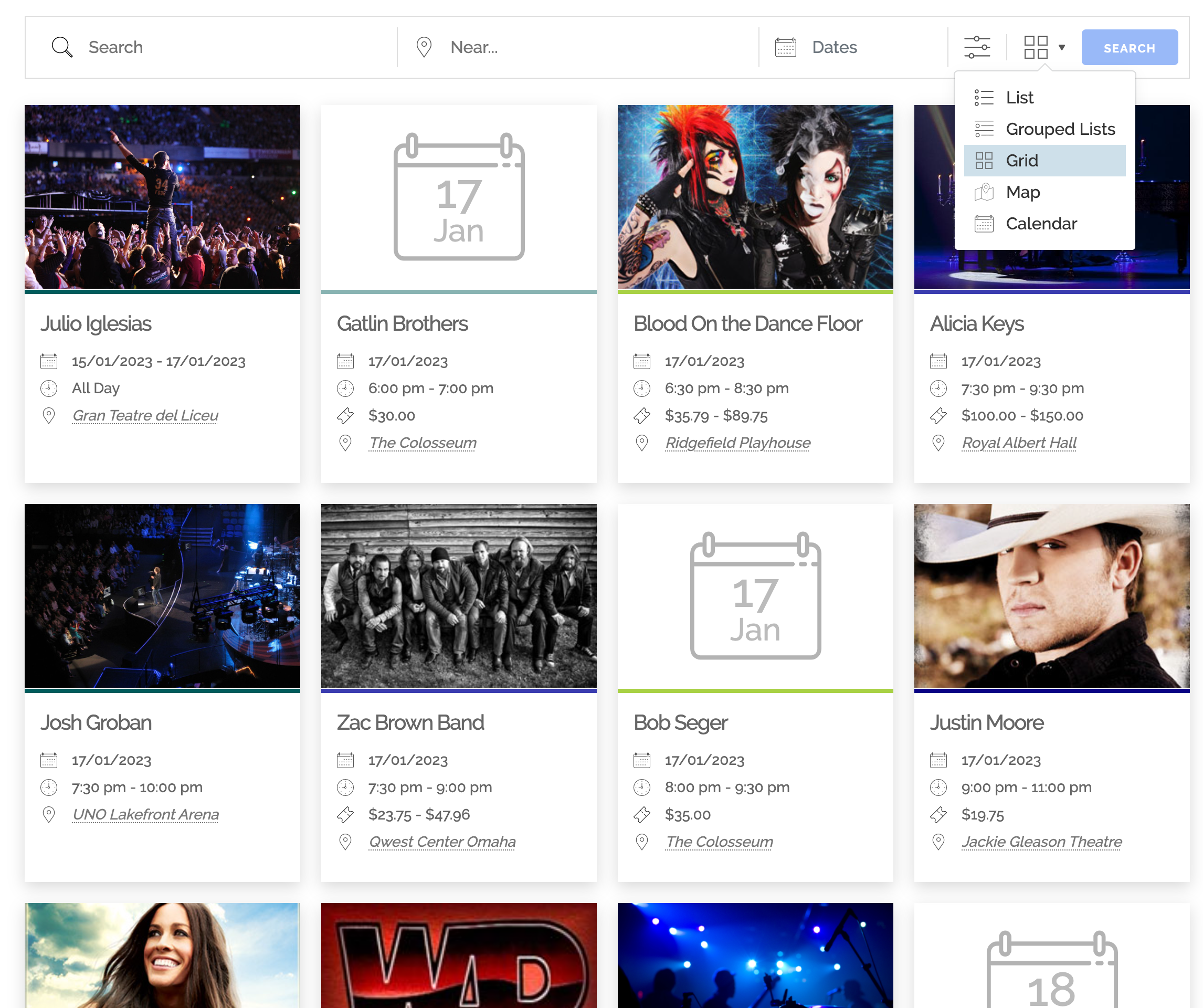
Block
Detta tillägg tillhandahåller 4 block.
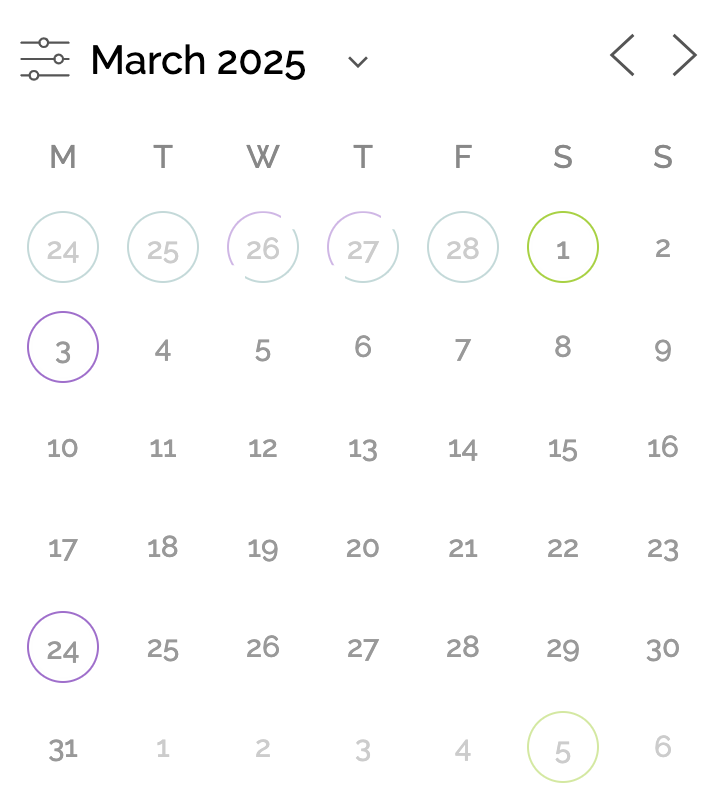
- Events Calendar Display events in a monthly calendar grid.
- Events List Display a list of events with filtering and ordering.
- Event Details Inline date, time, recurrence, and booking controls in a tabbed panel. Pinned below the event title; not rendered on the front end.
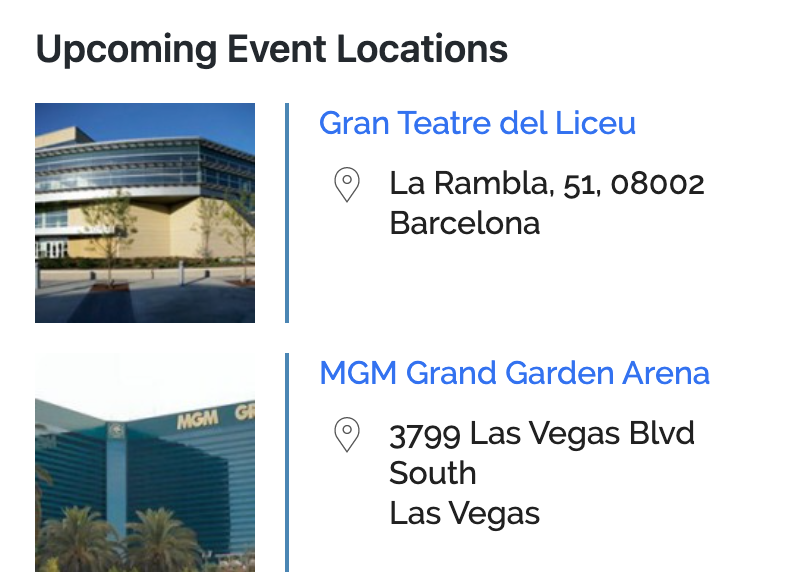
- Event Locations Display a list of event locations.
Installation
Event Manager fungerar som alla vanliga WordPress-plugins och kräver liten konfiguration för att börja hantera evenemang. Om du kör fast kan du besöka vår dokumentation och vårt supportforum.
När du installerar eller uppgraderar ett plugin, eller till och med WordPress i sig självt, rekommenderas det alltid att du säkerhetskopierar din databas först!
Installerar
- Om du installerar, gå till Plugins > Lägg till nytt i administratörsområdet och sök efter evenemangshanteraren.
- Tryck på installera. När installationen slutförts aktiverar du den, och sedan är du klar!
Så fort installationen är klar kan du börja lägga till evenemang direkt, men du kanske vill besöka tilläggets webbplatsdokumentation och lära dig hur du släpper lös Event Managers fulla kraft.
Uppgraderar
- När du uppgraderar, besök plugin-sidan i ditt administratörsområde, scrolla ner till evenemangshanteraren och klicka på uppgradera.
- WordPress hjälper dig att uppgradera automatiskt.
Uppgraderar från version 4 till 5
Var snäll och läs dessa instruktioner.
Vanliga frågor
-
Vad kan jag använda Evenemangshanteraren till?
-
Event Manager är byggd för att hantera en mängd olika användningsområden, inklusive:
- Hantera evenemang, träffar, workshops och webbinarier
- Schemaläggning av möten och återkommande evenemang
- Planering och marknadsföring av konferenser eller festivaler
- Hantera evenemangsregistrering, OSA, biljettförsäljning och biljettförsäljning
- Tar emot bokningar med valfri betalning
- Hantera lokaler och flera evenemangsplatser
- Skapa en offentlig evenemangskalender för dina webbplatsbesökare
Besök vår FAQ-sida för hjälp med Evenemangshanteraren – kalender, bokningar, biljetter, tidsbokningar med mera!
Recensioner


Bidragsgivare och utvecklare
”Evenemangshanterare – kalender, bokningar, biljetter, tidsbokningar med mera!” är programvara med öppen källkod. Följande personer har bidragit till detta tillägg.
Bidragande personer


”Evenemangshanterare – kalender, bokningar, biljetter, tidsbokningar med mera!” har översatts till 30 språk. Tack till översättarna för deras bidrag.
Intresserad av programutveckling?
Läs programkoden, kika på SVN-filförvaret eller prenumerera på utvecklarloggen via RSS.
Ändringslogg
7.4.8
- Security: Fixed a clickjacking vulnerability and restricted the permissions granted to AI/MCP connections. Reported by Alexander Ströher.
- Security: Fixed a cross-site scripting vulnerability. Reported by Alexander Ströher.
- Security: Fixed an information disclosure vulnerability in the REST API. Reported by Alexander Ströher.
- Security: Additional hardening of the OAuth endpoints, uploads and search parameters.
- Fixed: Calendars with long_events enabled hid timed events on the last displayed day of the grid
- Fixed: Location searches with array coordinates, country-name lookups and timezone-scoped date ranges returned wrong results
- Fixed: REST API events and bookings endpoints returned an error for some search parameters
- Åtgärdat: Saknad textdomän på fliken för allmänna inställningar
7.4.7
- Security: Fixed an authenticated SQL injection vulnerability in the REST API events and bookings search, disclosed by neurotx via Patchstack.
7.4.6
- Fixed: fatal error on tag pages, and in the admin area after updating, when an event type had no categories or tags enabled
- Fixed: tag pages skipped upcoming events for event types with tags but no categories
- Fixed: login failing on sites with a custom event type while debug output was displayed, a notice was printed before headers were sent
- Åtgärdat: I bokningstabeller på WordPress 7.1 upprepades detaljerna för varje rad på breda skärmar, och det gick inte att expandera rader på smala skärmar.
- Åtgärdat: databasfel på underwebbplatser i läget ”Globala tabeller i multimiljö”; tidsintervall och tidsluckor för evenemang hämtades från platsspecifika tabeller som aldrig skapades, men som nu delas på samma sätt som övrig evenemangsdata.
7.4.5
- Security: Fixed a broken access control vulnerability. Reported by Hasyros via WPScan.
- Security: Fixed an information disclosure vulnerability. Reported by Karthik Ramakrishnan via WPScan.
- Fixed: scheduled imports failed because wp-cron and WP-CLI requests were subject to the public submitter consent check
- Fixed: deleting a recurring event’s bookings reported success without deleting anything
- Fixed: a PHP deprecation notice was printed on the admin bookings pages when debugging was enabled
- Fixed: events with an emoji in their name or content could not be saved on older database tables
- Fixed: events using a custom archetype could not be edited, reporting ”Sorry, you are not allowed to edit this post”
- Fixed: publishing an event in the block editor saved it as a draft when pre-publish checks were disabled
- Fixed: the events search form could submit to the default language events page under WPML, and to the wrong page on themes overriding the search template
- Changed: the admin bookings list and pending badge now show only the event type you are viewing, with an All Event Types filter for the combined list
- Fixed: an end time earlier than the start time was not flagged while editing an event
- Fixed: the booking form security token was only refreshed for the standard booking form on cached sites
- Fixed: the edit icon in the admin bookings list spilled out of its column on narrow screens
7.4.4
- Security: Fixed an information disclosure vulnerability. Reported via Patchstack.
- Security: Fixed a missing authorization vulnerability, CVE-2026-92711. Reported by M4r0u4n3 via Wordfence.
- Security: Fixed a spoofing vulnerability, CVE-2026-92614. Reported by Shirshak via Wordfence.
- Fixed: calendar date previews still rendered their modals when Date Preview Mode was set to Direct Link
- Fixed: booking submissions on cached sites failed with ”unexpected network error” once the form’s security token expired, the form now says it expired and should be reloaded
- Fixed: newly booked attendees did not show on the event page until caches were flushed on sites with a persistent object cache, the event was cached with an emptied bookings list and never invalidated when bookings changed
- Fixed: bookings with a zero booking date in the database displayed as ”November 29, -0001”
- Fixed: fatal error on first activation from WP-CLI or other non-admin contexts because the admin notice class was not loaded
- Fixed: the pending spaces count ignored a forced refresh and could stay stale after a booking
- Fixed: the booking meta migration from 6.1 could rerun on every page load when a batch of bookings had no meta, slowing or crashing the site after an upgrade
- Fixed: events created by imports or the REST API were missing from listings until re-saved because their type and archetype were never set, existing events are repaired on upgrade
- Fixed: repeating event occurrences had every previous occurrence’s date appended to their slug, breaking their URLs
- Fixed: fatal error on the category page after updating when an archetype has both categories and tags disabled
- Fixed: bulk actions such as Move to Trash in the admin failed to redirect due to a warning from the archetype post type check
- Fixed: an empty events page setting could write a rewrite rule that broke the page being viewed until rewrite rules regenerated
- Fixed: a PHP warning was printed above the header row of CSV booking exports
- Fixed: an event ending after midnight on a later day was flagged as ending before it started
- Fixed: the day view of the events page could not be paginated
- Fixed: deleting a booking from the admin bookings table still rendered its row actions and could print a warning into the response
- Fixed: admin booking tables could stop responding when the export or settings form was picked up before the main table form, notably on multisite
- Fixed: the booking submit button read ”null” after an AJAX submission
- Fixed: radio buttons were invisible on the admin Add Booking form due to checkbox styling applied to radios
- Fixed: uninstalling from a sub-site in MS Global mode dropped the shared network event and booking tables, it is now refused with a link to the network settings
- Fixed: the bookings admin page turned the URL action into a booking lifecycle hook name, so listeners of em_bookings_add could fatal, a dedicated em_bookings_admin_action_* hook now fires alongside the legacy name
- Fixed: the REST API bookings list only returned bookings on the caller’s own events, even for users who can manage all bookings
- Fixed: the Test Email Settings button reported ”Server Error” for administrators without the activate_plugins capability
- Fixed: EM_Event::set_timeslot_id() could never load a timeslot due to malformed SQL
- Fixed: the waiting list could not be joined for a fully booked occurrence of a recurring event
- Added: em_get_my_bookings_url() accepts a person id and runs through the em_get_my_bookings_url filter, so BuddyPress links resolve the booking owner rather than the displayed user
- Tweaked: typo on the help page
7.4.3
- Security: Fixed an XSS vulnerability CVE-2026-66457. Reported by Mukhlis Amien via Patchstack.
- Security: Fixed low-severity (self-diagnosed) vulnerability allowing unfiltered shortcode output under specific setup/variable circumstances.
- Fixed: fatal error when the booking cancellation cut-off is set as an interval such as
P2Drather than a number of hours - Fixed: fatal error saving a location with an attribute no longer in your configured attribute list
- Fixed: quotes in a custom calendar month format broke the month picker
- Tweaked: documentation links now use https
7.4.2
- Security: Fixed an XSS vulnerability in grouped event lists.
7.4.1
- Fixed: events could revert to Draft on save reporting that timeranges cannot overlap, and in some cases the event’s timeslots were silently removed
- Fixed: events saved in the block editor failed validation asking for consent that cannot be given there
- Fixed: saving a booking in the admin area failed with ”The link you followed has expired” on sites running a page cache plugin
- Fixed: adding unavailable dates to a saved recurring event did nothing
- Fixed: recurrences set to specific dates could not be published, reporting that the end date must be greater than the start date
- Fixed: individually edited occurrences of a repeating event had their name, content and other details overwritten from the parent
- Fixed: detaching an occurrence from a repeating event silently failed and left the event out of sync with its post, with affected events repaired on upgrade
- Fixed: detaching tickets did nothing on sites not using the default
wp_database prefix - Fixed: fatal error when booking meta was saved with an empty value
- Fixed: deleting multiple events at once reported the wrong result
- Fixed: waitlist re-checks and other listeners of
em_bookings_deletedreceived no event ids - Fixed: listeners of
em_event_delete_prenever fired, due to a trailing space in the hook name - Fixed: on multilingual sites, bookings could resolve to the wrong event, and deleting a master event could detach occurrences from their series
- Fixed: on multisite, deleting a site left the timeslot, recurrence and booking meta tables behind
- Fixed: columns added to the timeslots table in a later release were never applied to existing sites, and upgrades could remove database indexes added elsewhere
- Security: Fixed a privilege escalation vulnerability. Reported by Jakub Herman.
- Security: Fixed an SQLi vulnerability. Reported by Jakub Herman.
- Security: Fixed an SQLi vulnerability (CVE-2026-15023). Reported by Dmitrii Ignatyev (CleanTalk) via Wordfence.
- Security: Fixed an XSS vulnerability (CVE-2026-17089). Reported by Wordfence PRISM.
- Security: Fixed an information disclosure vulnerability (CVE-2026-10627). Reported by molten bit via Wordfence.
7.4.0.1
- Fixed (in-dev): dbDelta warnings and malformed ALTER TABLE queries on upgrade for the new timeranges table due to blank lines in the CREATE TABLE definition
- Update notice for Pro users.
7.4
- Added: a ”check for the latest stable version” option that bypasses the staggered update rollout, plus an EM_AUTO_UPDATES constant to auto-install held-back versions
- Fixed: ”_load_textdomain_just_in_time was called incorrectly” notice logged on every page load
- Fixed: on multisite, the image maximum file size and minimum width settings were not applied network-wide
- Fixed: form uploads could be silently dropped on save when another upload field was left empty
- Fixed: malformed double-slash URL for the admin dashboard chart script
7.3.7.4.2
- Added: Stable update checking options, excluded from automatic background updates
- Moved update checks into em-updates.php so the auto-update veto loads during cron
7.3.7.4
- Fixed: Critical error on front-end event pages for events with a location URL since 7.3.7
7.3.7.3
- Added: webp as accepted upload image type
- Fixed: SQL syntax error affecting ticket counts due to unprepared SQL statement (props @joneiseman)
7.3.7
- Added: Push notification framework for the upcoming Events Manager mobile app — device registration, per-notification-type controls, and a settings UI.
- Added: Block editor — Event Details canvas panel with tabbed When and Bookings sections; canvas/tabbed/stacked layout setting; namespaced EM\Editor tab system for event and location editors; EM runtime now loads inside the canvas iframe with full admin CSS and recurrence support.
- Added: REST API recurring-event and timeslot read/write support.
- Security: Fixed unauthenticated object injection via booking meta, SQL injection in iCal/feed/permalink slug lookups, and unauthenticated booking summary disclosure. Reported by Jakub Herman. We recommend updating.
- Fixed: PHP 8.x infinite loop in the multi-day calendar slot allocator when two events overlap on the same day.
- Fixed: WordPress 6.7+ ”translation triggered too early” debug notice — API consent-scope now registers on
initinstead ofplugins_loaded. - Fixed: Fatal
array_intersect()error on the Bookings list when sorted by a single column. - Fixed: Fatal ”Cannot access offset of type string on string” on settings save when
dbem_datawas corrupted to a plain string. - Fixed: Booked seat and ticket counts showed as 0 throughout the admin due to an inverted condition.
- Fixed: ”Limit CSS loading” setting ignored since 7.3 — stylesheet enqueued on every front-end page regardless of the setting.
- Fixed: Fatal ”Cannot redeclare em_admin_ms_locations()” on multisite subsite admin.
- Fixed: Recurrence reschedule button and double timeslot bug in the block canvas.
7.3.6
- Added: EU right of withdrawal (Widerrufsbutton) — guests and registered users can now submit a statutory cancellation request directly from a booking confirmation email or the My Bookings page, fulfilling the § 356a BGB obligation for distance contracts. Includes a configurable site-wide footer link, admin and guest acknowledgement emails, and magic-link access so guests without a WordPress account can reach the cancellation form.
- Fixed: Recurring events with an exclude-only recurrence set (or a malformed payload with no include/exclude keys) caused a fatal TypeError in uksort() — the order array is now initialised before sorting.
- Tweaked: OAuth connect and disconnect flows now return the admin to the page where they initiated the connection rather than always landing on the Events Manager settings page; the
em_oauth_authorize_redirect_urlandem_oauth_disconnect_redirect_urlfilters let gateways and integrations customise the destination further.
7.3.5
- Security: Private events and locations could be exposed to non-privileged visitors when the
privatequery argument was supplied — the fix ensures only users with theread_private_events/read_private_locationscapability can request private content. CVE-2025-14945, responsibly disclosed by shark3y via WordFence. We recommend updating. - Fixed: A custom Grid format header/footer set in Formatting settings was never shown on grid event lists — the view was reading the wrong option name, so the header/footer text was silently dropped on both initial load and AJAX search.
- Fixed: Custom Google Maps JSON styling (Styling Wizard / Snazzy Maps) stopped applying after the Advanced Markers upgrade — Google ignores legacy map styles when a Map ID is present. Front-end maps with custom styling now render correctly again, without the ”styles property cannot be set when a mapId is present” console warning.
- Fixed: Block editor — recurring events no longer trigger a false ”recurrence times are required” error on second save (disabled recurrence fields are now included in form serialisation); the Event When block’s edits are no longer silently dropped in Gutenberg 6.6+ where the canvas renders inside an iframe.
- Tweaked: The default event editor has been switched back to Classic while block editor support is further refined — existing installs are unaffected and the setting can be changed under Events Manager Settings.
7.3.4
- Security: Free-text event and location fields submitted by non-privileged users (e.g. front-end event submitters) are now sanitised, closing a stored-XSS vector. We recommend everyone update.
- Added: New ”Event When” block for the block editor — edit an event’s date, time and recurrence inline from the canvas.
- Added: New display options for timeslot booking cards, giving you more control over how timeslot selection appears on the booking form.
- Fixed: Timeslot and recurring booking pickers are now a single shared template, resolving several layout and timezone-picker glitches, multiday date display, and a card-gap regression.
- Fixed: Recurring events now regenerate their timeslots when the event duration changes, and event listings sort and scope correctly by timeslot date/time across a series.
- Fixed: Block editor — recurring events no longer fail validation on a second save, and the date picker now initialises correctly inside the editor’s iframe.
- Fixed: Several REST/MCP API issues found in live testing — bookings made through the API were all being attributed to the authenticated admin rather than the intended account; partial event updates could wipe categories and tags; and media upload, booking-status and consent handling have been tightened. Booking on behalf of another person is now correctly a Pro-only capability.
- Fixed: MCP installer buttons on the settings page not triggering the install.
- Fixed: CSS glitches in the selectize search dropdown when resizing or typing.
- Tweaked: The selected day is now shown in bold across every calendar event style.
7.3.3
- Added: Calendar ”dots” style — events can now be marked with coloured dots instead of (or alongside) titles, with a style choice and a per-day event limit exposed in the Events Calendar block.
- Added: REST API support for featured images on events and locations (input and output), a media upload endpoint and ability, and term colour + image on event categories/tags.
- Added: Location geo-discovery REST endpoints (countries, regions, states, towns) and an
upcoming_events_countfield on the location response. - Added: REST
/bookingsnow accepts location filters (country/region/state/town/near) and ascopeparameter to filter bookings by event date. - Added: MCP
get-booking-requirementsnow returns per-field validation metadata with country-tuned phone examples, so AI agents can pre-validate bookings. - Tweaked: The recurring-booking calendar picker now respects the configured default calendar style.
- Tweaked: Improved the MCP experience for AI agents — authentication now uses WordPress application passwords instead of timeout-prone OAuth tokens, with native-app support, and the MCP server now exposes Pro and other add-on abilities alongside core’s.
7.3.2
- Added: REST API now accepts a booking UUID on
/bookings/{id}routes alongside the numeric booking ID, so MCP agents and headless clients can look up bookings without needing the database row id. - Added:
booked_spacesandavailable_spacesfields on the event REST API response, with corresponding entries in the event-bookings schema. - Added: MCP
get-booking-requirementsability so AI agents can introspect which fields, attendees and gateway data a booking needs before submission. Booking validation errors are now agent-friendly (specific required-field names instead of a generic message). - Fixed: REST/MCP — booking validation errors now surface to the caller instead of being swallowed; ticket-by-id lookups return the right ticket; event timeranges round-trip cleanly through the API.
- Fixed:
#_BOOKINGBUTTONplaceholder rendering the ”Event Cancelled” message instead of ”Fully Booked” when an event sold out (templates/placeholders/bookingbutton.php). Thanks to Jon Eiseman for the report. - Fixed: Unavailable Dates being ignored when generating events for a repeating series —
Recurrence_Sets::has_collision()was returning the inbound filter argument instead of the matched recurrence type, so the save loop treated every collision as no-collision. Repeating events with exclusions (e.g. ”every Monday June 1–30 except June 15”) now correctly omit the excluded occurrences. Thanks to Jon Eiseman for the diagnosis. - Fixed: Event Categories and Event Tags panels not appearing in the Gutenberg block editor’s Document sidebar — taxonomies now opt into the WordPress REST API alongside the CPT when the block editor is enabled, so Gutenberg users can assign them to events again. Thanks to Jon Eiseman for the report.
- Fixed: Multilingual — booking-form settings keys that were missing the WPML globe icon are now in the translatable-options whitelist.
- Fixed: Multilingual — guarded against fatal errors when WPML is partially configured and expanded the translatable-settings whitelist to cover newly added options.
7.3.1
- Bumped version to fix missing file dependency during build causing fatal errors in 7.3
7.3
- Added REST API v1 with full event, location, booking, and ticket endpoints under
events-manager/v1/, PATCH partial-update support, a validation endpoint, and extension hooks so custom archetypes and Pro modules plug into the same save pipeline as Gutenberg, the classic editor, headless clients, and WP-CLI - Added documented input schemas for the REST API covering events, locations, bookings, per-attendee custom fields, embedded location creation, attributes, coupons, and Pro overlay fields
- Added OAuth Application-Password support so apps can authenticate against the REST API without admin sessions
- Added MCP (Model Context Protocol) adapter and setup wizard so AI agents can read and manage events through the authenticated REST surface
- Added Gutenberg (block editor) support for events and locations with a Classic/Gutenberg toggle on Settings General, defaulting to Classic on upgrade and Gutenberg on fresh install
- Added Events Manager block category with three blocks (Events Calendar, Events List, Locations List), each delegating to the existing widget classes so output stays identical to shortcodes and widgets
- Added ACF-style pre-save validation for the block editor — clicking Publish/Update runs EM’s validate() pipeline against the classic metabox state via
events-manager/v1/blocks/event/validate, surfacing errors as editor notices instead of silently demoting to draft - Tweaked repeating-event template CPTs to continue loading in classic editor since the Recurrences metabox does not render correctly in Gutenberg’s metabox panel
- Fixed XSS vulnerability CVE-2025-12976 (medium severity) reported by Muhammad Yudha-DJ via Wordfence
- Fixed vulnerabilities CVE-2025-12407 and CVE-2025-12408 reported by thinnawarth mathuros via Wordfence
- Changed REST API endpoints to require authentication by default
- Fixed advanced formatting textareas being POSTed even when their group was hidden, which caused some host firewalls (Hostinger, SiteGround, Wordfence) to flag the raw HTML templates as XSS payloads and block the Settings save with a 403
- Fixed pending events count in the WP admin sidebar menu incorrectly including or excluding recurring-event templates — counts now filter by event_type for both single and recurring totals
- Updated intl-tel-input i18n files
- Fixed some newly added settings missing multilingual translatable options
- Fixed some PHP notices related to multilingual setups
7.2.3.1
- Fixed bug with counting approved bookings since 7.2.3
- Fixed WP caching of event timeslots using only event ID instead of full UID, causing retrieval errors
- Fixed
EM_Event::get_post_id()to returnpost_iddirectly if already set before checking recurrence conditions - Fixed timeranges (timeslots) not being properly loaded for repeated events, resulting in booking forms without timeslot selection
- Fixed calendar month picker display issue for western hemisphere timezones
7.2.3
- Fixed multi-timerange and timeslot settings not being reflected in the event submission UI in some setups
- Fixed incorrect default timerange UI data when adding an extra timerange to an event
- FAQ update
- Fixed booking cut-off time reverting to 12AM upon save for single events
- Fixed styling issues for timeslot/range editor where trash icon may not appear on front-end for multiple time-ranges
- Fixed repeating event ticket descriptions not showing on booking form if not overridden
- Fixed saving a repeated event ticket being set to price 0 rather than repeating event parent ticket price
- Fixed adding exclusion recurrence set not working when creating new event
- Changed template approach for recurrence sets so recurrence set template is within a template element
- Fixed validation errors in recurring events creating an extra blank recurrence set in UI after save attempt
- Fixed timerange validation errors not saving elements of an event such as recurrence set data, timeranges etc. requiring re-setup during submission
- Fixed event booking cut-off times not being properly saved for recurring events
- Fixed recurring/repeating event booking cut-off relative dates (by day) not being properly saved
- Fixed quick-action recurring/repeated links showing up for trashed posts
- Fixed event status inconsistencies whilst trashing and untrashing repeated events
- Fixed trashed event_status in EM_Event objects always reverting to 0 when loaded from DB
- Fixed inability to unmark an event as all-day once clicked/saved for first time
- Fixed calendar month formatting option not reflected in calendar
- Fixed booking form for timeslots showing the time picker if the event is closed to bookings
- Fixed repeating events template showing in the events list
- Fixed vulnerabilities CVE-2025-12407 and CVE-2025-12408 reported by thinnawarth mathuros via WordFence Security
- Fixed medium XSS vulnerability CVE-2025-12976 reported by Muhammad Yudha – DJ via WordFence Security
- Changed post_id and blog_id to protected properties with magic get/set, allowing post-less recurrences to reference parent post and blog IDs
- Fixed recurrences not correctly referencing categories and category properties such as colors
- Made improvements to spacing on mobile and general booking form views for better use of screen real estate
- Fixed calendar not showing timeslot events with correct time
- Fixed inconsistent results when showing events split by timeslot
- Added default option for showing calendars with or without splitting by timeslot
- Updated intl‑tel‑input to v25.12.5
- Fixed submission and UI issues with the phone field
- Fixed allowable HTML in ticket names not outputting in ticket summaries
- Added booking and ticket counting of reserved vs. pending spaces, fixing inconsistent counts with custom pending status
- Added #_UNAVAILABLESPACES and #_RESERVEDSPACES placeholders
- Changed #_BOOKEDSPACES so reserved pending spaces are excluded
- Added shared functions EM_Ticket::get_status_spaces() and EM_Bookings::get_status_count()
- Fixed ticket required checkbox getting unchecked upon second save when editing an event
- Fixed fatal error when supplying comma-separated list of views in event list or calendar shortcode
- Fixed fatal error when supplying comma-separated list of views in event list or calendar shortcode (duplicate fix)
- Fixed Google Map JS warnings
- Upgraded Google Maps to async loading and Advanced Markers
- Modified map balloon formats to exclude location name, now automatically included in balloon title
- Updated how map info balloons are styled
- Fixed privacy consent not being forced as required
- Fixed “convert to recurrence” link not working outside the event editor
- Updated readme.txt WordPress version
- Updated readme.txt WordPress version (correction)
- Fixed using event=”x” in shortcode or PHP functions producing empty results in custom archetypes
- Added support for iCal and RSS feeds for custom archetypes
- Added support for taxonomy event lists to include all archetypes or specific ones via placeholders such as #_CATEGORYNEXTEVENTS{archetype}
- Fixed interference with other scheduled post CPTs
- Removed jQuery UI Touch Punch 0.2.3 from JS libraries
- Fixed calendar month picker showing Jan 2025 when navigating from Dec 2025 when format is set to M Y instead of F Y
- Fixed possible PHP warnings in em-event-post.php and em-location-post.php
- Fixed PHP error associated with #_BOOKINGBUTTON
7.2.2.1
- Fixed blank admin pages for some server setups (possibly PHP version)
7.2.2
- Fixed PHP notice in booking actions
- Fixed critical PHP error in rare cases when booking table settings are saved incorrectly
- Fixed timezone picker displaying default timezone after saving a single non-recurring event in event editor
- Fixed fatal error when creating new repeating events due to missing default time range
- Fixed recurring events not saving properly due to new time range selectors not being editable
- Fixed redraw issue with showing a hidden recurrences meta box and marked recurrences meta box as required to display in screen options
- Fixed JS error in time range picker when changing regular event to recurring
- Forced recurrence meta box to appear in editor regardless of screen options
- Fixed PHP error in some PHP versions due to accessing
$wp_filteras an array - Fixed potential duplicate/multiple time range slots shown on new recurrence set creations
- Fixed timeslot queries in
em_get_event()overwriting the global$EM_Eventobject with timeslot event version - Fixed time range editor not allowing multiple time ranges when in a newly added recurrence set (before saving)
- Fixed time range timeslot events not being correctly saved in repeating and recurring events
- Fixed
EM_Event::get_recurrence_days()not returning an array and causing fatal errors in some setups - Fixed recurrences not allowing ”last of” monthly patterns which refer to ”first”
- Fixed recurring or repeating events not properly saving initial timerange sets
- Added
set_status()methods to Timeranges, Timerange, and Timeslot objects - Fixed recurrence sets not saving event status to timeslots
- Optimized
has_timeslot()checks to avoid regenerating timeslot objects early before saving - Fixed timeslots saving without
timerange_id - Fixed timeslots not getting deleted with an event
- Fixed duplication or saving issues when event is a draft resulting in unsaved timerange data
- Fixed duplicating single recurrences not working
7.2.1
- Fixed calendars not showing events due to timeslot update in 7.2
7.2
- MAJOR – Added multiple time range and dynamic timeslot support for single and recurring events
- Event IDs can now be comprised of format
123:123where the:123represents a timeslot ID EM_Event->event_idnow supplies the full event UID, whereasEM_Event->get_event_id()supplies just the numeric event ID- Fixed default option for em_get_option() not being used when defaulting to get_option()
7.1.7
- Fixed PHP
_load_text_domainwarning since 7.1 - Fixed PHP fatal error when viewing events page with certain settings combinations (e.g., title rewriting disabled or subsite events shown on the mainsite in MS global mode)
- Fixed location pages not working if the location slug contains the event slug (e.g.,
eventsandevents/locations)
7.1.6
- Fixed admin menu navigation issues between EM admin pages where page=events-manager-* in the URL, due to new archetypes feature in 7.1
7.1.5
- Fixed missing event list items due to change in 7.1 event_type ’event’ to ’single’
7.1.4
- Fixed PHP warning for including a file intended for 7.2 update.
7.1.3
- Fixed new archetype data not being added to wp_postmeta for previously created events,
- Fixed edit booking links,
- Fixed view/edit booking page triggering AJAX instead of page reload,
- Fixed adding attendees whilst editing a booking showing attendee summary instead of the edit form (Pro inherited feature fix)
7.1.2
- Fixed issues with displaying newly created locations in listings due to eventless state since 7.1
- Fixed pagination issues for locations since 7.1
- Fixed formatting settings tab hiding formats settings text boxes in super advanced mode since 7.1
7.1.1
- Fixed events, locations and archetypes not using gutenberg when EM_GUTENBERG is set to true
- Fixed capability issues preventing repeating events from being edited
- Fixed JS validation preventing dashes being used in new custom archetypes
7.1
- MAJOR – Rewritten custom posts architecture to introduce Archetypes; create multiple event CPTs running off Events Manager infrastructure with individually customizable settings (formats, enabled/disabled features, etc.)
- Added functionality to rename labels and CPTs of main event CPT and locations
- Changed event_type single ’event’ type to ’single’ to avoid confusion with CPTs
- Added fix and warning for when location Google coordinates aren’t originally saved and location editor is reopened, prompting user to re-save with updated coordinates
- Fixed pagination errors when events list default scope is selected as ’all’
- Added new event list scope default option, used as base scope for shortcodes, widgets, and functions outside the events page (found on settings page)
7.0.5
- Förbättrad logik för installation/uppgradering som gör det möjligt för användare att på nytt utlösa uppgraderingar av
dbem_versionfrån …