

Beskrivning
Select multiple items from the media library and download them as a single ZIP archive. Simple and efficient.
Skärmdumpar
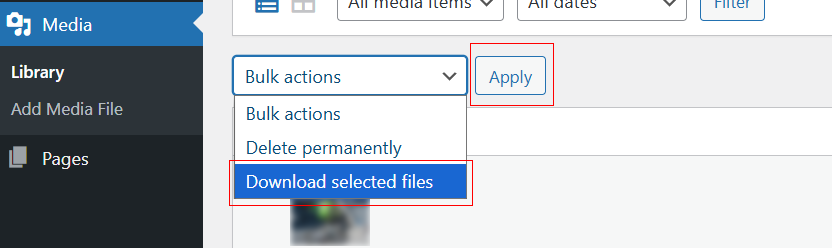
Location of the ”Download selected files” button in the Media Library.
Installation
- Upload the plugin files to the
/wp-content/plugins/media-library-downloaddirectory, or install through the WordPress plugins screen directly. - Activate the plugin through the ’Plugins’ screen in WordPress.
- Go to Media > Library and use the ”Download selected files” button or bulk action.
Recensioner
Detta tillägg har inga recensioner.
Bidragsgivare och utvecklare
”Media Library Download” är programvara med öppen källkod. Följande personer har bidragit till detta tillägg.
Bidragande personer
Översätt ”Media Library Download” till ditt språk.
Intresserad av programutveckling?
Läs programkoden, kika på SVN-filförvaret eller prenumerera på utvecklarloggen via RSS.
Ändringslogg
1.0.13
- Use WP_Filesystem API for downloads (no fopen/fread/fclose).
- Replaced inline scripts with proper enqueues (wp_register_script/wp_enqueue_script + wp_localize_script).
- Unique prefix
medilidofor actions/filters/transients; removed short prefixes. - Replaced unlink() with wp_delete_file().
- Removed bundled banner/icon assets (use SVN /assets instead).