

Beskrivning
NexusLink Mobile Call to Action adds a single call-to-action button to the bottom of your site for mobile visitors only — turning phone traffic into calls, chats and enquiries with one tap.
What makes it different
- Mobile-only by design. The button is wrapped in one media query and simply does not exist above your breakpoint, so there is no desktop layout to fight and nothing to hide with extra CSS.
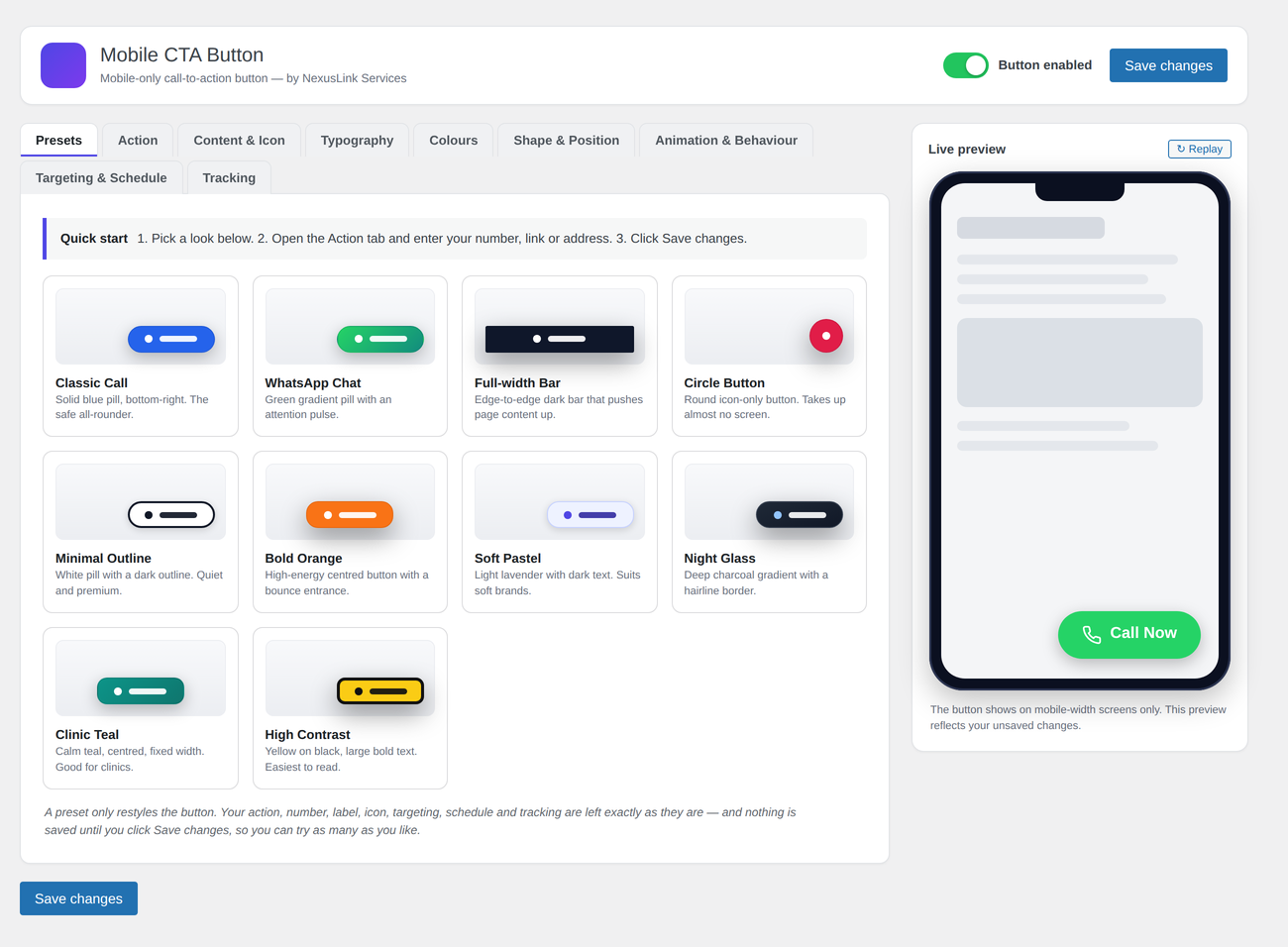
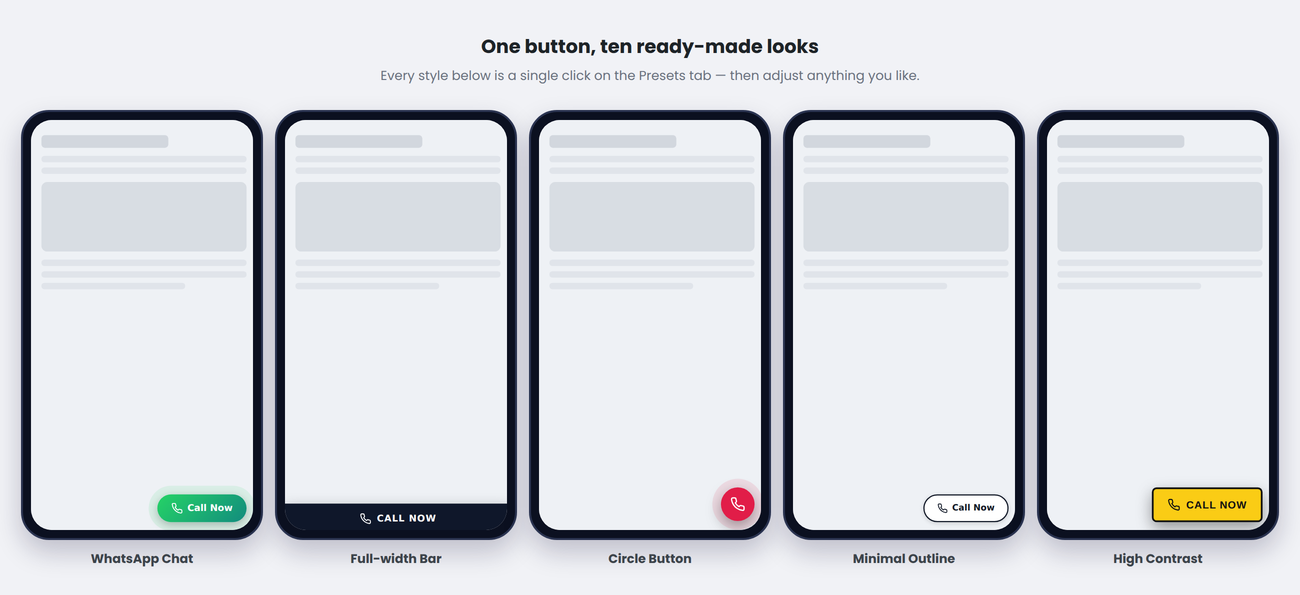
- Ten one-click presets. Pick a finished look — pill, full-width bar, round icon button, outline, high-contrast and more — then adjust anything you like. A preset only restyles the button: your number, label, targeting and tracking are never touched.
- A real phone preview. Every control updates a phone-frame preview instantly, including the entrance animation, so you can see the result before you save.
- Built for in-app browsers. The front-end CSS and JavaScript stick to a deliberately conservative baseline — no
gap, noinset, no:has(), no ES6 — so the button lands identically in the WhatsApp, Facebook, Instagram and Messenger webviews and on older phones, not just in an up-to-date Chrome. - Still works without JavaScript. The button is rendered visible by default; the script only adds the entrance animation, triggers and dismiss behaviour on top.
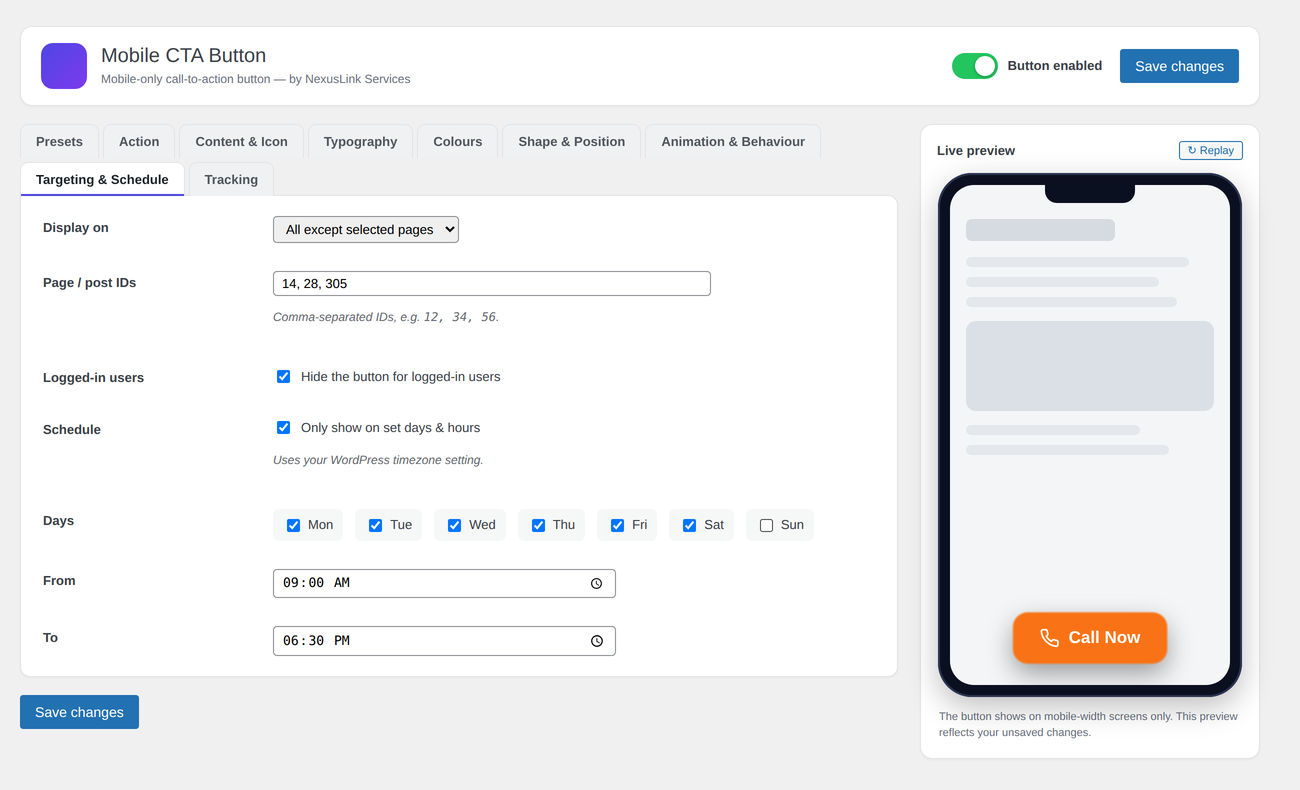
- Business hours, not just a button. Show it only on chosen days between chosen times (in your WordPress timezone), only on certain pages, and hide it from logged-in users.
One button, any action
- Phone call (
tel:) - WhatsApp chat (with optional pre-filled message)
- SMS / text (with optional pre-filled body)
- Email (
mailto:with optional subject) - Custom link / URL (open in same or new tab)
- Google Maps directions
Ten built-in presets
Classic Call, WhatsApp Chat, Full-width Bar, Circle Button, Minimal Outline, Bold Orange, Soft Pastel, Night Glass, Clinic Teal and High Contrast. Each one sets colour, shape, size, spacing, position, typography and animation in a single click, and nothing is saved until you press Save changes — so you can try them all.
Full styling control
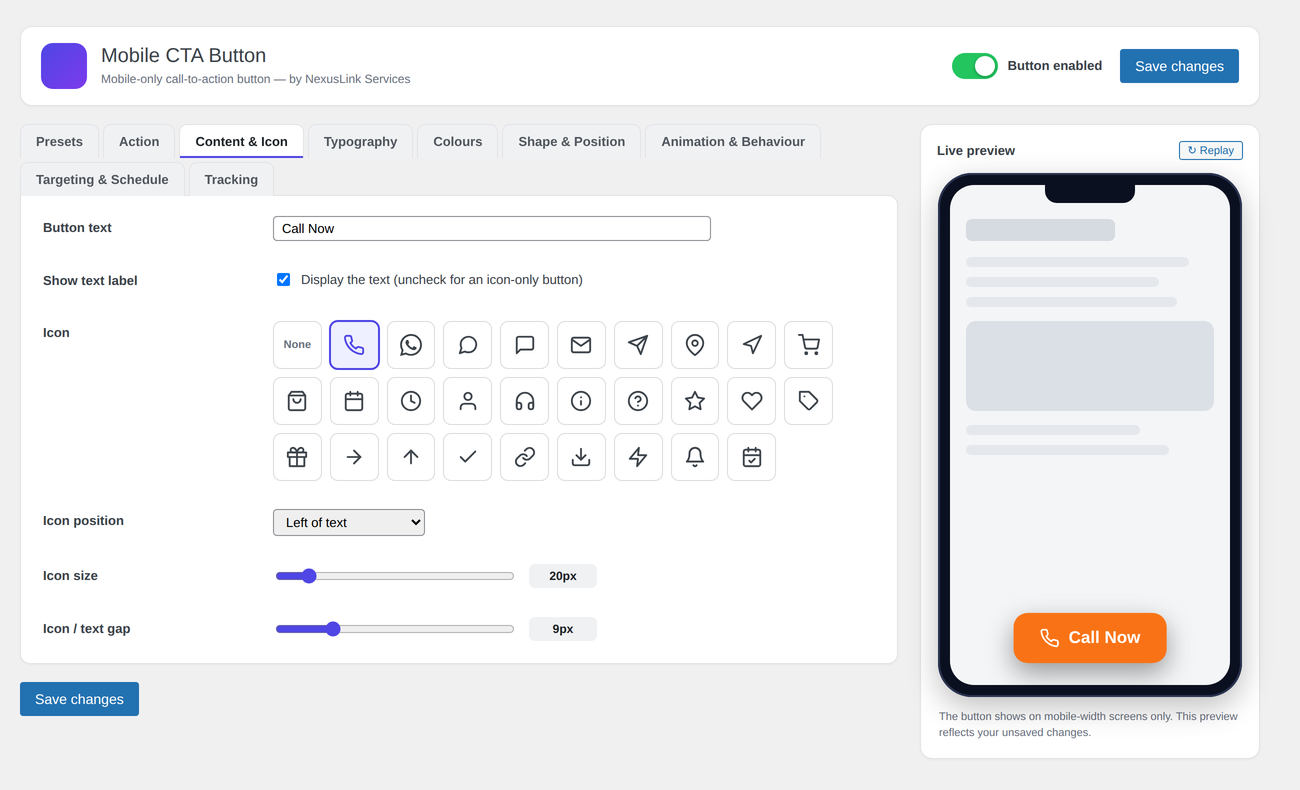
- 28-icon built-in library (phone, WhatsApp, chat, mail, cart, map pin, calendar and more) or no icon
- Icon position (left / right / above / icon-only) plus icon size, gap and colour
- Font family (12 presets or your own custom family), size, weight, transform and letter-spacing
- Solid or gradient background (with angle), text colour, icon colour, border width and colour
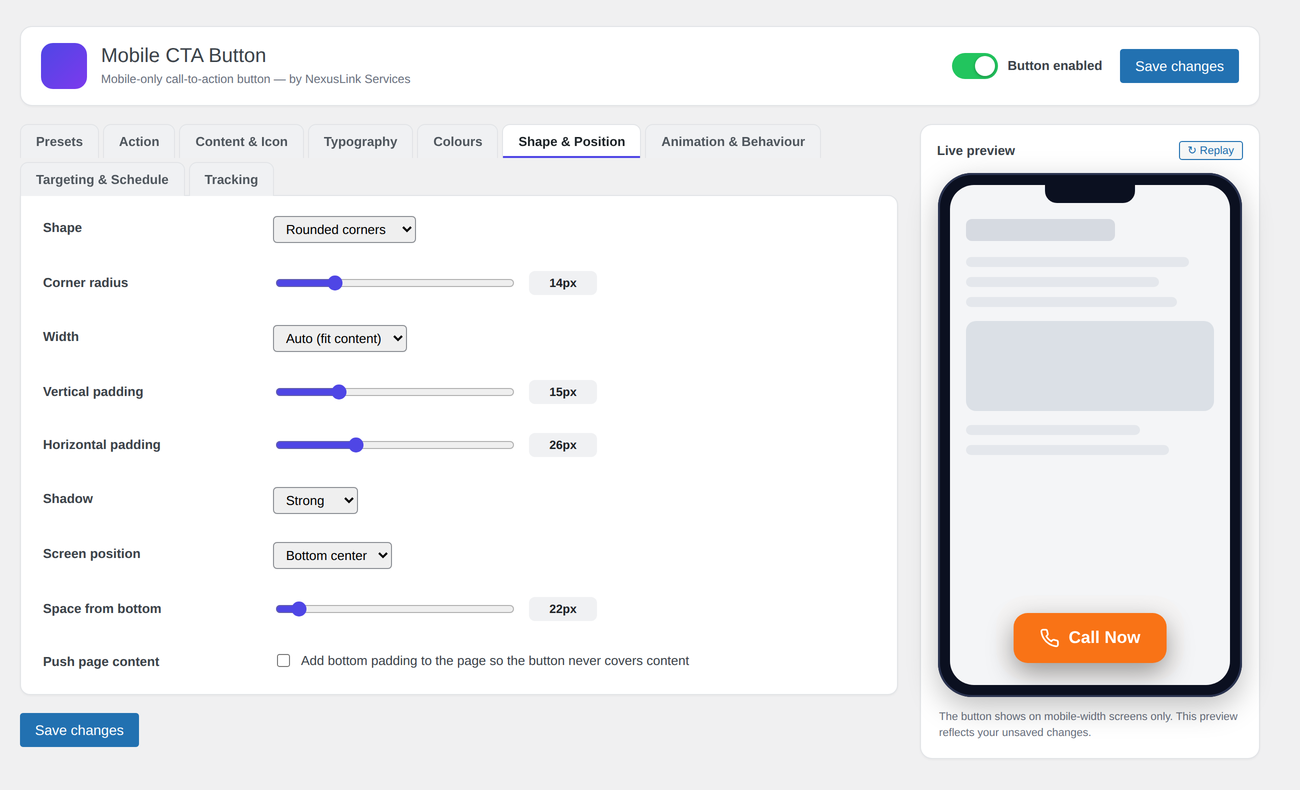
- Shape: pill, rounded (custom radius), square, or circle
- Width: auto, fixed or full-width bar
- Vertical / horizontal padding and drop-shadow presets
- Screen position: bottom-left, bottom-center, bottom-right, or full-width bar
- Exact spacing from the side and from the bottom
- Optional ”push page content” so the button never covers text
Behaviour and power features
- Entrance animation: slide-up, fade, zoom or bounce, plus an optional attention pulse
- Show trigger: on load, after a delay, or after scrolling a set percentage
- Dismissible (visitor can close it; remembered with a cookie for a set number of days)
- Configurable mobile breakpoint and z-index
- Page/post targeting (show only on, or hide on, specific IDs) and hide for logged-in users
- Day + business-hours schedule (uses your WordPress timezone)
- Click tracking for GA4 (gtag), Universal/Classic Analytics, and Google Tag Manager dataLayer
Everything lives on one settings screen. There is no separate import or export step, no external service and no account to create.
Credits
Developed by NexusLink Services. Bundled icons are derived from open-source, GPL-compatible icon sets: outline icons from Lucide (ISC licence) and the WhatsApp glyph from Simple Icons (CC0). All bundled code and assets are GPLv2-or-later or GPL-compatible.
Skärmdumpar
Installation
- In WordPress go to Plugins Add New Upload Plugin and upload
nexuslink-mobile-call-to-action.zip. - Click Install Now, then Activate.
- Open the new NexusLink CTA menu item in the WordPress sidebar.
- On the Presets tab, click a look you like.
- On the Action tab, choose an action type and enter its value (e.g. the phone number).
- Toggle Button enabled at the top, then click Save changes.
- View any page on a mobile-width screen (or resize your browser below the breakpoint) to see it.
Or install manually by uploading the nexuslink-mobile-call-to-action folder to /wp-content/plugins/.
Vanliga frågor
-
By design. It only shows on screens at or below the Mobile breakpoint (default 768px). Resize your browser narrow to test, or use your browser’s device toolbar.
-
Enable Shape & Position Push page content, and/or increase the space from the bottom.
-
Will a preset overwrite my phone number or settings?
-
No. A preset only changes visual settings — colour, shape, size, spacing, position, typography and animation. Your action type, number, link, label, icon, targeting, schedule and tracking are left alone, and nothing is written to the database until you click Save changes.
-
Can I use my own icon or brand font?
-
The icon set is built-in (no uploads in this version). For fonts, choose Custom font family and enter e.g.
Poppins, sans-serif; make sure your theme actually loads that font. -
Does it work with caching plugins?
-
Yes. All output is static HTML/CSS/JS printed in the footer; nothing is user-specific except the optional ”hide for logged-in users” and schedule checks.
-
It sets one first-party cookie (
ncta_dismissed) only if you enable ”Dismissible” and a visitor closes the button. It makes no external requests of its own. If you enable click tracking, click events are sent to the analytics library (GA4 / Analytics / GTM) that already runs on your own site.
Recensioner
Detta tillägg har inga recensioner.
Bidragsgivare och utvecklare
”NexusLink Mobile Call to Action” är programvara med öppen källkod. Följande personer har bidragit till detta tillägg.
Bidragande personer
Översätt ”NexusLink Mobile Call to Action” till ditt språk.
Intresserad av programutveckling?
Läs programkoden, kika på SVN-filförvaret eller prenumerera på utvecklarloggen via RSS.
Ändringslogg
1.0.0
- Initial release.
- Six action types from one button: call, WhatsApp, SMS, email, custom link and map directions.
- Ten one-click style presets.
- Live phone-frame preview of every setting, including entrance animations.
- Day and business-hours schedule, page targeting and logged-in-user hiding.
- Click tracking for GA4, Universal Analytics and Google Tag Manager.