

Beskrivning
Quotanto adds a quote flow to WooCommerce and stays out of the way.
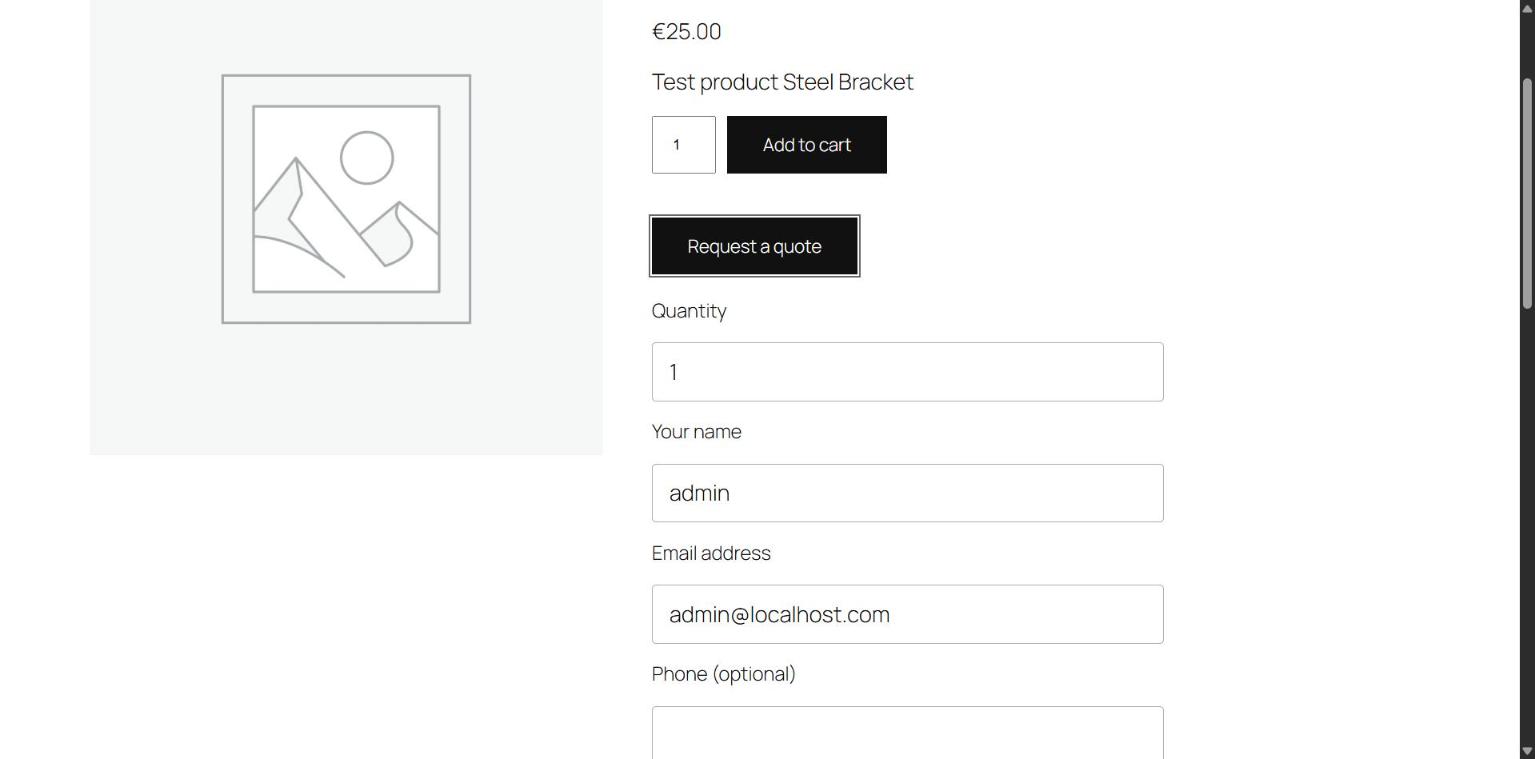
- A customer asks for a quote on a product page, or for their whole cart.
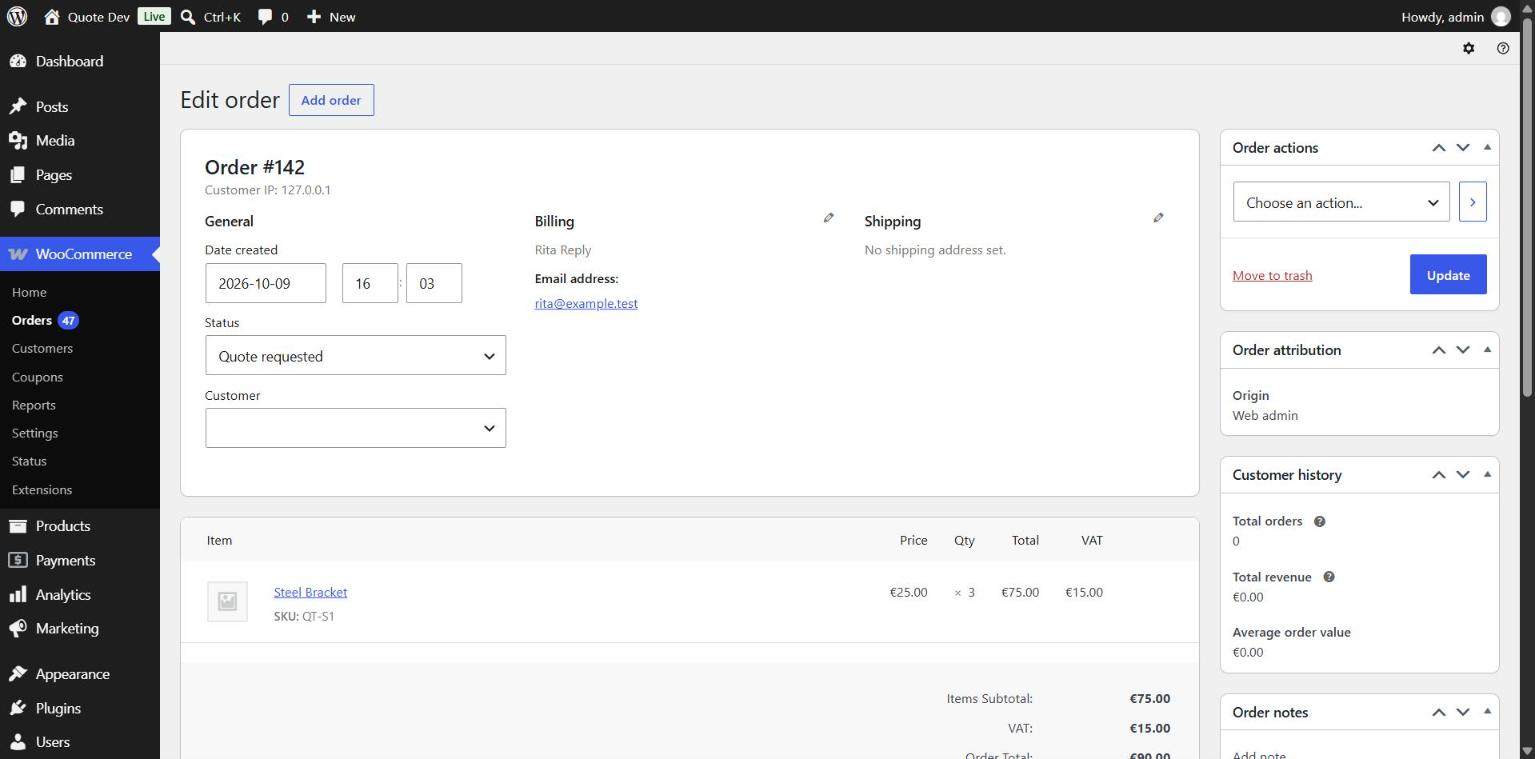
- The request arrives as a WooCommerce order. You set prices, shipping and fees on the order screen and choose ”Send quote to customer”.
- The customer accepts from the email or from My account. Their cart is filled with what you quoted, and they pay at your store’s checkout, block or classic.
Built to be reliable
- Quotes are WooCommerce orders. No custom tables, no second cart, no separate payment page.
- The customer pays what you quoted: prices, shipping and fees.
- No cookies or sessions for visitors who only browse, so page caching keeps working.
- Works with High-Performance Order Storage and with cart and checkout blocks.
- Quotes never count as revenue in WooCommerce Analytics. The paid order does.
- Quotes expire on their own.
Features
- Simple and variable products.
- Quote for the whole cart, quote-only products included.
- Quote button on shop and category pages.
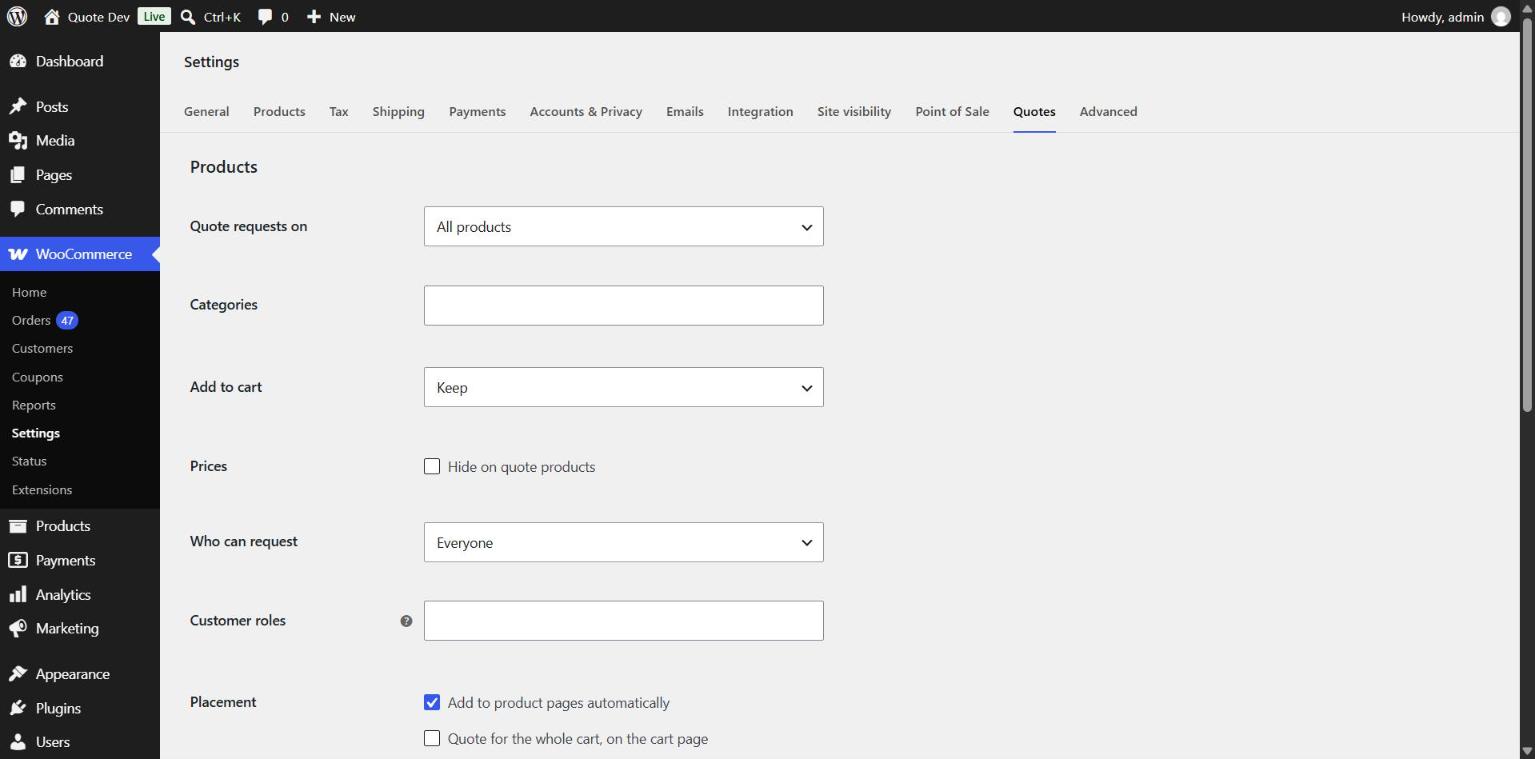
- Choose products: all, by category, or one by one.
- Quote-only products: replace Add to cart, hide prices everywhere.
- Limit requests to logged-in customers or chosen roles.
- My account: customers see their quotes and accept from there.
Fits your store
- The form needs no JavaScript and uses your theme’s buttons and fonts.
- Emails are WooCommerce emails: edit, translate or switch them off under WooCommerce > Settings > Emails.
- Phone and note fields: hidden, optional or required. Phone numbers with ”+” are accepted.
- Translation ready, with WPML and Polylang configuration included.
- WordPress Abilities for AI agents: list quotes and send a quote.
- Captcha from the plugin you already use: Turnstile, hCaptcha, reCAPTCHA or Friendly Captcha.
- Hooks for other captcha and anti-spam plugins.
Settings are under WooCommerce > Settings > Quotes.
Skärmdumpar
Installation
- Install and activate WooCommerce.
- Install and activate Quotanto.
- The ”Request a quote” button appears on product pages. You can also place it with the ”Request a quote” block or the
[quotanto_request]shortcode.
Vanliga frågor
-
How do I send a quote?
-
Open the request under WooCommerce > Orders, set the prices, save, then choose ”Send quote to customer” in Order actions.
-
Can I add shipping or a fee to a quote?
-
Yes. Add a shipping line or a fee to the order before sending. The customer is charged exactly that at checkout. Without a shipping line, your normal shipping rates apply.
-
How long is a quote valid?
-
14 days. Change it under WooCommerce > Settings > Quotes, or with the
quotanto_expiry_daysfilter. An expired quote can be sent again. -
Can I sell a product by quote only?
-
Yes. Set Add to cart to ”Replace with the quote button”. The product can then only be bought through an accepted quote.
-
Can I hide prices?
-
Yes. Prices are removed from pages, structured data and the Store API for quote products.
-
Can customers ask for several products at once?
-
Yes. Switch on ”Quote for the whole cart” and customers request a quote from the cart page.
Quote-only products then get an ”Add to quote” button and go into the same cart. That cart can be sent as a request, not checked out.
-
Yes. Tick ”Show on shop and category pages” under WooCommerce > Settings > Quotes.
-
Can I create a quote myself?
-
Yes. Add an order, set its status to ”Quote requested”, add the customer’s email and the items, then send the quote.
-
Can I switch quotes on or off for one product?
-
Yes. Edit the product and set ”Quote requests” in the General tab.
-
Who gets the new request email?
-
Whoever gets your New order email. Change it under WooCommerce > Settings > Emails. Replies go to the customer.
-
How is spam handled?
-
Built-in spam protection, with no third-party service.
-
Does it work behind Cloudflare?
-
Yes. The hourly request limit counts each visitor, not the proxy.
-
Can I add a captcha?
-
Yes, with the captcha plugin you already use. Activate one of these and switch on Captcha under WooCommerce > Settings > Quotes:
- Simple CAPTCHA with Cloudflare Turnstile
- hCaptcha for WP
- Friendly Captcha
- reCaptcha by BestWebSoft
- reCAPTCHA for WooCommerce
Other captcha plugins can hook into
quotanto_form_fieldsandquotanto_validate_request. -
Does it send data anywhere?
-
No. Quotanto contacts no external service. A captcha plugin you switch on contacts its own.
-
What is removed on uninstall?
-
Settings and the per-product switch. Quotes stay, because they are your orders.
Recensioner
Detta tillägg har inga recensioner.
Bidragsgivare och utvecklare
”Quotanto” är programvara med öppen källkod. Följande personer har bidragit till detta tillägg.
Bidragande personer
Översätt ”Quotanto” till ditt språk.
Intresserad av programutveckling?
Läs programkoden, kika på SVN-filförvaret eller prenumerera på utvecklarloggen via RSS.
Ändringslogg
1.0.1
- Fix: Request limit counts each visitor, also behind a proxy.
- Fix: Cart quote form hides when the last quote-only product is removed.
- Dev: New filter
quotanto_rate_limit_ip.
1.0.0
- First release.