

Beskrivning
VisitorLens is a powerful yet lightweight visitor analytics and session replay plugin built natively for WordPress. Stop guessing why visitors leave and start watching their real journeys — every click, scroll, and mouse movement recorded and replayed directly inside your dashboard.
Whether you run a WooCommerce store, a membership site, or a content blog, VisitorLens gives you the UX data you need to increase conversions and fix friction points — without sending any data to third-party servers.
Why VisitorLens?
Most analytics tools tell you what happened. VisitorLens shows you why. Watch session recordings to discover rage clicks, form drop-offs, confusing navigation, and missed conversion opportunities — then fix them with confidence.
Core Features (Free)
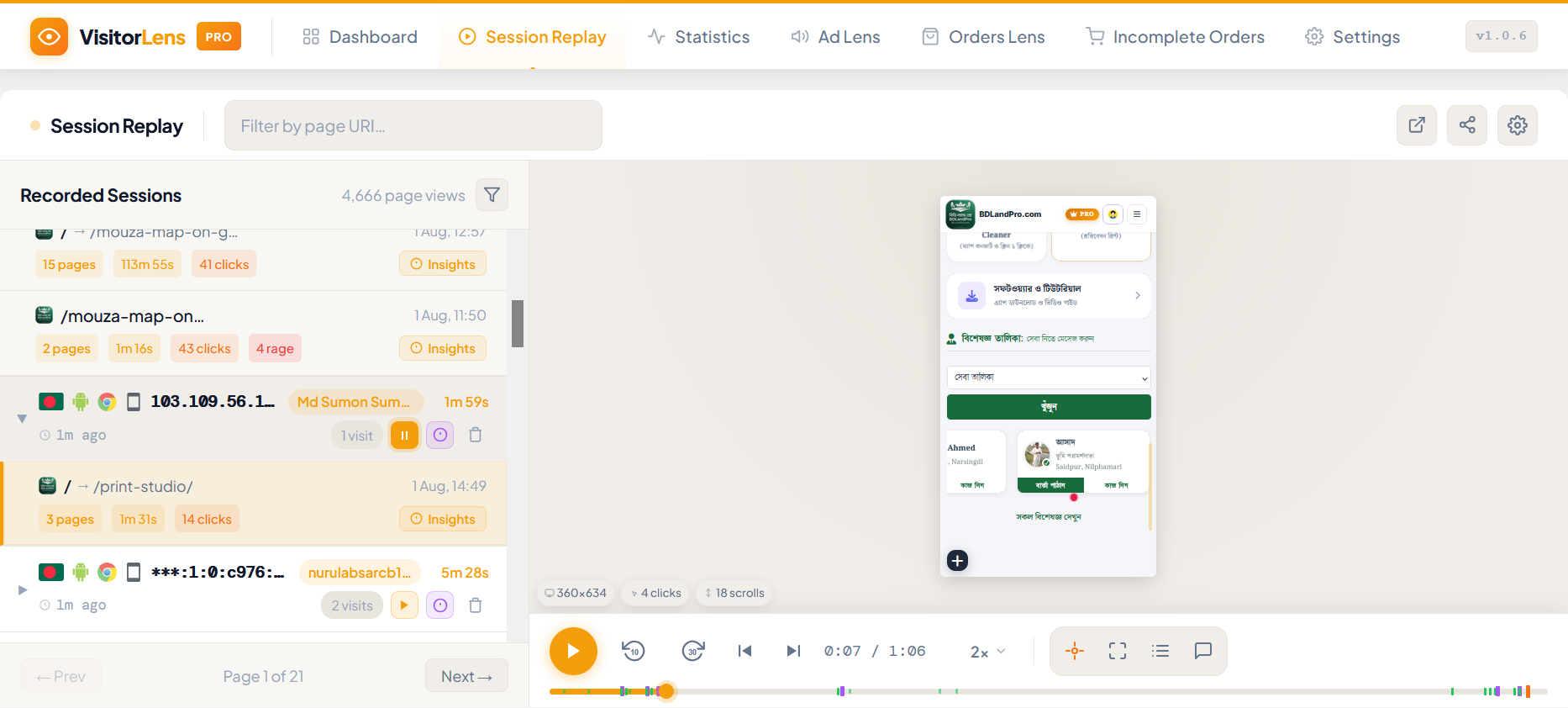
Session Recording & Replay
* Record every visitor session: mouse movements, clicks, scrolls, form interactions
* Replay sessions in a built-in visual player inside your WP admin
* Filter replays by date, duration, page URL, device type, rage clicks, and error count
* Input masking enabled by default — sensitive form fields are never recorded
* Automatic session pruning (configurable retention: 1–90 days)
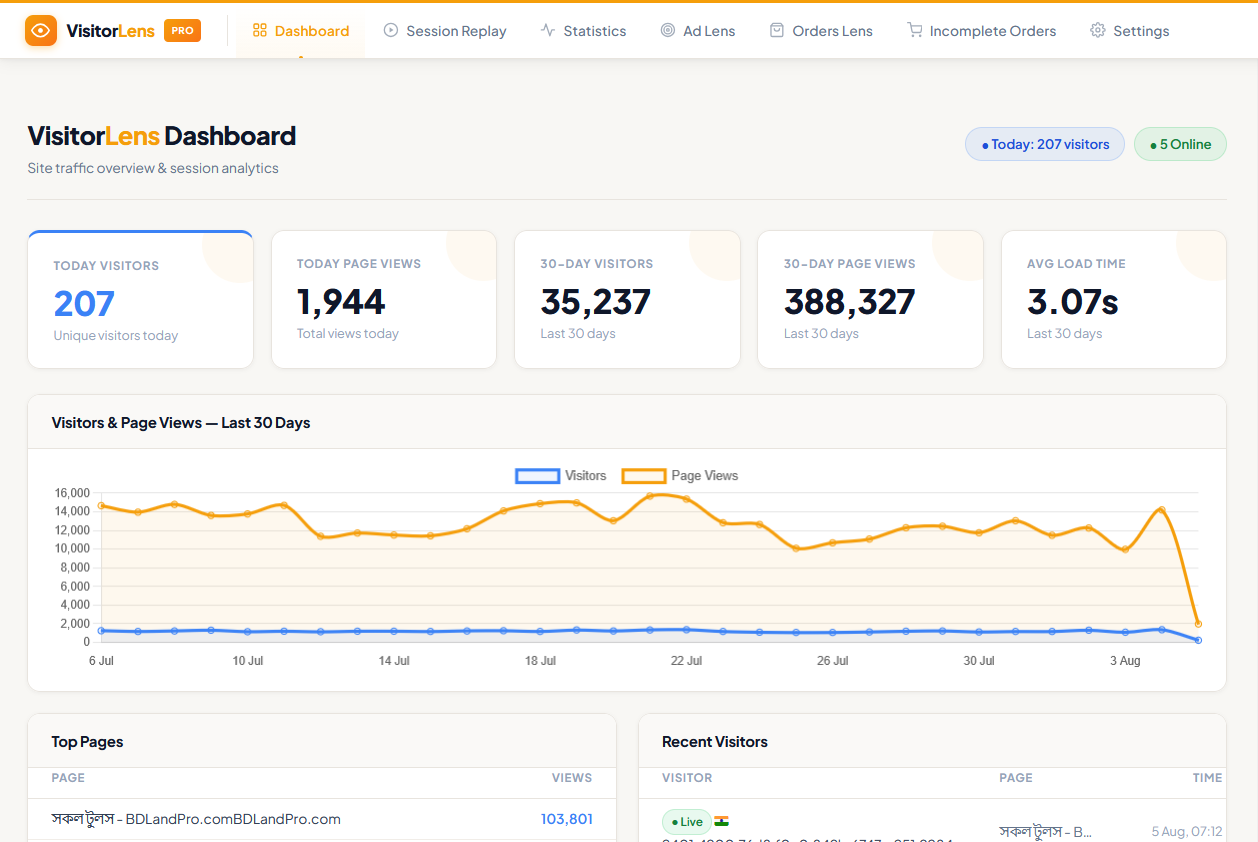
Visitor Analytics Dashboard
* Real-time visitor count with auto-refresh
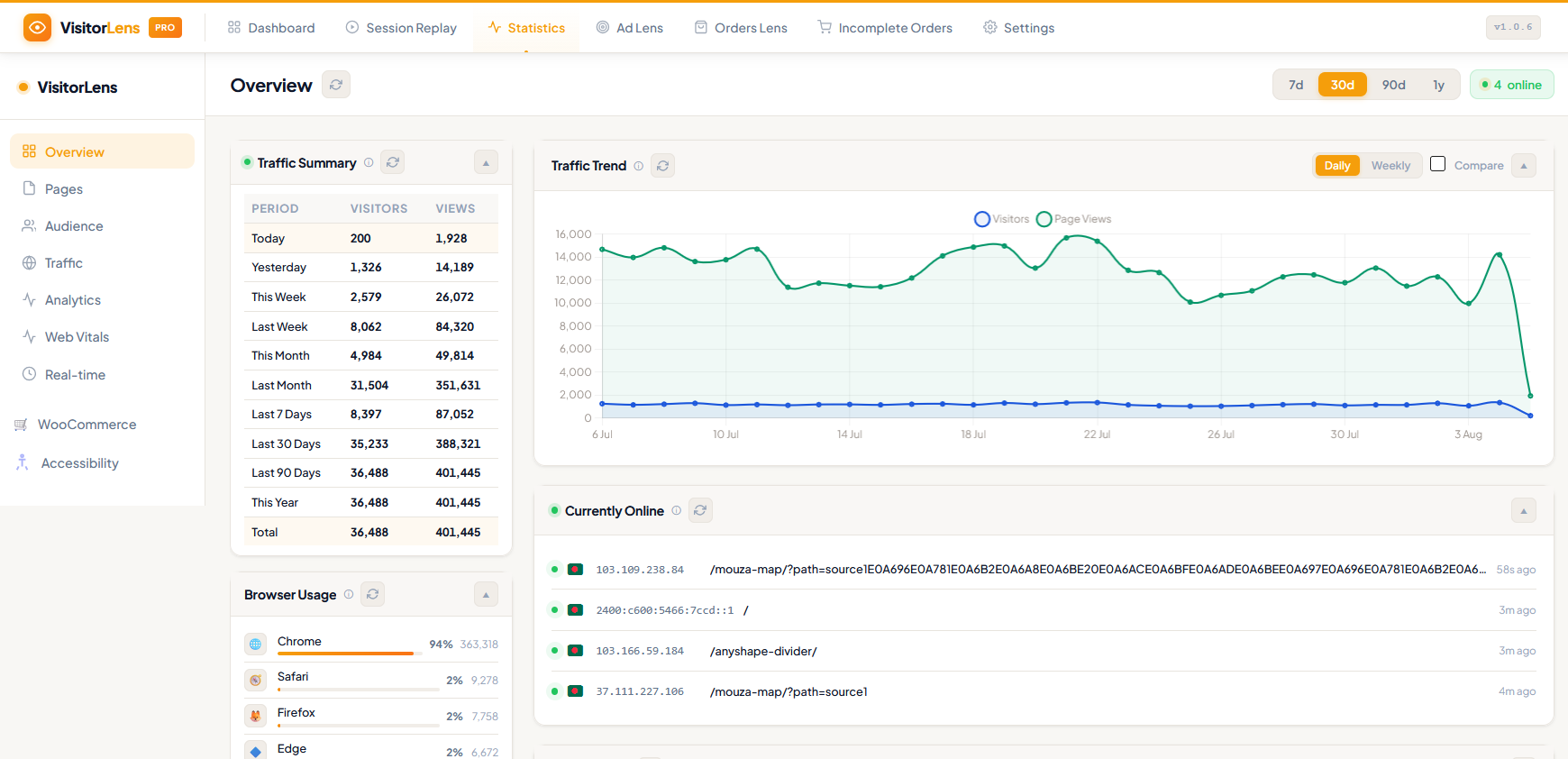
* Daily, weekly, and monthly visitor trends (interactive line chart)
* Top pages ranked by page views
* Recent visitor log with location, browser, and device
Statistics Page
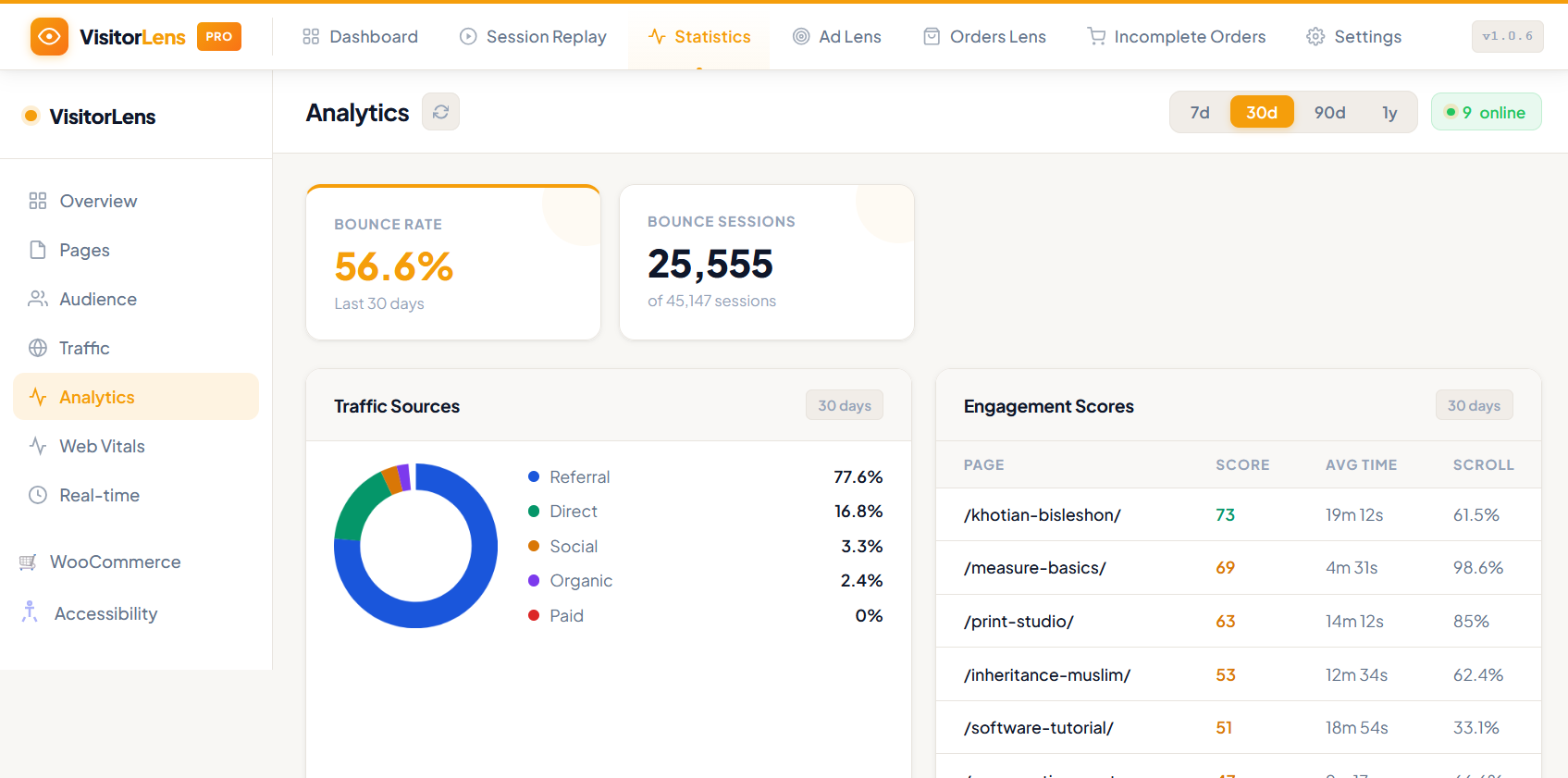
* Overview KPIs: total visitors, sessions, page views, bounce rate, avg. session duration
* Pages report: top landing pages, exit pages, most visited URLs
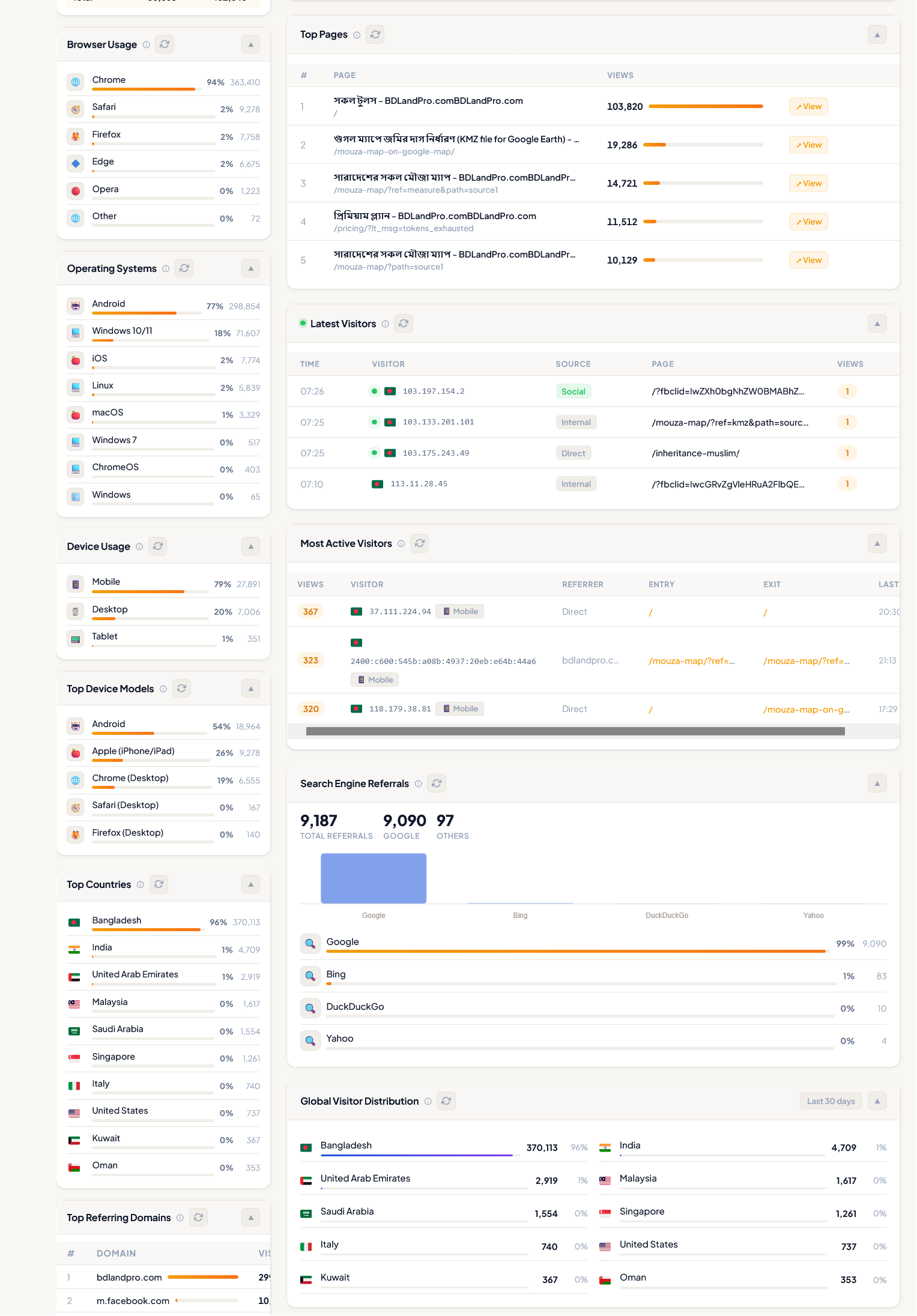
* Audience report: browser breakdown, OS/platform, device type, screen resolution
* Traffic sources: direct, organic, referral, social — with search engine and keyword breakdown
* Real-time active visitors with live page list
Geo-Location
* Country, region, and city detection via ip-api.com (free tier, optional)
* GeoIP lookup can be disabled in Settings General
Privacy & Consent
* Consent gate: show a banner before recording begins (opt-in or opt-out mode)
* Cookie-based consent persistence with configurable cookie name
* GDPR-compliant: privacy policy content auto-added to WP Privacy Policy page
* Personal data export and erasure via WP Tools Export/Erase Personal Data
* Honour Do Not Track (DNT) browser signal (optional)
* Exclude logged-in administrators, specific IP ranges, URLs, and user roles
Data Management
* Export sessions as CSV or JSON directly from the Replay page
* Bulk-delete filtered sessions
* Storage usage card in Settings showing DB table sizes
* Configurable automatic cleanup via WP-Cron
Who Is This For?
- eCommerce store owners — find cart abandonment causes, fix checkout friction
- Agency & freelance developers — include analytics in every client site build
- Bloggers & content sites — understand how readers consume content
- SaaS & membership sites — improve onboarding flows and feature discovery
- CRO specialists — validate A/B test hypotheses with real session evidence
Privacy & GDPR
VisitorLens is built with privacy at its core:
- Minimal third-party use — only ip-api.com for optional GeoIP (can be disabled in Settings)
- IP hashing — visitor IPs are hashed with a secret salt by default
- Input masking — form fields are masked and never sent to the server
- Consent tools — built-in opt-in/opt-out consent gate
- Data export & erasure — full WordPress personal data tools integration
- Configurable retention — auto-delete old sessions on a schedule
Performance
- Tracker script: ~4 KB gzipped
- Recorder script: ~9 KB gzipped
- All recording data is batched and sent asynchronously — zero impact on page load scores
- Uses WordPress REST API for all communication — no custom AJAX endpoints
- No external JavaScript libraries loaded on the frontend
External services
This plugin optionally connects to ip-api.com to perform GeoIP lookups (country, region, city) for each tracked visitor.
What is sent: The visitor’s IP address.
When it is sent: On every page-view tracking request, if the GeoIP setting is enabled (Settings General GeoIP Lookup). No data is sent if GeoIP is disabled.
Why: To display geographic location of visitors in the analytics dashboard and session list.
Service provider: ip-api.com (ip-api.com)
* Terms of Service: https://ip-api.com/docs/legal
* Privacy Policy: https://ip-api.com/docs/legal
You can disable GeoIP under VisitorLens Settings General GeoIP Lookup at any time.
Privacy Policy
VisitorLens collects the following data about your site visitors when activated:
- Hashed IP address and approximate geographic location (country, city, region)
- Browser, operating system, device type, and screen resolution
- Pages visited, referrer URL, UTM campaign parameters
- Session recordings: mouse movements, clicks, scroll depth (form inputs are masked by default)
- WordPress user ID (only for logged-in users)
All data is stored in your WordPress database. Nothing is sent to external servers.
You are responsible for disclosing your use of session recording technology to your visitors in your site’s Privacy Policy. VisitorLens automatically adds a suggested privacy policy text to your WordPress Privacy Policy page (Settings Privacy).
Skärmdumpar
Installation
- Upload the
visitor-lensfolder to/wp-content/plugins/. - Activate the plugin through Plugins Installed Plugins.
- Navigate to VisitorLens Dashboard in your admin menu.
- Visit your site in an incognito/private window (or as a non-admin) to record your first session.
- Return to VisitorLens Session Replay to watch it back.
Note: Logged-in administrators are excluded from tracking by default. Test tracking in a private browser window or by temporarily logging out.
Vanliga frågor
-
Does VisitorLens send data to any external server?
-
All session recording data is stored exclusively in your own WordPress database. When the optional GeoIP feature is enabled (disabled by default), the visitor’s IP address is sent to ip-api.com to look up their country/city. You can enable GeoIP under Settings General; if it is disabled, no data is sent externally.
-
Will session recording slow down my website?
-
No. The recording scripts are tiny (< 15 KB combined, gzipped) and all data is sent asynchronously in batches after the page has loaded. Page load speed and Core Web Vitals are unaffected.
-
Is VisitorLens GDPR compliant?
-
Yes. VisitorLens includes a built-in consent gate, IP address hashing, input masking, and full integration with WordPress’s personal data export and erasure tools. It also auto-populates your Privacy Policy page with a detailed data usage description. You are responsible for disclosing the use of session recording in your own privacy policy.
-
Does it work with WooCommerce?
-
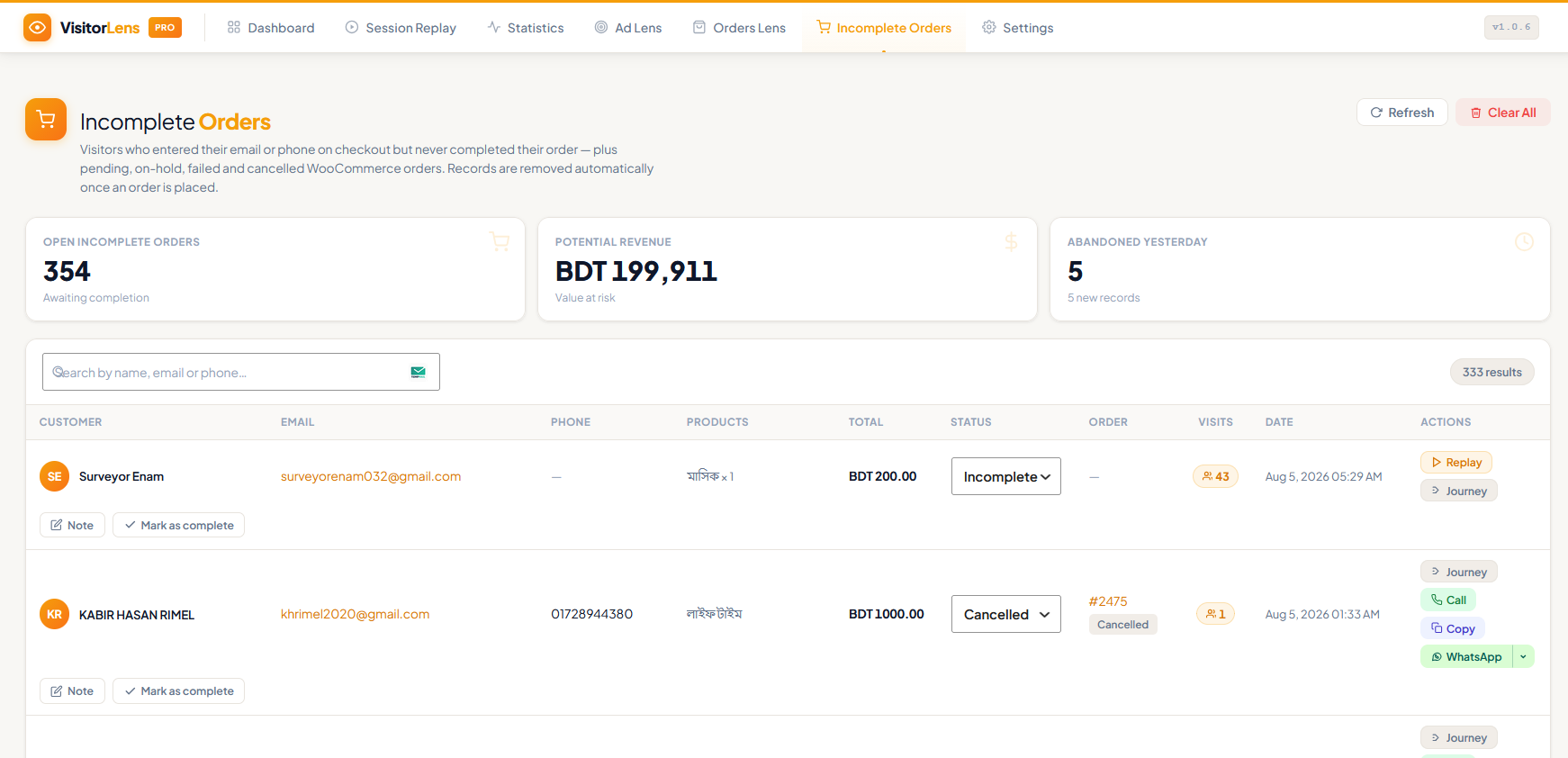
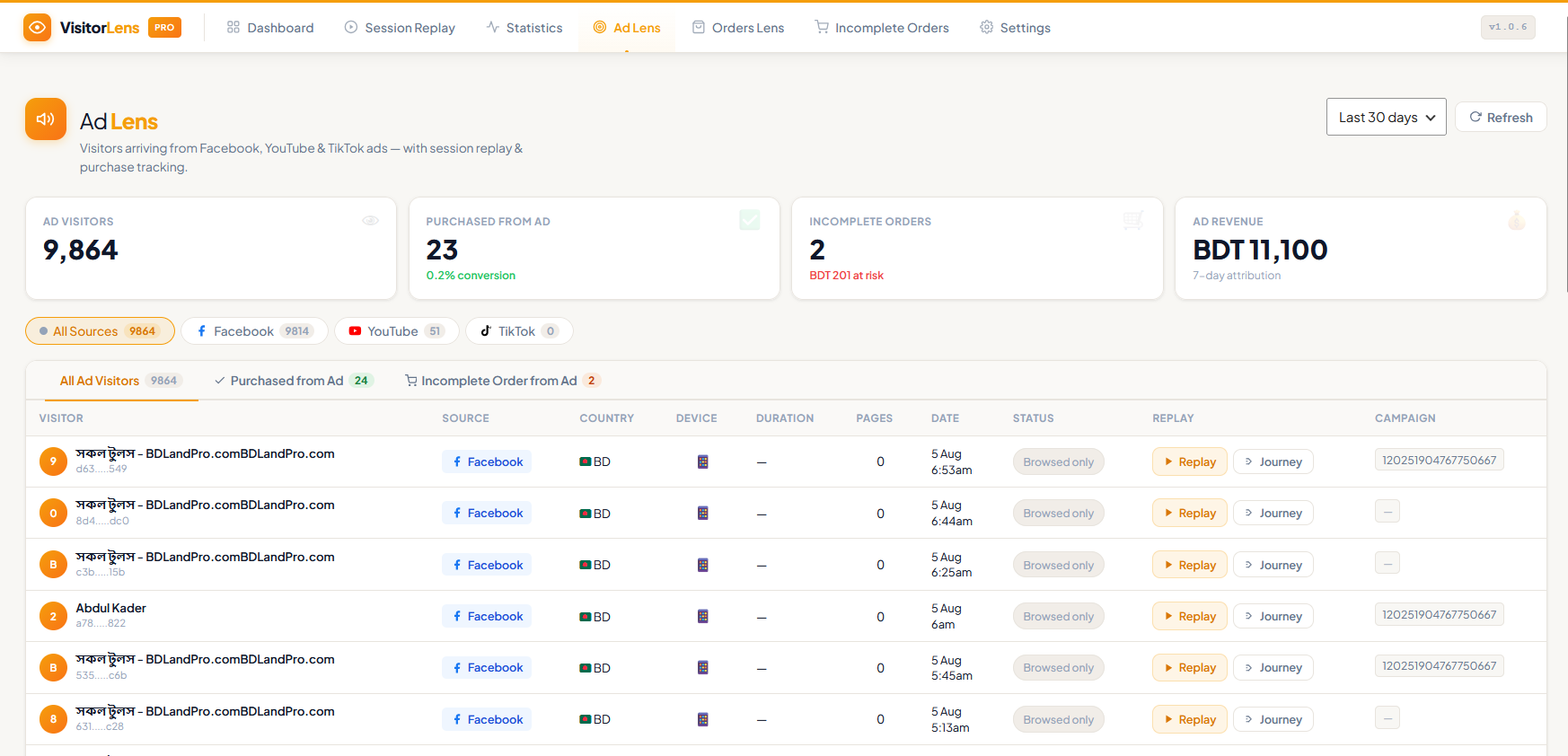
Yes. The free version tracks all pages including WooCommerce shop, product, cart, and checkout pages. The Pro version adds dedicated WooCommerce analytics including revenue attribution, cart abandonment tracking, and checkout funnel analysis.
-
How do I stop recording certain pages or users?
-
Go to VisitorLens Settings General. You can exclude specific URLs (with wildcard support), IP addresses, logged-in user roles, and bots. You can also set a sampling rate to record only a percentage of sessions.
-
Can I export or delete session data?
-
Yes. From the Session Replay page, use the Export button (CSV or JSON) for any filtered set of sessions. Use the Bulk Delete button to remove sessions. For GDPR erasure requests, use Tools Erase Personal Data — VisitorLens will automatically erase all sessions linked to that user’s WordPress account.
-
Where is session data stored?
-
All data is stored in your WordPress database in dedicated tables prefixed with
{wp_prefix}vs_. No files are written to the filesystem. -
How long is session data kept?
-
By default, sessions are deleted after 7 days. You can change this to anywhere from 1 to 90 days under VisitorLens Settings Data Management.
-
Does it work with page builders like Elementor, Divi, or Beaver Builder?
-
Yes. VisitorLens records at the DOM level and works with any theme or page builder without any configuration.
-
Can I see who is currently on my site?
-
Yes. The Dashboard shows a real-time active visitor count that auto-refreshes. The Statistics page has a dedicated Real-Time section showing live visitor count and the pages they are currently viewing.
-
Is there a multisite / network version?
-
Not yet — multisite support is planned for a future release. Currently, the plugin must be activated per-site.
Recensioner
Detta tillägg har inga recensioner.
Bidragsgivare och utvecklare
”Visitor Lens” är programvara med öppen källkod. Följande personer har bidragit till detta tillägg.
Bidragande personer
Översätt ”Visitor Lens” till ditt språk.
Intresserad av programutveckling?
Läs programkoden, kika på SVN-filförvaret eller prenumerera på utvecklarloggen via RSS.
Ändringslogg
1.0.0
- Initial release.