

Beskrivning
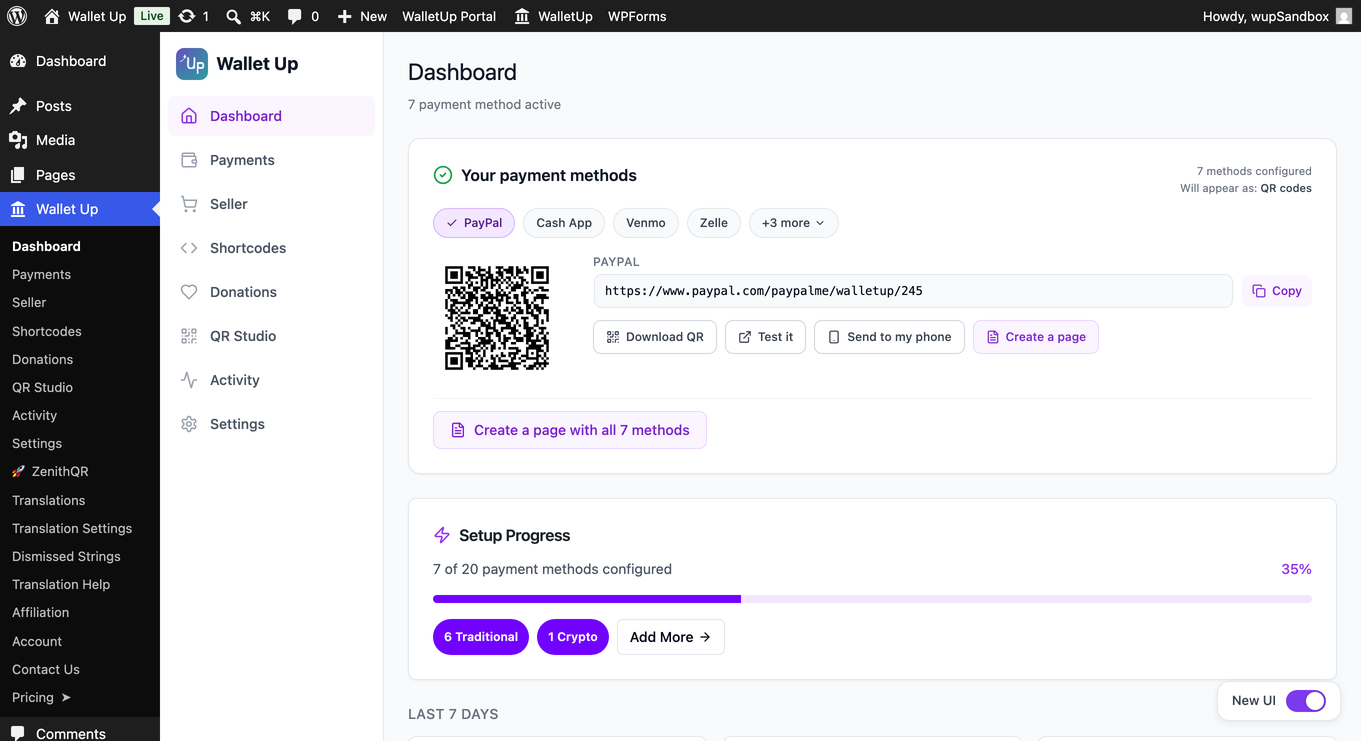
Wallet Up is the easiest way to accept peer-to-peer payments on WordPress. Add Cash App, Venmo, PayPal, Zelle, and Meta Pay to any page or post with a simple shortcode or block. Connect Stripe to also take cards at WooCommerce checkout.
Customers scan a QR code or click a payment link – no merchant account, no monthly fees, no WalletUp fee. Payments go directly to your own Cash App, Venmo, PayPal or Zelle account.
Want cards too? Connect Stripe in about a minute and take Visa, Mastercard and Amex on the same checkout. Stripe pays out to your bank, and WalletUp takes a 2% platform fee on card transactions only – see ”What does it cost?” below. The peer-to-peer methods stay free either way.
Accept Cash App Payments on WordPress
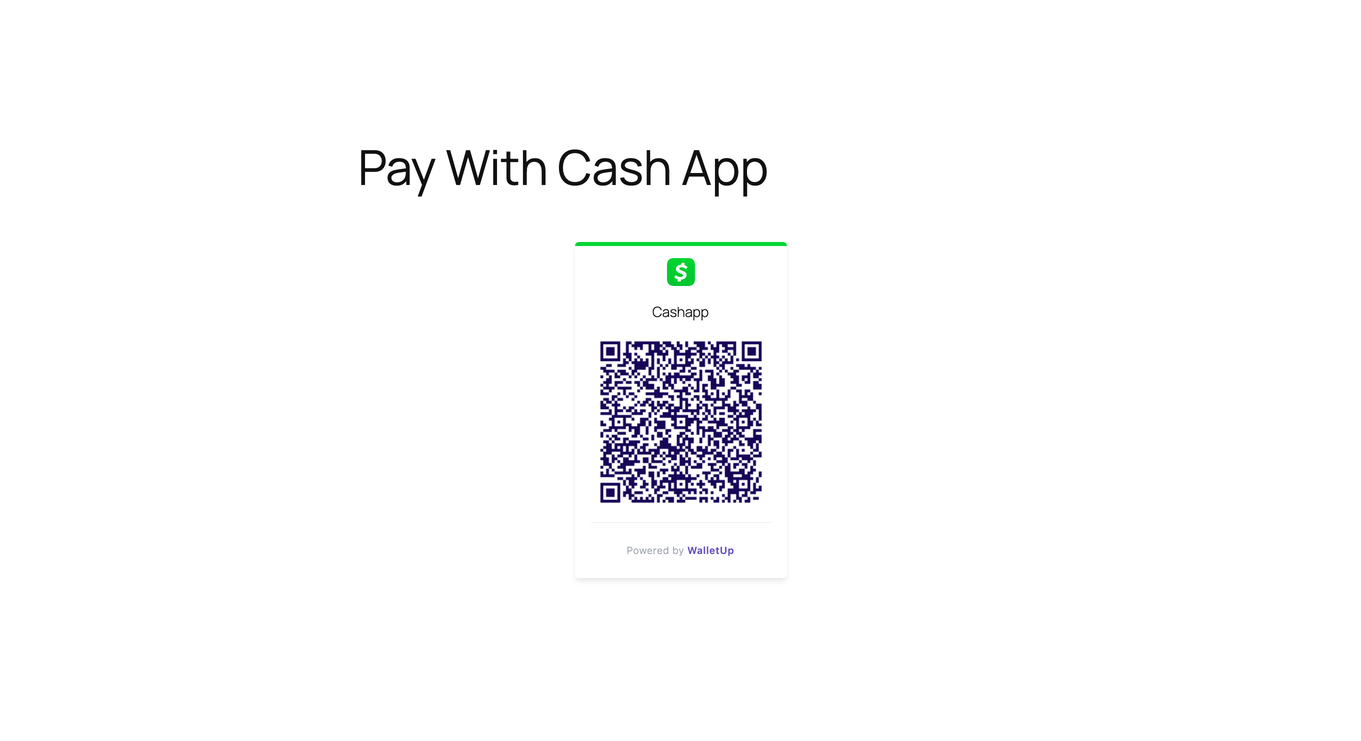
Generate a Cash App QR code that customers scan to pay you instantly. Add it to any page or post with a shortcode or block.
Accept Venmo Payments on WordPress
Add Venmo as a payment option with auto-generated QR codes and deep links that open the Venmo app directly on mobile devices.
Accept PayPal Payments Without a Business Account
Use your personal PayPal.me link to accept payments via QR code. No PayPal Business account or API keys required.
Accept Zelle Payments on WordPress
Bank-specific QR codes that open directly in your customer’s banking app – Chase, Bank of America, Wells Fargo, Citi, Capital One, and more.
WooCommerce Checkout
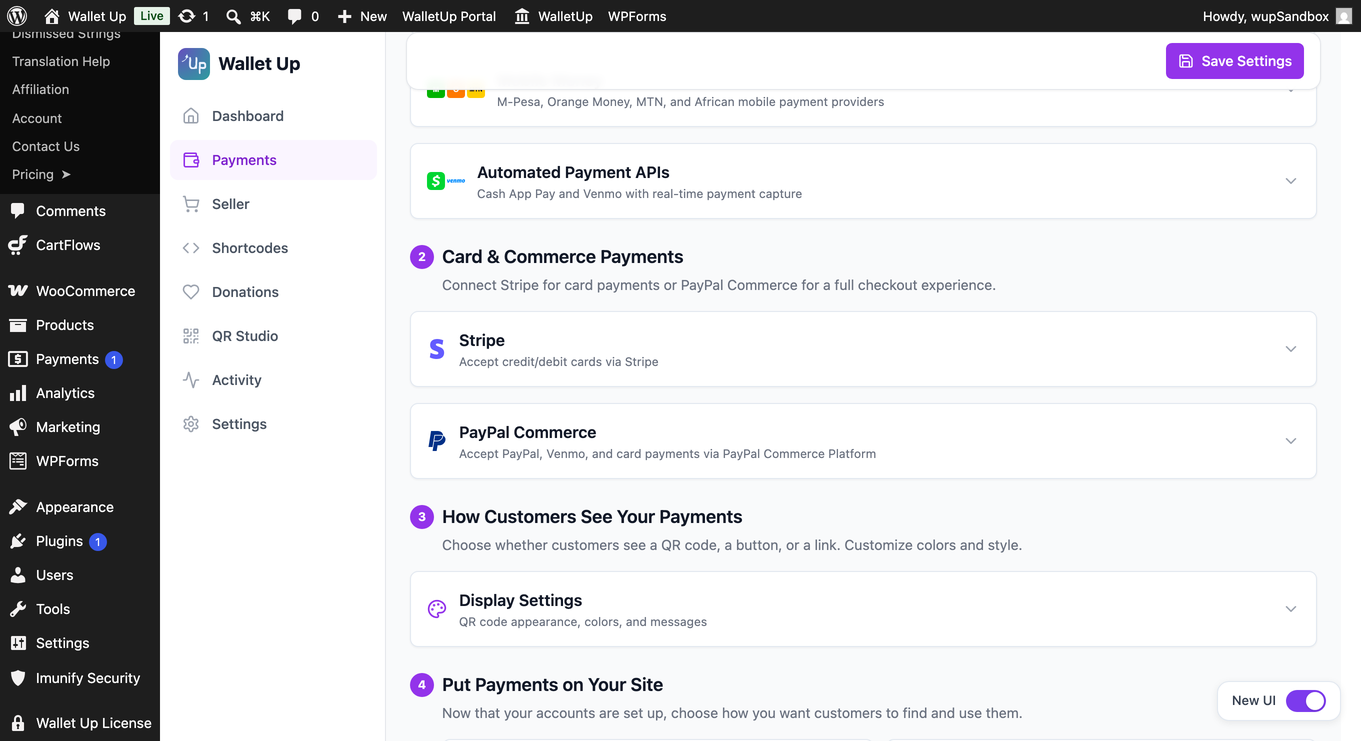
Connect Stripe and take Visa, Mastercard and Amex at WooCommerce checkout in the free version, on both the classic and block-based checkout. Stripe pays out to your bank, and a 2% platform fee applies to card transactions only.
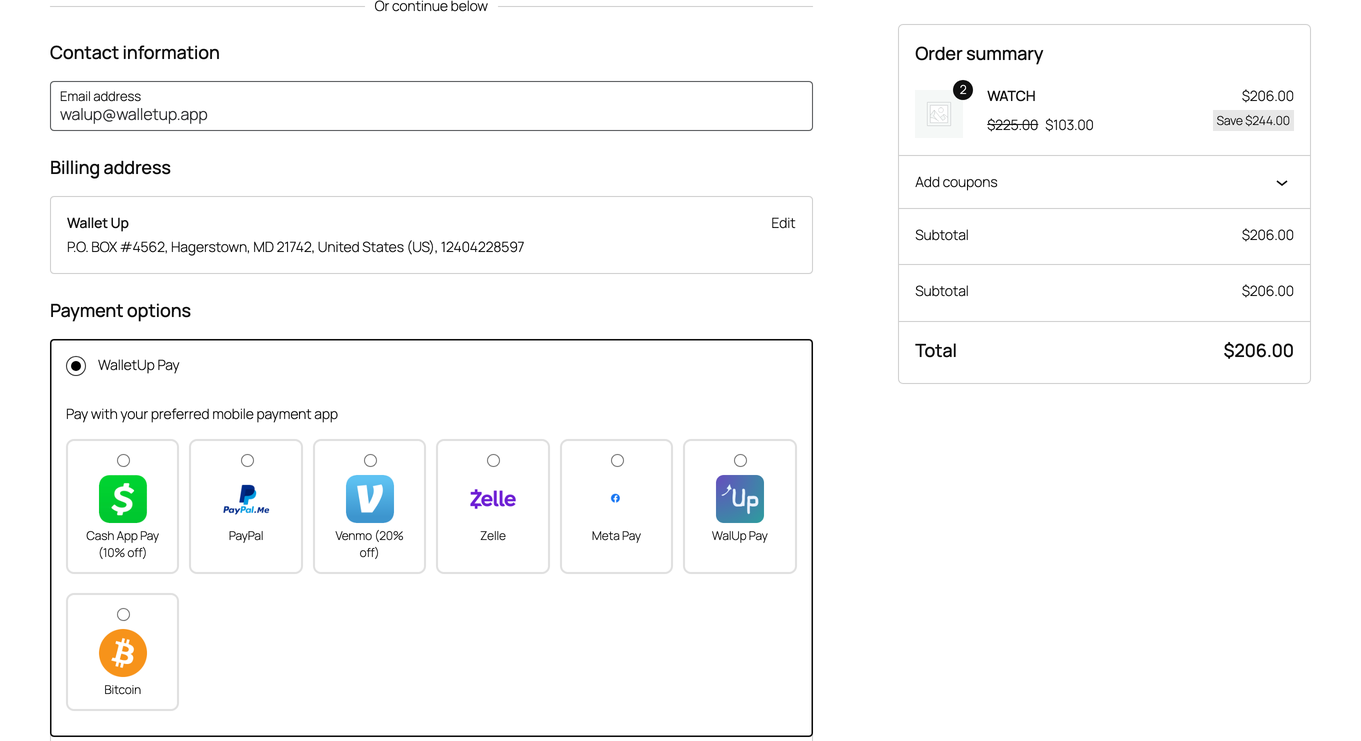
Wallet Up Pro adds the peer-to-peer methods as checkout options as well, so customers pick Cash App, Venmo, PayPal or another method at checkout, scan the QR code, and confirm:
- Grouped mode – all methods under one ”Wallet Up” gateway
- Individual mode – each method as its own checkout option
- Mixed mode – choose which methods appear individually vs. grouped
- Per-method discounts – offer percentage or fixed discounts for specific payment methods
- Custom titles, descriptions, and instructions per payment method
QR Code Payments
Every payment method automatically generates a scannable QR code. Customers scan with their phone camera – no app download required. QR codes are styled to match your brand with customizable colors, sizes, and logos.
Block Editor
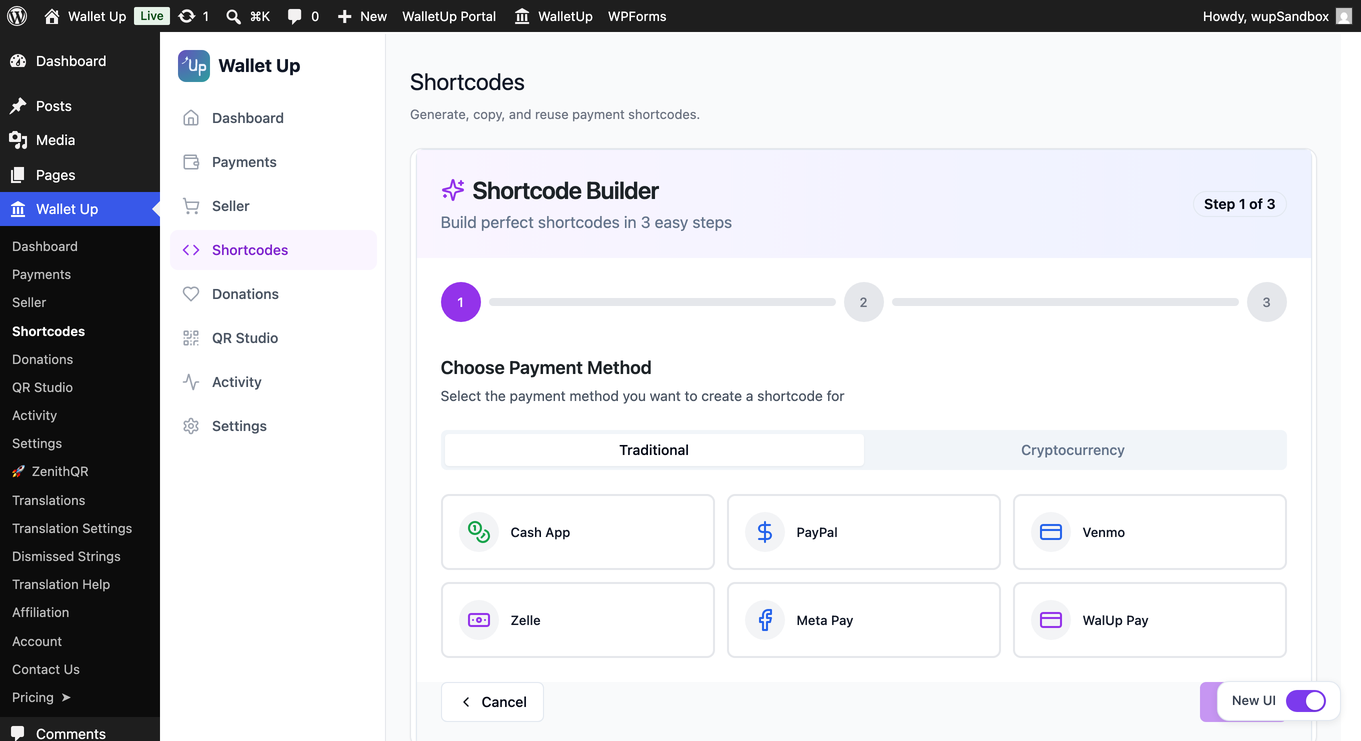
Wallet Up adds four blocks to the WordPress editor. Open any page or post, click the + button, and search ”Wallet Up”:
- Payment Button – a single button that opens the payment app.
- Payment QR Code – a scannable QR for the page or for print.
- Tip Jar – preset amounts ($3 / $5 / $10) plus a custom amount field.
- Pay Link – a plain text link, ideal for navigation menus or footers.
Or use shortcodes
Prefer the classic editor? Every block is also available as a shortcode:
[wallet_up method="cashapp" amount="25"]
[wallet_up method="venmo" amount="50"]
[wallet_up method="paypal" amount="100"]
Who Is Wallet Up For?
- Freelancers – add a payment QR code to your portfolio or invoicing page
- Small businesses – accept mobile payments without processing fees
- Nonprofits – collect donations via Cash App, Venmo, or PayPal
- WooCommerce stores – take cards at checkout with Stripe, and add Cash App or Venmo at checkout with Wallet Up Pro
- Service providers – let clients pay via QR code after a consultation
- Event organizers – collect registration fees or ticket payments
- Content creators – accept tips and support from your audience
Pro Features
Upgrade to Wallet Up Pro for advanced capabilities:
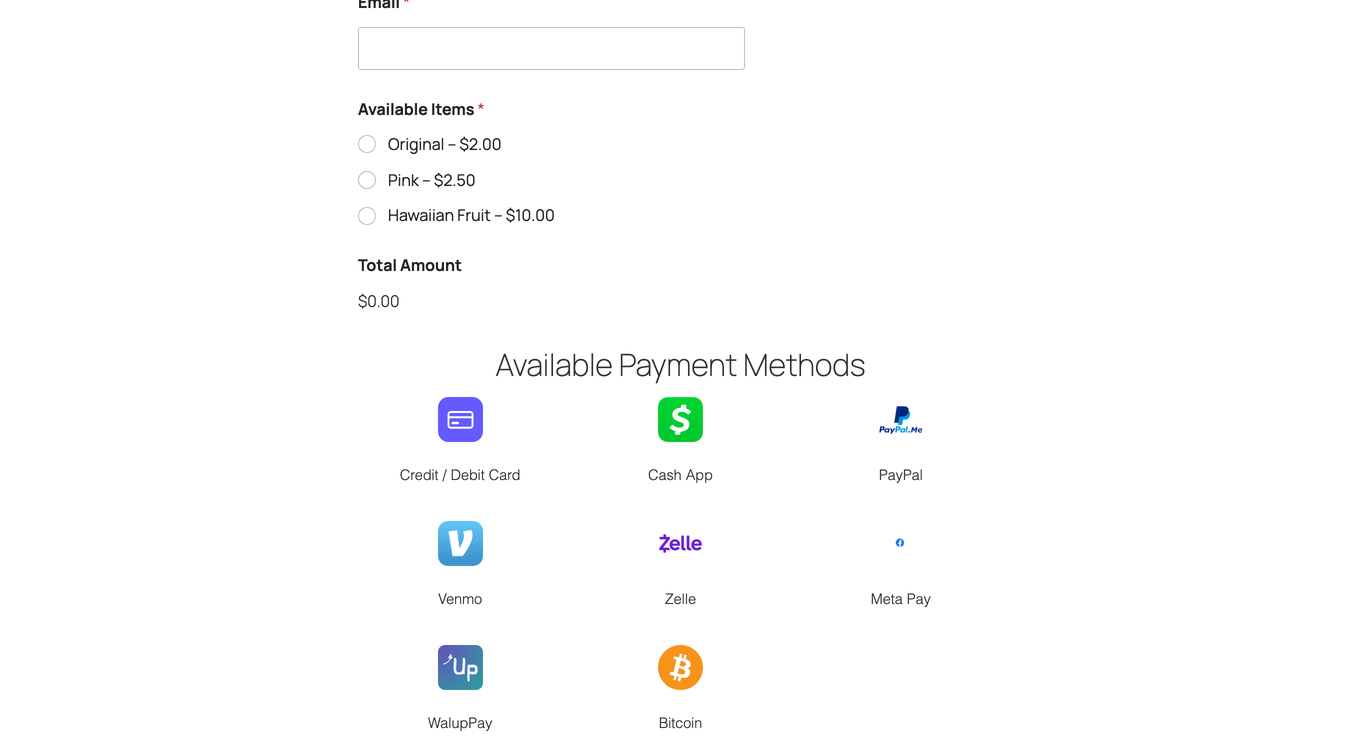
- 24 payment methods – add Zelle, Meta Pay, Interac e-Transfer, PayID, BPAY, PayTo, Bitcoin, Ethereum, USDT, USDC, BNB, Dogecoin, and 8 African mobile money providers
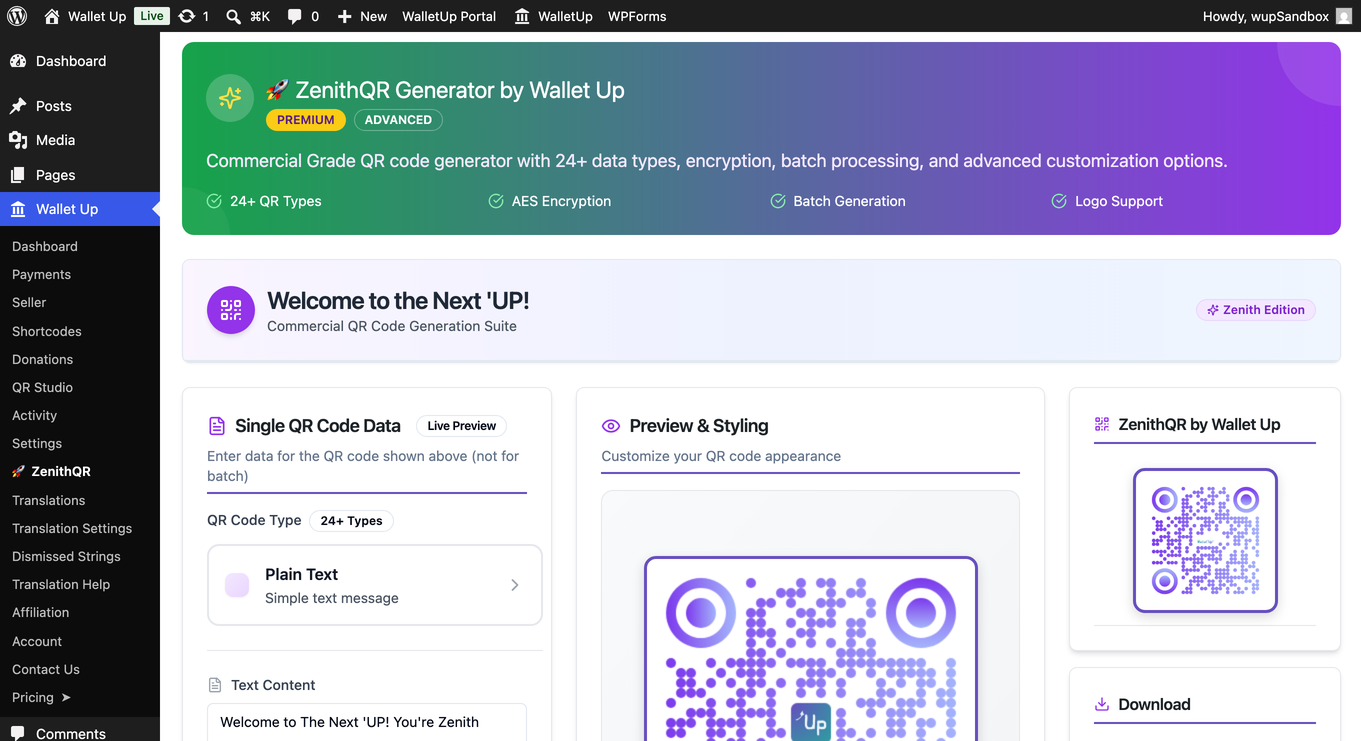
- Advanced QR Code Studio – custom logos, colors, styles (rounded, dot, circular), SVG export
- URL Shortener – branded short links with real-time click analytics
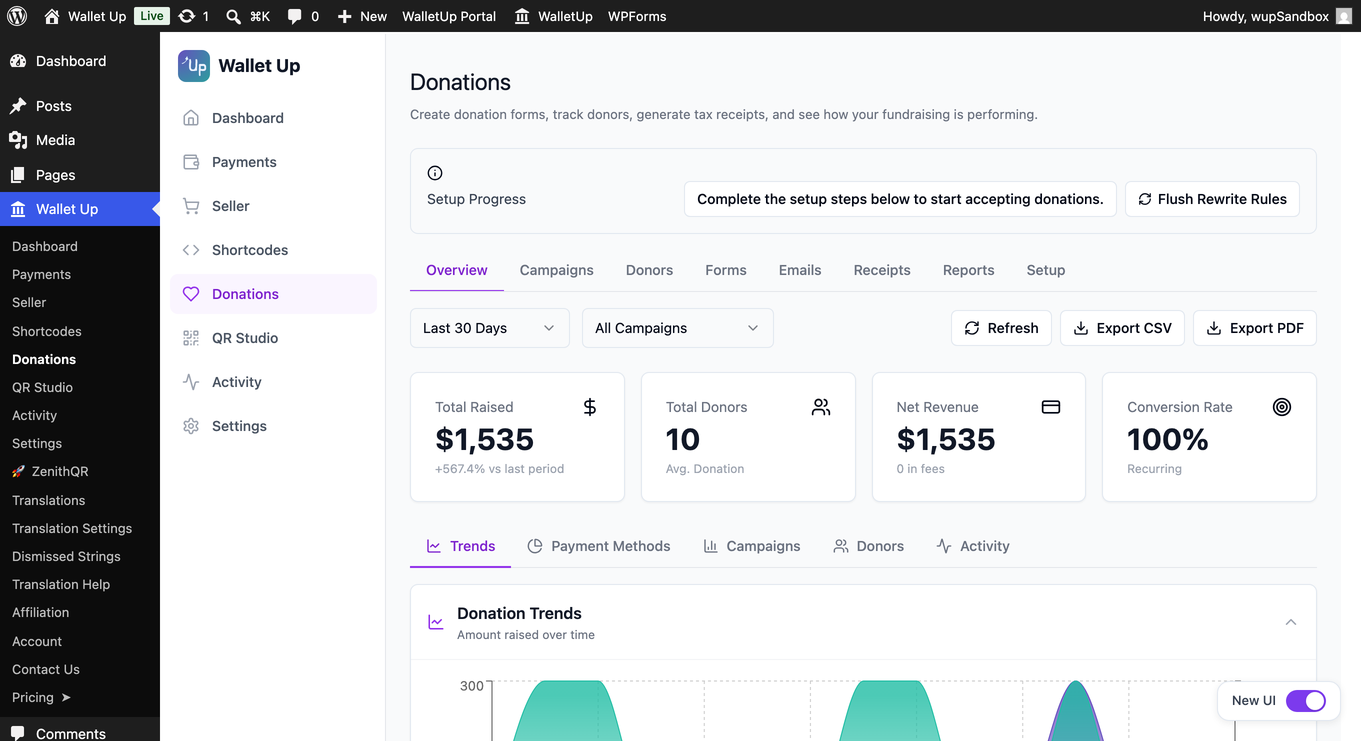
- Donation System – customizable donation pages with campaigns, donor management, and tax receipts
- WPForms Integration – add payment options to any form
- Digital Business Cards – scannable vCards with embedded payment links
- Analytics Dashboard – track QR scans, link clicks, impressions, and conversion rates
- Peer-to-peer WooCommerce checkout – Cash App, Venmo, PayPal and more as checkout options, in grouped, individual or mixed layouts
- Per-method checkout customization – discount badges, custom order statuses, min/max amounts
- Automated payment verification – Stripe card payments with 3D Secure
- Mobile Money for Africa – M-Pesa, Orange Money, MTN MoMo, Wave, Airtel Money, and more
- Memberships – recurring tiers with a guided setup, ready-made tier sets, a one-click sign-up page, and member management with search and filters
- Every method Stripe offers – switch on the Stripe Payment Element to show cards, Apple Pay, Google Pay, Link, Klarna and the local methods your connected account supports
- WalletUp Pay express checkout – one-tap Apple Pay and Google Pay at the top of cart and checkout
Privacy Policy
Wallet Up respects user privacy:
- No personal data is collected beyond what payment functionality requires
- Analytics data is stored locally on your server
- QR codes are generated server-side – no third-party QR APIs
- All tracking features can be disabled
External services
The peer-to-peer methods, QR codes and short links work entirely on your own server and contact nothing.
Card payments are the exception, and only if you choose to connect Stripe. In that case the plugin contacts two services:
- pay.walletup.app – WalletUp’s payment service, operated by us. It creates the Stripe payment intent for each card transaction and applies the platform fee. It receives the transaction amount, currency, order reference and your connected Stripe account id. Terms: https://pay.walletup.app/merchant/terms – Privacy: https://walletup.app/privacy
- Stripe – processes the card payment and pays out to your bank. Card details are entered directly into Stripe’s own fields and never reach your server or ours. Terms: https://stripe.com/legal – Privacy: https://stripe.com/privacy
Neither is contacted until you connect Stripe and a customer pays by card.
For privacy questions, contact privacy@walletup.app.
Disclaimers
Wallet Up is not affiliated with, endorsed by, or sponsored by any payment provider. All trademarks belong to their respective owners.
Cash App is a trademark of Block, Inc. Venmo and PayPal are trademarks of PayPal, Inc. Zelle is a trademark of Early Warning Services, LLC. Meta Pay is a trademark of Meta Platforms, Inc.
Skärmdumpar
Block
Detta tillägg tillhandahåller 6 block.
- Payment Button
- Payment Qr
- Pay Link
- Tip Jar
- Donation Form
- Order Confirmation
Installation
Minimum Requirements
- WordPress 5.8 or greater
- PHP version 8.1 or greater
- MySQL version 5.6 or MariaDB version 10.5 or greater
- PHP Memory limit of 256 MB or greater
- WordPress Memory limit of 256 MB or greater
Recommended Requirements
- WordPress 7.0 or greater
- PHP version 8.3 or greater
- MySQL version 8.0 or MariaDB version 10.6 or greater
- PHP Memory limit of 512 MB (768 MB for best performance) or greater
- WordPress Memory limit of 512 MB (768 MB for best performance) or greater
Automatic Installation
- Go to Plugins > Add New in your WordPress dashboard
- Search for ”Wallet Up”
- Click ”Install Now” then ”Activate”
- Go to Wallet Up in your admin menu
- Enter your Cash App, Venmo, or PayPal username
- Use the shortcode
[wallet_up method="cashapp" amount="25"]on any page
WooCommerce Setup
- Activate WooCommerce
- Connect Stripe under Wallet Up > Payments to take cards at checkout
- Customers see the card option on both the classic and block checkout
- Add the peer-to-peer methods as checkout options with Wallet Up Pro
Requirements
- WordPress 5.8+
- PHP 8.1+
- MySQL 5.7+
- SSL certificate recommended
Vanliga frågor
-
Which payment methods does Wallet Up support?
-
The free version supports Cash App, Venmo and PayPal, plus card payments through a Stripe account you connect. The Pro version adds Zelle, Meta Pay, Interac e-Transfer, PayID, BPAY, PayTo, WalletUp Pay, Bitcoin, Ethereum, USDT, USDC, BNB, Dogecoin and 8 mobile money providers – 24 methods in total.
-
Do I need a merchant account or API keys?
-
For Cash App, Venmo, PayPal and the other peer-to-peer methods: no. Wallet Up uses the username you already have to generate payment links and QR codes, and payments go directly to your own account. No API keys, no merchant account, no monthly fee.
For card payments: you connect a Stripe account, which takes about a minute and needs no API keys. Stripe pays out to your bank on its own schedule.
-
What does it cost?
-
The plugin is free, and Cash App, Venmo, PayPal and every other peer-to-peer method carry no WalletUp fee at all – no monthly fee, no per-transaction fee, nothing. That does not change.
Card payments are optional. If you connect Stripe to take them, they carry a WalletUp platform fee of 2% of each successful card transaction, collected automatically as a Stripe application fee. It comes out of your payout and is not added to what your customer is charged. Stripe’s own processing fees are separate and set by Stripe.
The platform fee applies to every connected Stripe account on every plan, Free, Pro, Lifetime and Business alike. Pro licence holders have a second route: enter your own Stripe API keys in the plugin and card payments run between your site and Stripe without WalletUp’s platform, with no platform fee. The current rate is set out in the Fee Schedule in the Payment Platform Terms at https://pay.walletup.app/merchant/terms and may change on notice.
-
Does it work with WooCommerce?
-
Yes. Connect Stripe to take cards at WooCommerce checkout in the free version, on both the classic and block checkout. Wallet Up Pro adds Cash App, Venmo, PayPal and the other methods as checkout options too.
-
Can I offer discounts for specific payment methods?
-
Yes (Pro). You can set a percentage or fixed-amount discount per payment method. For example, offer 5% off for Cash App payments to encourage customers to use your preferred method.
-
How do customers pay?
-
Customers scan a QR code with their phone camera or click a payment link. The payment app (Cash App, Venmo, PayPal) opens with the amount pre-filled. After paying, they confirm on your site.
-
Is it secure?
-
Payments are processed entirely through the official payment provider apps (Cash App, Venmo, PayPal). Wallet Up never touches or stores card numbers or bank details. The plugin has been audited for OWASP Top 10 vulnerabilities.
-
Can I customize the QR code appearance?
-
The free version generates standard QR codes. Pro users can customize colors, add logos, choose from multiple styles (rounded, dot, circular), and adjust sizes.
-
Does it work with WPForms?
-
Yes (Pro). You can add Wallet Up payment fields to any WPForms form.
-
Can I accept donations?
-
Yes (Pro). The donation system includes customizable donation pages, campaign management, donor tracking, and tax receipt generation.
-
Do you offer support?
-
Yes. Free users can post in the WordPress.org support forum. Pro users receive priority email support.
Recensioner

Bidragsgivare och utvecklare
”Wallet Up – Cash App, Venmo, PayPal, Zelle & QR Code Payments” är programvara med öppen källkod. Följande personer har bidragit till detta tillägg.
Bidragande personer

Översätt ”Wallet Up – Cash App, Venmo, PayPal, Zelle & QR Code Payments” till ditt språk.
Intresserad av programutveckling?
Läs programkoden, kika på SVN-filförvaret eller prenumerera på utvecklarloggen via RSS.
Ändringslogg
6.2.9 – October 11, 2026
- Improved: Activating Pro after purchase takes fewer steps, with a one-click download of the Pro version from the upgrade prompt.
- Improved: Reliability and consistency fixes across trials and all plan tiers.
6.2.8 – October 10, 2026
- Improved: Upgrading and activating Pro now happen right inside WordPress, for a smoother, more reliable setup.
- Improved: If you have already purchased Pro, a clear in-dashboard prompt helps you activate it on your site without buying again.
6.2.7 – October 9, 2026
- New: Set up several payment methods at once, each with its own handle.
- New: Guided first-run welcome, with optional free setup help.
- Improved (Pro): Payment methods on your WooCommerce checkout, cards and wallets together.
- Improved: Setup adapts to your business type and plan.
- Improved: Cleaner, more consistent admin.
6.2.6 – October 7, 2026
- New: Collect donations from setup: a quick Tip Jar, or (Pro) a full form and campaigns with goals and donor management.
- New: A matched offer on deactivation, based on how you use Wallet Up.
- New: Pause 30 days instead of deactivating, keeps taking payments with one-click resume.
- Improved: Security and reliability updates to licensing and setup.
6.2.5 – October 6, 2026
- New: Add Wallet Up to your WPForms forms as a payment field, so a form can take card, bank and wallet payments right where visitors fill it in.
- New: The admin dashboard and every settings page now adapt to phones and tablets, with a slide-in menu for small screens.
- New: ”More by WalletUp” is available in the free admin, introducing the Widewalk accessibility toolbar and the Beacon theme.
- Improved: Manage every Wallet Up payment option for WPForms from one settings page, with the form builder previewing the exact methods your visitors will see.
- Improved: A smoother card step on WPForms forms, with a clear status while a payment goes through and an easy retry if a card is declined.
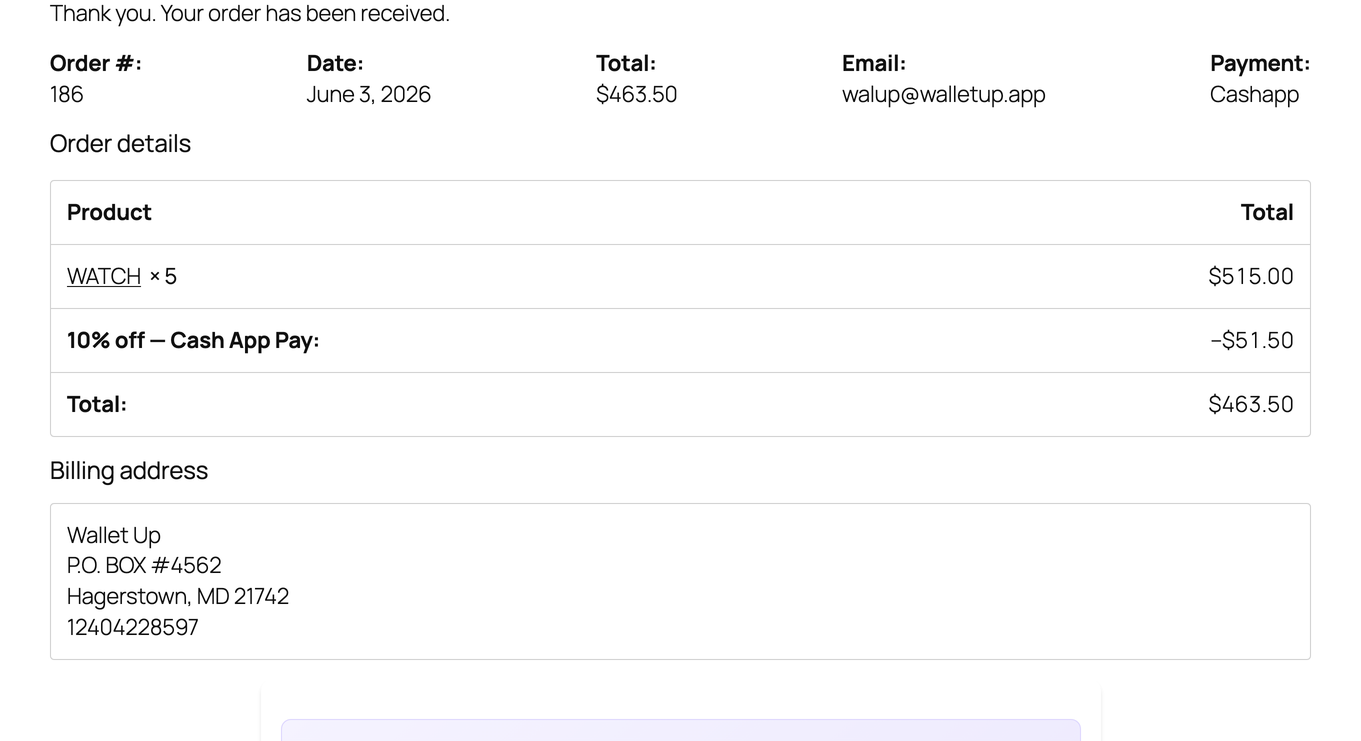
- Improved: The order confirmation page names the exact card or wallet used for the payment.
- Improved: The setup assistant highlights Stripe Connect as the one-step way to take cards at your WooCommerce checkout, and makes clear which options the checkout supports.
- New: When you set up donations, choose where supporters land: a quick Tip Jar, or a full donation form page with suggested amounts, recurring gifts and tax receipts.
- Improved: Setup checks your payment username as you enter it, so the link and QR you share always point to a working page.
- Improved: Wallet Up points out when a setting still needs attention while you are setting up, so nothing is quietly left half done.
- Improved: A smoother experience when trying Wallet Up from the WordPress.org plugin preview.
6.2.4 – September 29, 2026
- New: A ”More by WalletUp” page introduces free companion tools, the Widewalk accessibility toolbar and the Beacon theme.
6.2.1 – September 25, 2026
- Improved: Cash App, Venmo and PayPal shortcodes guide you straight to turning the method on, so setup is clear from the first try.
- Improved: Steadier handling of payment notifications for sites that are still completing their setup.
6.2.0 – September 21, 2026
- Improved: Security hardening now applies only where it belongs, so your cart, theme and other plugins load and work exactly as they should.
- Improved: The payment QR appears instantly and always matches your checkout total, including shipping, for every payment method.
- Improved: The checkout payment QR sits perfectly centered at every screen width, with a steady payment area and no layout shift.
- Improved: A cleaner, consistent WordPress toolbar and admin menu that line up neatly with your theme and other plugins, on desktop and mobile.
- Improved: Full payment options on Pay for order pages and payment links.
- Improved: Accurate per-method checkout analytics.
- Improved: Orders in Activity show customer, shipping and items, and open in full.
- New: Find a transaction by order number; open any from its reference.
- Improved: Order alerts open straight to that order in Activity.
- Improved: Activity totals and charts count active orders, methods named correctly.
- Improved: Uploaded payment QR shows in the same framed card as built-in codes.
6.1.0 – September 13, 2026
- New: A one-click setup check that names what is missing when payments are not showing up yet.
- Improved: A single site can now run more than one set of payment credentials, for agencies and multi-brand stores.
6.0.4 – September 11, 2026
- Improved: Card setup on the donation form and the pay page explains where it stands at every step, with a retry if you need one.
- Improved: Typing a custom donation amount is smoother, with the card prepared once you have finished rather than on every keystroke.
- Improved: Fee wording is read from one place, so the plugin, the merchant portal and the terms always say the same thing.
- Improved: Card payments offer whatever your connected Stripe account supports, including Klarna, Link and Cash App Pay where Stripe allows them.
6.0.3 – September 3, 2026
- Improved: Setup names the account format each wallet expects, so a PayPal.Me handle, a Cashtag or a Venmo username is clear at the point you enter it.
- New: A licence you have already paid for is recognised on Wallet Up screens, with a one-click download of the Pro version and the steps to install it.
6.0.2 – September 3, 2026
- Improved: Payment account fields accept a pasted wallet link or handle, so setup takes your details in the form your wallet presents them.
- Improved: Zambian mobile money accounts accept both the local and the international number format.
- Improved: Crypto payout addresses accept the full range of Bitcoin, BNB and Dogecoin formats.
- Improved: The PayPal connection check recognises a configured PayPal.Me account.
6.0.1 – September 2, 2026
- Improved: Wallet Up notices stay on Wallet Up’s own screens, keeping the rest of your admin clear.
- Improved: Locked payment methods point to one clear upgrade path wherever they appear.
6.0.0 – August 19, 2026
- New: (Pro) Canadian and Australian payments built in — accept Interac e-Transfer, PayID, BPAY and PayTo, each with clear pay-and-confirm instructions for your customers and donors.
- New: (Pro) Memberships — offer recurring membership tiers with a guided setup that takes you from zero to a live sign-up page in a few clicks.
- New: (Pro) Ready-made tier sets for nonprofits, creators, clubs and professional bodies — start from a template and adjust names and prices to fit.
- New: (Pro) One-click membership page — publish a branded sign-up page, or drop the form into any page or post with a shortcode.
- New: (Pro) Member management — search across thousands of members by name, email or ID, filter by tier and status, page through the list, and open any member to see their full record.
- New: (Pro) More ways to give in one step — donation forms present card, Klarna, Cash App and Link right in the form, matched to the donor’s country.
- Improved: (Pro) Consistent Stripe experience everywhere — card availability and Test/Live mode follow your connected Stripe account across WooCommerce checkout, express checkout, donations and forms.
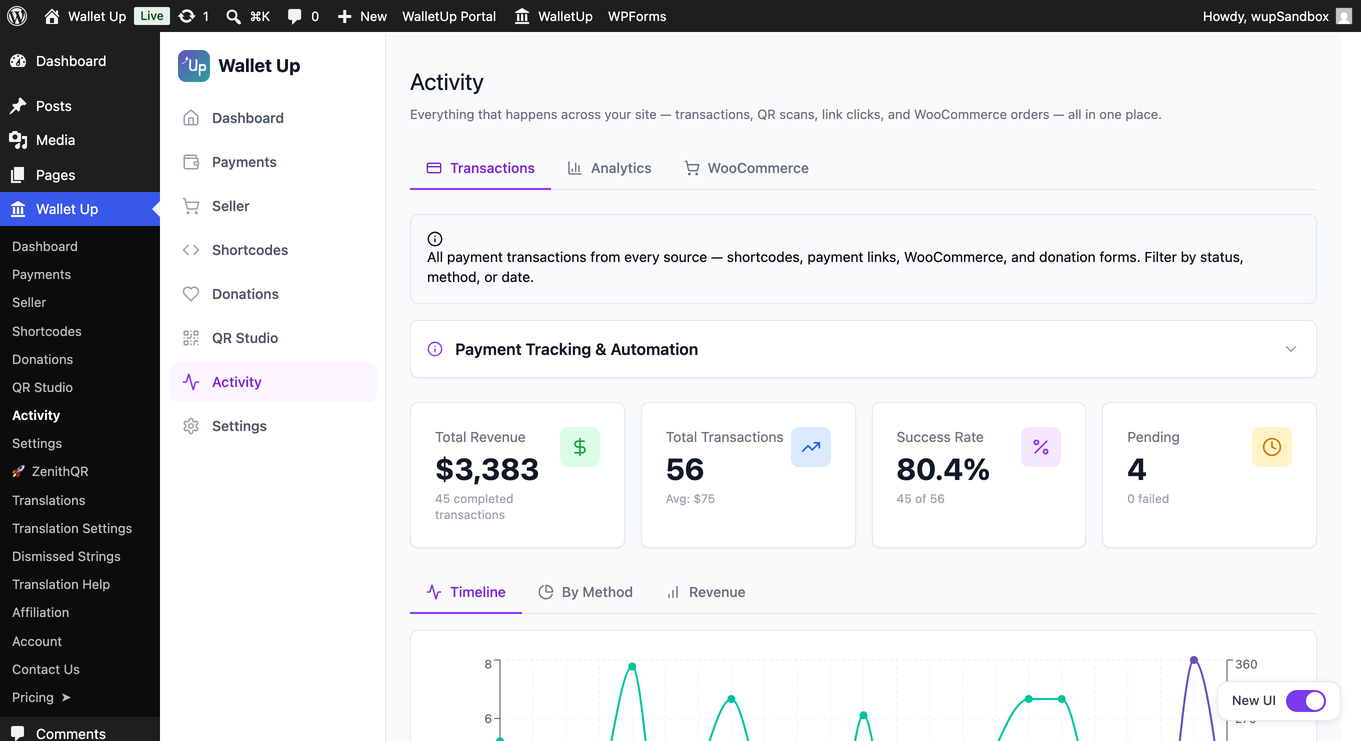
- Improved: (Pro) Activity Transactions brings every payment into one place — WooCommerce, donations, memberships and payment links, across every method, with filtering and search.
- Improved: (Pro) Worldwide currency support — amounts are handled correctly for every currency, including zero-decimal currencies such as Japanese yen and Korean won.
- New: Card payments in the free version — connect Stripe in about a minute and take Visa, Mastercard and Amex on your WooCommerce checkout. A 2% platform fee applies to card transactions only; the peer-to-peer methods stay free.
- New: A card switch on the Sell with cards screen — turn card payments on for your checkout when your Stripe account is ready, and see at a glance whether they are showing.
- New: (Pro) Show every payment method Stripe offers — one switch swaps the card fields for Stripe’s Payment Element, so cards, Apple Pay, Google Pay, Link and the local methods your account supports all appear at checkout.
- New: Pay-by-bank instruction pages now carry the amount and the reference your bank asks for, including the BPAY Customer Reference Number.
- Improved: The setup assistant reads your live payment catalogue, so every method you can use appears in it, and it offers the right steps for your plan.
- Improved: The assistant can put your chosen method straight onto your WooCommerce checkout as you finish setup.
- Improved: The admin reads and works properly on a phone — scrollable tabs, readable tables, and dialogs that fit the screen.
- Improved: PayPal Commerce now carries its own PayPal mark at checkout, distinct from PayPal.me.
- Improved: Updated styles and scripts reach your visitors as soon as they ship.
5.9.7 – August 12, 2026
- Improved: (Pro) Display methods WooCommerce checkout conflicts resolution
- Improved: (Pro) Minor Fixes
5.9.5 – August 8, 2026
- Improved: (Pro) One polished, uniform WooCommerce checkout — every payment method in a single clean list with centered QR codes, consistent across all themes and checkout styles.
- Improved: (Pro) Stripe connection status in Payments shows connected, verifying, and action-needed states at a glance.
5.9.3 – July 31, 2026
- Improved: Cleaner payment method layout on mobile checkout — gateway logos and labels stay tidy and easy to tap on smaller screens.
5.9.2 – July 24, 2026
- New: Activate your Pro license right from the plugin if you’ve already purchased it — no need to buy again.
- New: A Get Help page where you can share secure, temporary access with our team and copy a diagnostics summary in one click, so support can sort things out fast.
5.9.1 – July 23, 2026
- New (Pro): Build multi-column donation forms — drag a Columns block (2, 3, or 4 columns) into the form and drag any field into it. Add your logo and group fields into named sections too, all from the drag-and-drop builder.
- New (Pro): Full color control for donation forms, including a surface color for inputs and cards, with a live preview.
- Improved (Pro): Refined donation form styling — clearer amount selection, tidier spacing, and brand-matched focus states.
5.9.0 – July 19, 2026
- New (Pro): Confirmation Display (Beta) under Seller lets you set the order and content of every section on the order confirmation page, with a live preview.
- New (Pro): Branded, professional email design — set your logo, accent color, and footer address in Emails > Settings.
- New (Pro): Audit Log under Activity records who changed key settings, and when.
- Improved: Security and stability improvements.
- Improved: Minor improvements and fixes.
For the complete version history of all releases, see changelog.txt.