

Beskrivning
WP ShareX is an advanced WordPress Social Share plugin enables you to add social share buttons on Posts and pages. You can assign buttons on Top of the Content, Bottom of the Content, Sidebar and on media.
Features of WP Social Share by JoomDev
1. 24 Social Network
2. You have the option to select either Icons or Icons with Text
3. 3 Button Shapes
4. 4 Button Animations
5. URL Shortening Option with Bitly and Goo.gl
6. Embed Twitter Handle and desired tags with Tweet
7. 4 Button display Location e.i. Top of the Content, Bottom of the content, Media, and Sidebar
8. Hide On Mobile Ability
9. Default Share Count Option. (You can play with your user’s mind)
10. Encourage your Audience to share your content with Share Incentive Feature
Skärmdumpar
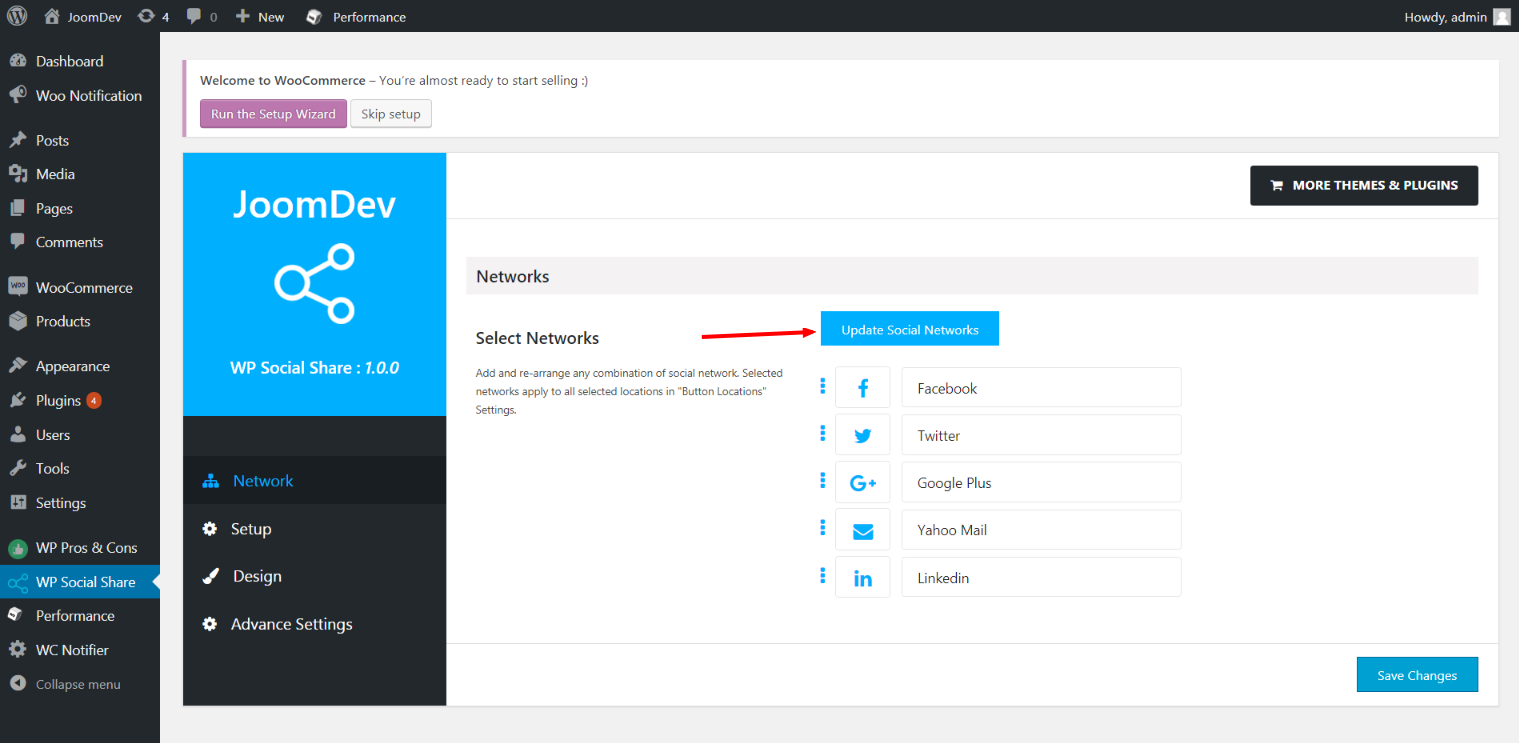
Click here to select networks 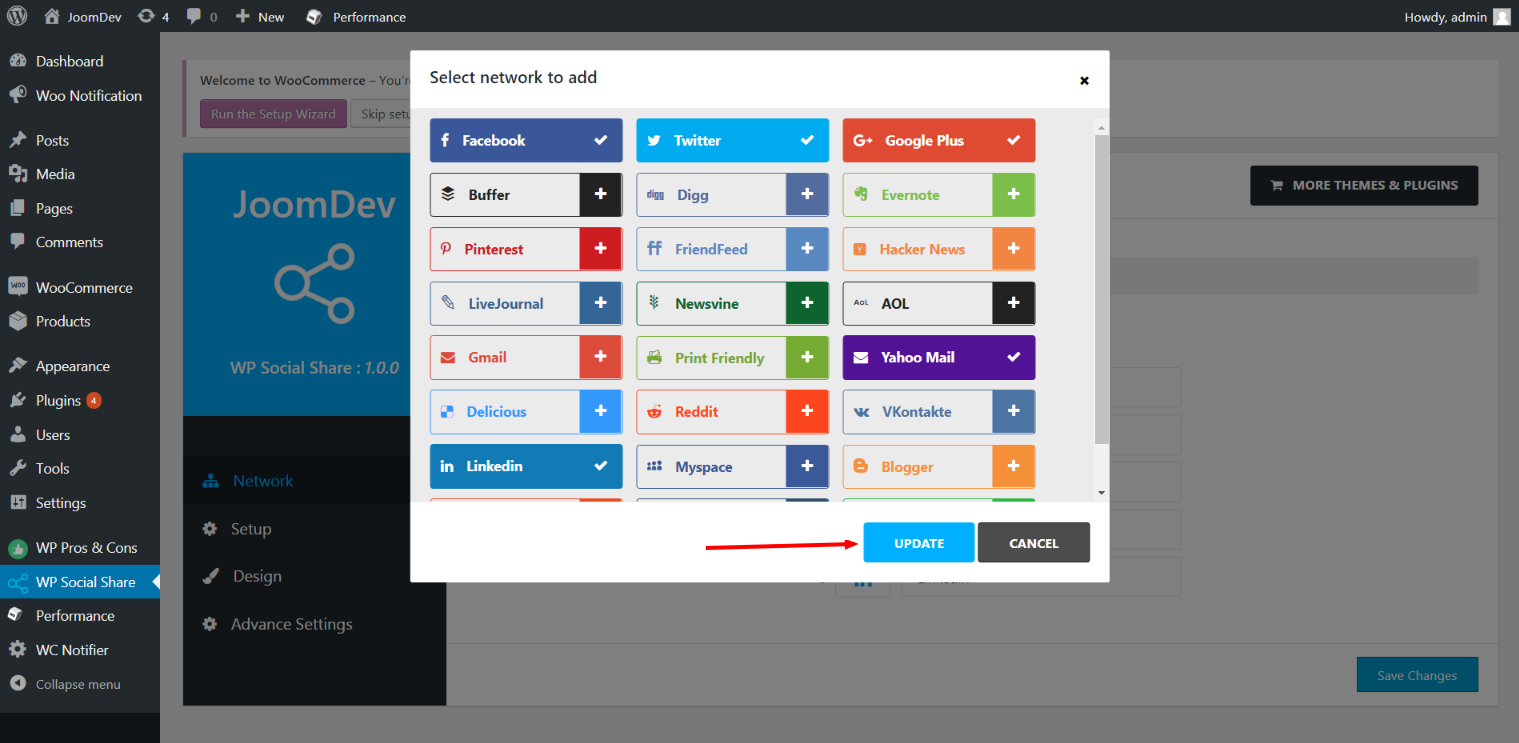
Update networks after selecting them. 
Setup plugin and api settings. 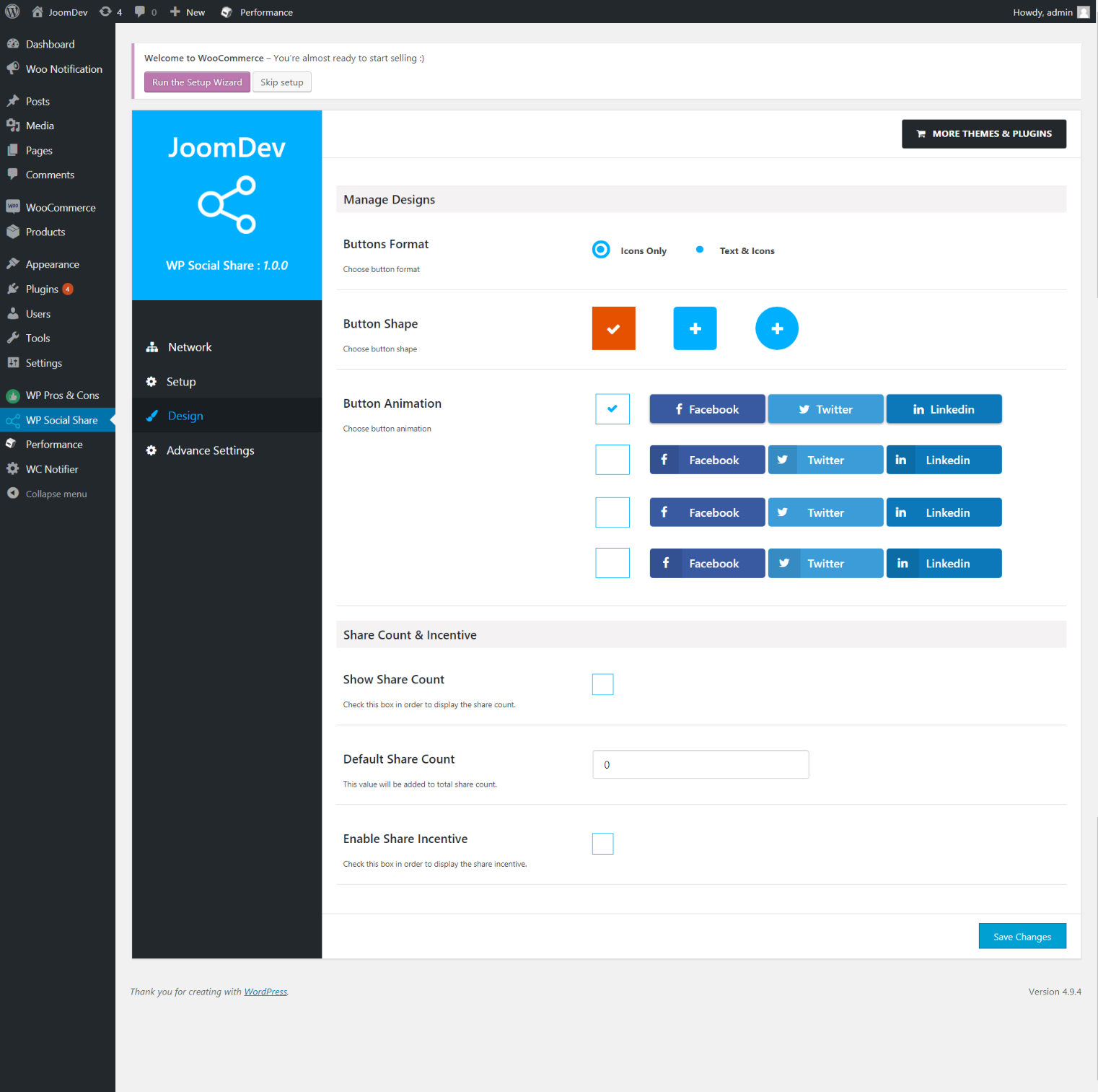
Select any design to display the buttons. 
For mobile
Installation
Way 1:
1. Upload joomdev-wp-social-share.zip to the /wp-content/plugins/ directory
2. Extract the zip file.
3. Activate the plugin from wordpress plugins page. And you have done.
Way 2:
1. Go to plugins page in admin.
2. Click on Add New button.
3. Search for ”WP ShareX”.
4. Click install on WP Social Share.
5. Activate the plugin.
Vanliga frågor
- Installation Instructions
-
Way 1:
1. Uploadjoomdev-wp-social-share.zipto the/wp-content/plugins/directory
2. Extract the zip file.
3. Activate the plugin from wordpress plugins page. And you have done.Way 2:
1. Go to plugins page in admin.
2. Click on Add New button.
3. Search for ”WP ShareX”.
4. Click install on WP Social Share.
5. Activate the plugin. - How do I use this plugin?
-
See description.
Recensioner

Bidragsgivare och utvecklare
”WP ShareX” är programvara med öppen källkod. Följande personer har bidragit till detta tillägg.
Bidragande personer
Översätt ”WP ShareX” till ditt språk.
Intresserad av programutveckling?
Läs programkoden, kika på SVN-filförvaret eller prenumerera på utvecklarloggen via RSS.
Ändringslogg
1.0.0
- New Plugin initialized.